
About
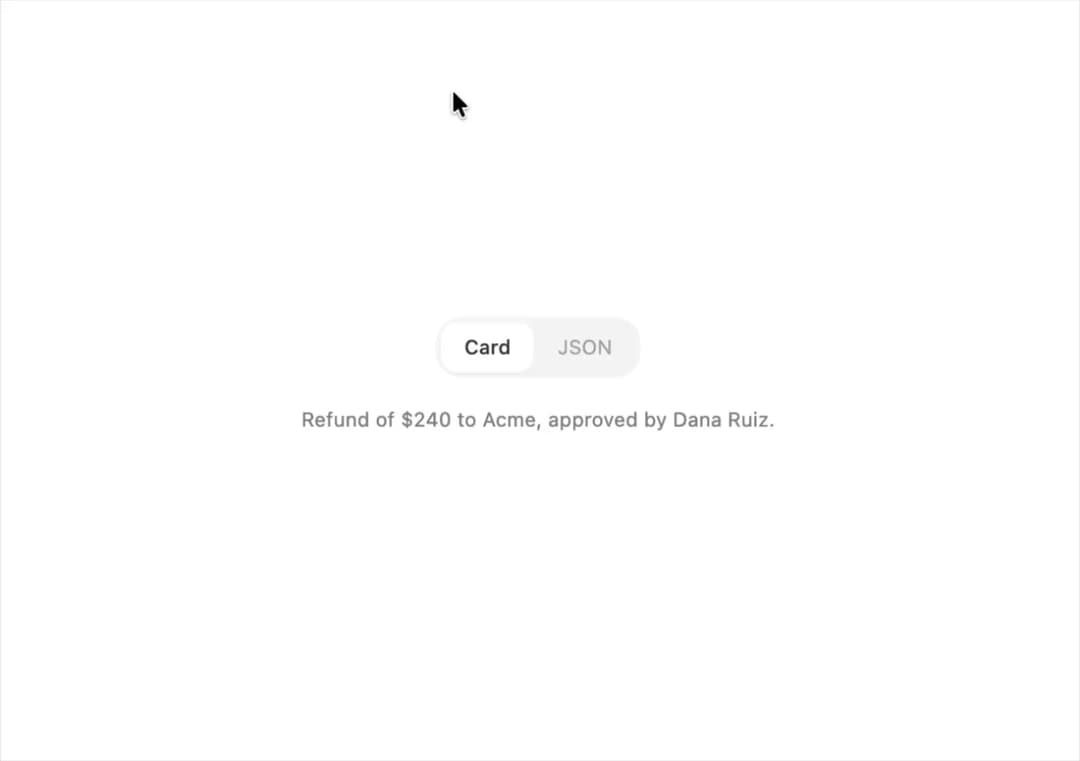
An iOS-style segmented control where a sliding thumb animates between options to switch between a small set of views or filters.
Built with React and Tailwind. Copy the prompt and paste it into Claude Code, Cursor or Lovable: your agent adds Segmented Control to your project and fits it to your theme.
Code
How Segmented Control is used: the demo's code. The component's own source comes with a free account.
Usage.tsx
import SegmentedControl from "@/components/ui/segmented-control";
import {
  Stack,
  Text,
} from "@/components/ui/segmented-control-utils/segmented-control-demo-support";
import { useState } from "react";

export default function SwitchingContentDemo() {
  const summaries = {
    Card: "Refund of $240 to Acme, approved by Dana Ruiz.",
    JSON: '{ "customer": "Acme", "refund": 240, "approvedBy": "Dana Ruiz" }',
  };
  const [format, setFormat] = useState("Card");
  return (
    <Stack gap={16} align="center" style={{ width: 360 }}>
      <SegmentedControl
        options={["Card", "JSON"]}
        value={format}
        onChange={setFormat}
      />
      <Text size="sm" secondary mono={format === "JSON"}>
        {summaries[format]}
      </Text>
    </Stack>
  );
}
More by halaska-studio
View all
Dot Grid
24
Orb
15
Choicebox
6
Combobox
5
Dialog
4
Input OTP
4
Table
2
Switch
1