
About
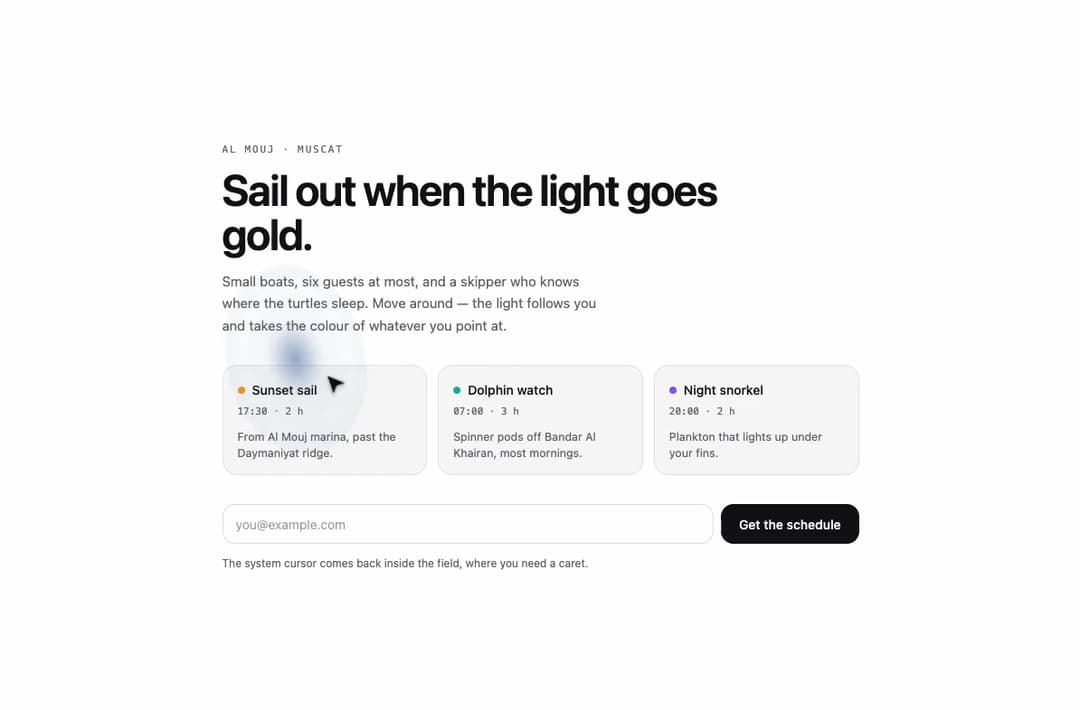
A custom animated cursor that draws a crisp arrow with a soft colored halo trailing behind it on a spring, tinting to match whatever element the pointer is over and rippling on click.
Built with React and Tailwind. Copy the prompt and paste it into Claude Code, Cursor or Lovable: your agent adds Halo Pointer to your project and fits it to your theme.
Code
How Halo Pointer is used: the demo's code. The component's own source comes with a free account.
Usage.tsx
"use client";

import HaloPointer from "@/components/ui/halo-pointer";
import { useState } from "react";

const THEMES = {
  azure: {
    halo: "#3b82f6",
    arrow: "dark" as const,
    page: "bg-white text-[#111113]",
    muted: "text-[#6b6b73]",
    line: "border-black/[0.08]",
    tile: "bg-[#f7f7f8]",
    btn: "bg-[#111113] text-white",
    ghost: "border-black/10 text-[#111113]",
    field: "bg-white border-black/12 placeholder:text-black/35",
  },
  ember: {
    halo: "#f97316",
    arrow: "light" as const,
    page: "bg-[#0d0c0b] text-[#f2ede6]",
    muted: "text-[#9a938a]",
    line: "border-white/[0.08]",
    tile: "bg-white/[0.035]",
    btn: "bg-[#f2ede6] text-[#0d0c0b]",
    ghost: "border-white/12 text-[#f2ede6]",
    field: "bg-white/[0.04] border-white/12 placeholder:text-white/35",
  },
  paper: {
    halo: "#5b8c6a",
    arrow: "dark" as const,
    page: "bg-[#f4f1ea] text-[#1c1b17]",
    muted: "text-[#76716a]",
    line: "border-black/[0.08]",
    tile: "bg-[#ebe6dc]",
    btn: "bg-[#1c1b17] text-[#f4f1ea]",
    ghost: "border-black/12 text-[#1c1b17]",
    field: "bg-[#faf8f3] border-black/12 placeholder:text-black/35",
  },
};

const ROUTES = [
  {
    name: "Sunset sail",
    time: "17:30 · 2 h",
    halo: "#f59e0b",
    note: "From Al Mouj marina, past the Daymaniyat ridge.",
  },
  {
    name: "Dolphin watch",
    time: "07:00 · 3 h",
    halo: "#14b8a6",
    note: "Spinner pods off Bandar Al Khairan, most mornings.",
  },
  {
    name: "Night snorkel",
    time: "20:00 · 2 h",
    halo: "#8b5cf6",
    note: "Plankton that lights up under your fins.",
  },
];

export default function Demo({ variant = "azure" }: { variant?: string }) {
  const t = THEMES[variant as keyof typeof THEMES] ?? THEMES.azure;
  const [picked, setPicked] = useState<string | null>(null);
  const [sent, setSent] = useState(false);

  return (
    <HaloPointer
      color={t.halo}
      arrow={t.arrow}
      className={`min-h-screen w-full ${t.page}`}
      style={{ fontFamily: "ui-sans-serif, system-ui" }}
    >
      <div className="mx-auto flex min-h-screen w-full max-w-3xl flex-col justify-center px-5 py-14 sm:px-8">
        <p
          className={`font-mono text-[11px] uppercase tracking-[0.16em] ${t.muted}`}
        >
          Al Mouj · Muscat
        </p>
        <h2 className="mt-3 max-w-[18ch] text-[clamp(1.9rem,5vw,3rem)] font-semibold leading-[1.02] tracking-[-0.03em]">
          Sail out when the light goes gold.
        </h2>
        <p
          className={`mt-4 max-w-[46ch] text-[15px] leading-relaxed ${t.muted}`}
        >
          Small boats, six guests at most, and a skipper who knows where the
          turtles sleep. Move around — the light follows you and takes the
          colour of whatever you point at.
        </p>

        <div className="mt-8 grid gap-3 sm:grid-cols-3">
          {ROUTES.map((r) => (
            <button
              key={r.name}
              type="button"
              data-halo={r.halo}
              onClick={() => setPicked(r.name)}
              aria-pressed={picked === r.name}
              className={`group rounded-2xl border p-4 text-left outline-none transition-[border-color,transform] duration-200 focus-visible:ring-2 focus-visible:ring-offset-2 active:scale-[0.985] ${t.line} ${t.tile}`}
              style={{
                ["--tw-ring-color" as string]: r.halo,
                ...(picked === r.name ? { borderColor: r.halo } : {}),
              }}
            >
              <span className="flex items-center gap-2">
                <span
                  className="size-2 rounded-full"
                  style={{ background: r.halo }}
                  aria-hidden="true"
                />
                <span className="text-[14px] font-medium">{r.name}</span>
              </span>
              <span
                className={`mt-1 block font-mono text-[11px] tabular-nums ${t.muted}`}
              >
                {r.time}
              </span>
              <span
                className={`mt-3 block text-[12.5px] leading-snug ${t.muted}`}
              >
                {r.note}
              </span>
            </button>
          ))}
        </div>

        <form
          className="mt-8 flex flex-col gap-2 sm:flex-row"
          onSubmit={(e) => {
            e.preventDefault();
            setSent(true);
          }}
        >
          <label htmlFor="hp-email" className="sr-only">
            Email
          </label>
          <input
            id="hp-email"
            type="email"
            required
            placeholder="you@example.com"
            className={`h-11 w-full rounded-xl border px-3.5 sm:w-auto sm:flex-1 text-[14px] outline-none focus-visible:ring-2 ${t.field}`}
            style={{ ["--tw-ring-color" as string]: t.halo }}
          />
          <button
            type="submit"
            data-halo={t.halo}
            className={`h-11 rounded-xl px-5 text-[14px] font-medium outline-none focus-visible:ring-2 focus-visible:ring-offset-2 ${t.btn}`}
            style={{ ["--tw-ring-color" as string]: t.halo }}
          >
            {sent
              ? "You're on the list"
              : picked
                ? `Hold a seat · ${picked}`
                : "Get the schedule"}
          </button>
        </form>
        <p className={`mt-3 text-[12px] ${t.muted}`} role="status">
          {sent
            ? "We'll send the October sailings on Sunday."
            : "The system cursor comes back inside the field, where you need a caret."}
        </p>
      </div>
    </HaloPointer>
  );
}
More by ham7a311
View all
Route Globe
12
Wave Mesh
7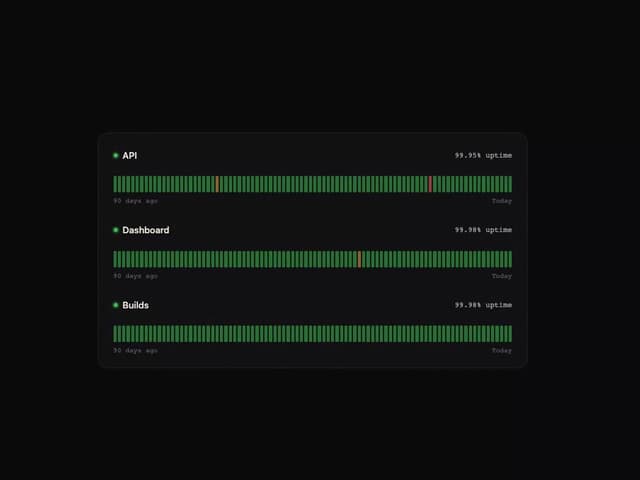
Uptime Ribbon
6
Glass Carousel
6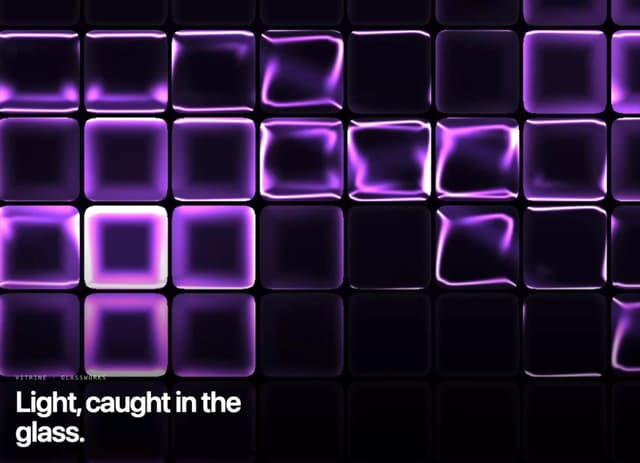
Glass Tiles
6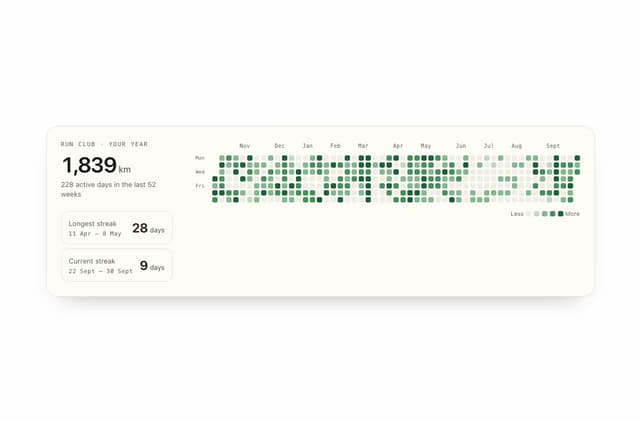
Streak Field Stats
5
Wind Map
5
Time Window
4