
About
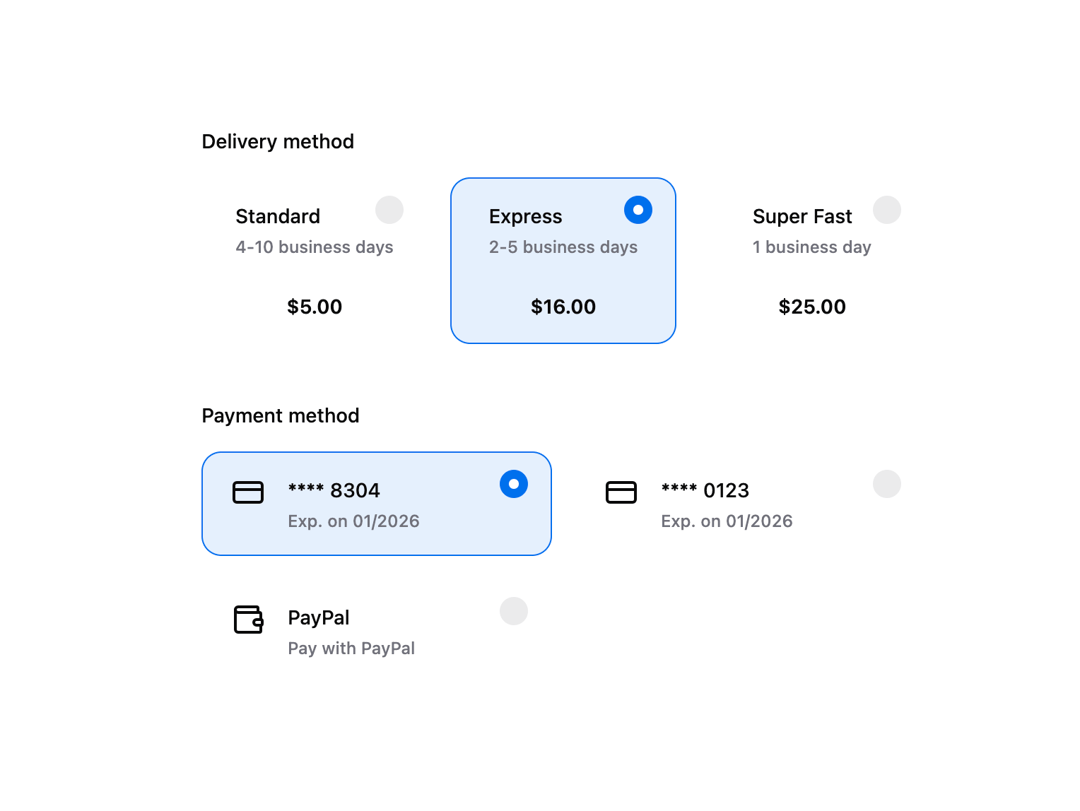
HeroUI v3 RadioGroup — single-select radio options with descriptions, custom indicators, orientation, controlled/uncontrolled, validation, variants and surface usage.
Built with React and Tailwind. Copy the prompt and paste it into Claude Code, Cursor or Lovable: your agent adds HeroUI Radio Group to your project and fits it to your theme.
Code
How HeroUI Radio Group is used: the demo's code. The component's own source comes with a free account.
Usage.tsx
import { RadioGroup, Radio } from "@/components/ui/heroui-radio-group"
import { Description, Label } from "@heroui/react"
import { CreditCard, Wallet } from "lucide-react"

export default function DeliveryAndPayment() {
  const deliveryOptions = [
    {
      description: "4-10 business days",
      price: "$5.00",
      title: "Standard",
      value: "standard",
    },
    {
      description: "2-5 business days",
      price: "$16.00",
      title: "Express",
      value: "express",
    },
    {
      description: "1 business day",
      price: "$25.00",
      title: "Super Fast",
      value: "super-fast",
    },
  ]

  const paymentOptions = [
    {
      description: "Exp. on 01/2026",
      icon: CreditCard,
      title: "**** 8304",
      value: "mastercard",
    },
    {
      description: "Exp. on 01/2026",
      icon: CreditCard,
      title: "**** 0123",
      value: "visa",
    },
    {
      description: "Pay with PayPal",
      icon: Wallet,
      title: "PayPal",
      value: "paypal",
    },
  ]

  return (
    <div
      className="flex w-full flex-col items-center gap-10"
      style={{
        // @ts-expect-error - Overrides default variables
        "--accent": "#006FEE",
        "--accent-foreground": "#fff",
        "--accent-hover": "#006FEE",
        "--border-width": "2px",
        "--border-width-field": "2px",
        "--focus": "#006FEE",
      }}
    >
      <section className="flex w-full max-w-lg flex-col gap-4">
        <RadioGroup defaultValue="express" name="delivery" variant="secondary">
          <Label>Delivery method</Label>
          <div className="grid gap-x-4 md:grid-cols-3">
            {deliveryOptions.map((option) => (
              <Radio key={option.value} value={option.value}>
                <Radio.Content
                  className={[
                    "group relative flex w-full flex-col gap-6 rounded-xl border border-transparent bg-surface px-5 py-4 transition-all data-[selected=true]:border-accent data-[selected=true]:bg-accent/10",
                    "data-[focus-visible=true]:border-accent data-[focus-visible=true]:bg-accent/10",
                  ].join(" ")}
                >
                  <Radio.Control className="absolute top-3 right-4 size-5">
                    <Radio.Indicator />
                  </Radio.Control>
                  <div className="flex flex-col gap-1">
                    <span>{option.title}</span>
                    <Description>{option.description}</Description>
                  </div>
                  <span className="text-sm font-semibold">{option.price}</span>
                </Radio.Content>
              </Radio>
            ))}
          </div>
        </RadioGroup>
      </section>
      <section className="flex w-full max-w-lg flex-col gap-4">
        <RadioGroup defaultValue="visa" name="payment" variant="secondary">
          <div className="flex flex-wrap items-center justify-between gap-4">
            <Label>Payment method</Label>
          </div>
          <div className="grid gap-x-4 md:grid-cols-2">
            {paymentOptions.map((option) => {
              const OptionIcon = option.icon

              return (
                <Radio key={option.value} value={option.value}>
                  <Radio.Content
                    className={[
                      "group relative flex w-full flex-row items-start justify-start gap-4 rounded-xl border border-transparent bg-surface px-5 py-4 transition-all",
                      "data-[selected=true]:border-accent data-[selected=true]:bg-accent/10",
                    ].join(" ")}
                  >
                    <Radio.Control className="absolute top-3 right-4 size-5">
                      <Radio.Indicator />
                    </Radio.Control>
                    <OptionIcon className="size-6" />
                    <div className="flex flex-col gap-1">
                      <span>{option.title}</span>
                      <Description>{option.description}</Description>
                    </div>
                  </Radio.Content>
                </Radio>
              )
            })}
          </div>
        </RadioGroup>
      </section>
    </div>
  )
}
Dependencies
More by Hero Ui
View all

DatePicker
465
Chip
440
The Pagination
361
HeroUI Color Picker
105
Skeleton
104
HeroUI Table
100
HeroUI Disclosure Group
94
HeroUI AlertDialog
80
More in Cards
View all
Stats cards with links
33

Course Design Cards
1.1K

Card
70
Statistics Card 2
264
Statistics Card 10
263

Card
17

Card Studio
9
The Item one
3
