
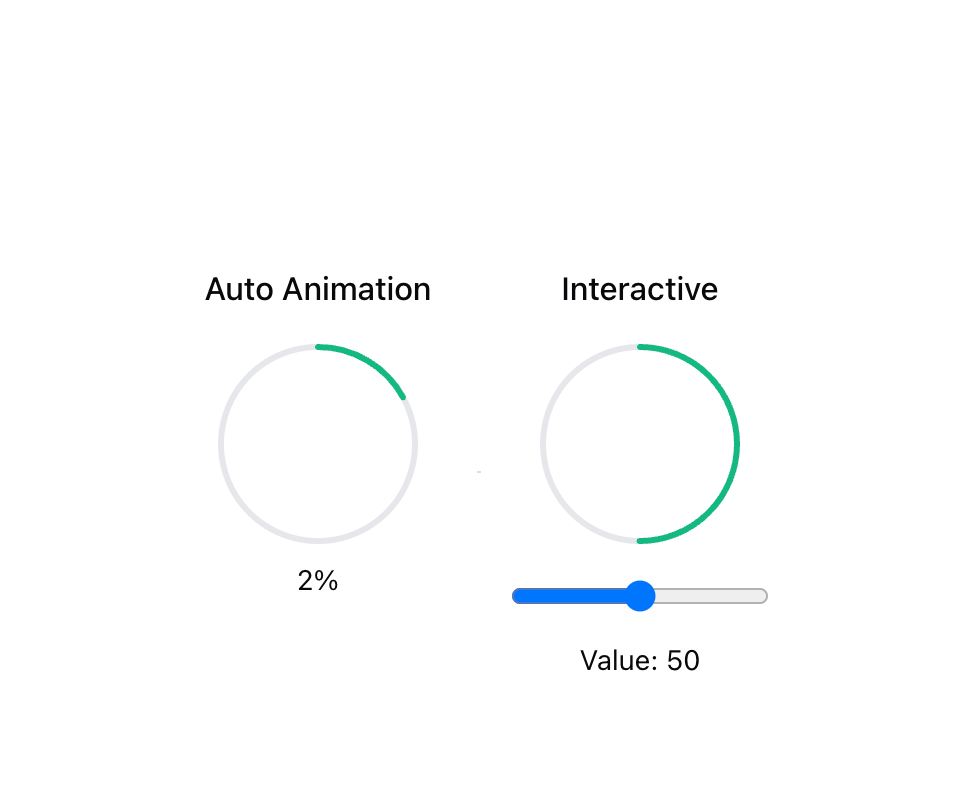
CircleProgress displays progress, completion status, or usage metrics in a circular format. It provides visual feedback about processes, tasks completion, or resource utilization. ## When to use - To show completion percentage of a task or process - To display resource usage (disk space, memory, CPU) - To create countdown or elapsed time indicators - For data visualization that needs to show parts of a whole ## Accessibility - Progress indicator includes ARIA attributes for screen readers - Value text provides detailed information about current progress value - Ensure sufficient color contrast for the progress indicator - Consider providing text alternatives that describe the progress value
Built with React and Tailwind. Copy the prompt and paste it into Claude Code, Cursor or Lovable: your agent adds Circle Progress to your project and fits it to your theme.
Code
How Circle Progress is used: the demo's code. The component's own source comes with a free account.
Usage.tsx
import * as React from "react";
import { CircleProgress } from "@/components/ui/circle-progress";

export function AnimationDemo() {
  const [autoProgress, setAutoProgress] = React.useState(0);
  const [progress, setProgress] = React.useState(50);

  React.useEffect(() => {
    const timer = setInterval(() => {
      setAutoProgress((prev) => (prev >= 100 ? 0 : prev + 1));
    }, 100);
    return () => clearInterval(timer);
  }, []);

  return (
    <div className="grid grid-cols-1 md:grid-cols-2 gap-8">
      <div className="flex flex-col items-center">
        <h3 className="text-base font-medium mb-4">Auto Animation</h3>
        <CircleProgress
          value={autoProgress}
          maxValue={100}
          size={100}
          animationDuration={300}
        />
        <span className="mt-2 text-sm">{Math.round(autoProgress)}%</span>
      </div>

      <div className="flex flex-col items-center">
        <h3 className="text-base font-medium mb-4">Interactive</h3>
        <CircleProgress
          value={progress}
          maxValue={100}
          size={100}
          animationDuration={500}
        />
        <div className="w-full max-w-xs mt-4 space-y-2">
          <input
            type="range"
            min="0"
            max="100"
            value={progress}
            onChange={(e) => setProgress(parseInt(e.target.value))}
            className="w-full"
          />
          <div className="text-center text-sm">Value: {progress}</div>
        </div>
      </div>
    </div>
  );
}More by oc tung
View all
useItemOverflow
68