
About
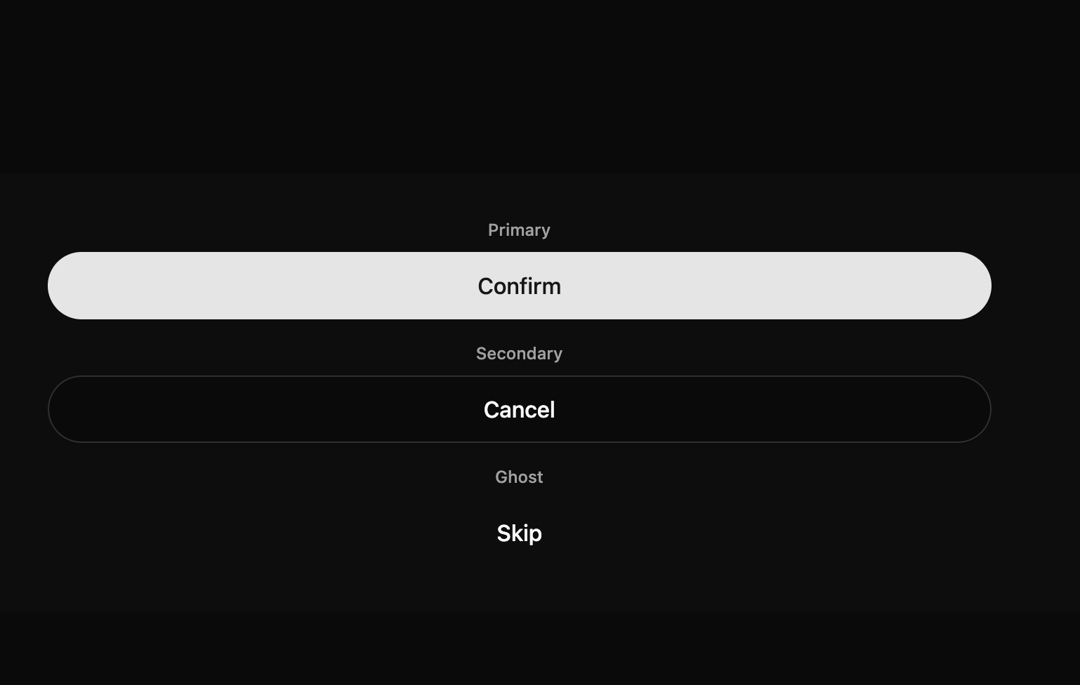
Here is Morph Button components
Built with React and Tailwind. Copy the prompt and paste it into Claude Code, Cursor or Lovable: your agent adds Morph Button to your project and fits it to your theme.
Code
How Morph Button is used: the demo's code. The component's own source comes with a free account.
Usage.tsx
'use client';

import * as React from 'react';
import { MorphButton } from '@/components/ui/morph-button';

export default function MorphButtonVariantsDemo() {
const [loadingState, setLoadingState] = React.useState<{
  [key: string]: boolean;
}>({});

const handleClick = (id: string) => {
  setLoadingState((prev) => ({ ...prev, [id]: true }));
  setTimeout(() => {
    setLoadingState((prev) => ({ ...prev, [id]: false }));
  }, 2000);
};

return (
  <div className="flex w-full flex-col items-center justify-center gap-8 border-l-2 border-muted bg-muted/10 p-8">
    {/*
      NOTE: This layout uses container queries (@sm).
      For this to work in your own application, the parent element of this component
      must have the Tailwind CSS class "@container".
    */}
    <div className="grid w-full max-w-2xl grid-cols-1 gap-4 @sm:grid-cols-3">
      <div className="flex flex-col items-center gap-2">
        <span className="text-xs font-medium text-muted-foreground">
          Primary
        </span>
        <MorphButton
          text="Confirm"
          variant="primary"
          isLoading={loadingState['primary']}
          onClick={() => handleClick('primary')}
          className="w-full"
        />
      </div>

      <div className="flex flex-col items-center gap-2">
        <span className="text-xs font-medium text-muted-foreground">
          Secondary
        </span>
        <MorphButton
          text="Cancel"
          variant="secondary"
          isLoading={loadingState['secondary']}
          onClick={() => handleClick('secondary')}
          className="w-full"
        />
      </div>

      <div className="flex flex-col items-center gap-2">
        <span className="text-xs font-medium text-muted-foreground">
          Ghost
        </span>
        <MorphButton
          text="Skip"
          variant="ghost"
          isLoading={loadingState['ghost']}
          onClick={() => handleClick('ghost')}
          className="w-full"
        />
      </div>
    </div>
  </div>
);
}
Dependencies
More by iamsatish4564
View all

Portfolio and Image Gallery
1K
Micro Expander
352
Animated Profile Card
136
Curtain Button
76
Prime Button
63
Eclipse Button
39
More in Buttons
View all
Button Save
46

Button
20

Button
6

Button
14

Button Group
37

Button
32
Split Button
32

App Store Button
454

