
About
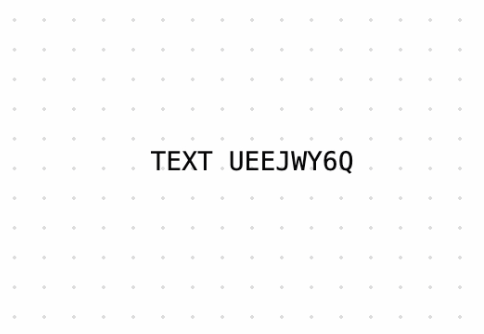
Text animation that transforms text by randomly cycling through characters before settling on the final content, creating an engaging cryptographic effect.
Built with React and Tailwind. Copy the prompt and paste it into Claude Code, Cursor or Lovable: your agent adds Text Scramble to your project and fits it to your theme.
Code
How Text Scramble is used: the demo's code. The component's own source comes with a free account.
Usage.tsx
"use client"

import * as React from "react"
import { useState } from "react"
import { TextScramble } from "@/components/ui/text-scramble"

export function BasicDemo() {
  return (
    <div className="flex justify-center">
      <TextScramble className="font-mono text-sm uppercase">
        Text Scramble
      </TextScramble>
    </div>
  )
}

export function CustomTriggerDemo() {
  const [isTrigger, setIsTrigger] = useState(false)

  return (
    <div className="flex justify-center">
      <a
        href="#"
        className="text-zinc-500 transition-colors hover:text-black dark:hover:text-white"
      >
        <TextScramble
          className="text-sm"
          as="span"
          speed={0.01}
          trigger={isTrigger}
          onHoverStart={() => setIsTrigger(true)}
          onScrambleComplete={() => setIsTrigger(false)}
        >
          Tyler, The Creator - I Hope You Find Your Way Home
        </TextScramble>
      </a>
    </div>
  )
}

export function CustomCharacterDemo() {
  return (
    <div className="flex justify-center">
      <TextScramble
        className="font-mono text-sm"
        duration={1.2}
        characterSet=". "
      >
        Generating the interface...
      </TextScramble>
    </div>
  )
}

export const demos = [
  {
    name: "Basic",
    description: "Basic text scramble with default settings",
    component: BasicDemo,
  },
  {
    name: "Custom Trigger",
    description: "Text scramble triggered on hover",
    component: CustomTriggerDemo,
  },
  {
    name: "Custom Character Set",
    description: "Text scramble with custom character set and duration",
    component: CustomCharacterDemo,
  }
]
Dependencies
More by Julien Thibeaut
View all

Dock
3.1K
Text Effect
1.6K
Infinite Slider
1.5K
Text Shimmer
1.3K
Progressive blur
683
Glow Effect
610
Tailwind CSS Background Snippet
535
Sliding Number
494
More in Text
View all

Vertical Cut Reveal Characters
103

Rainbow Text Effect
47
Motion Blur Text
36
Text Loop
307
Text Reveal
27

Animated Text
8
Apple Hello Effect
609
Lightning Text
123

