
About
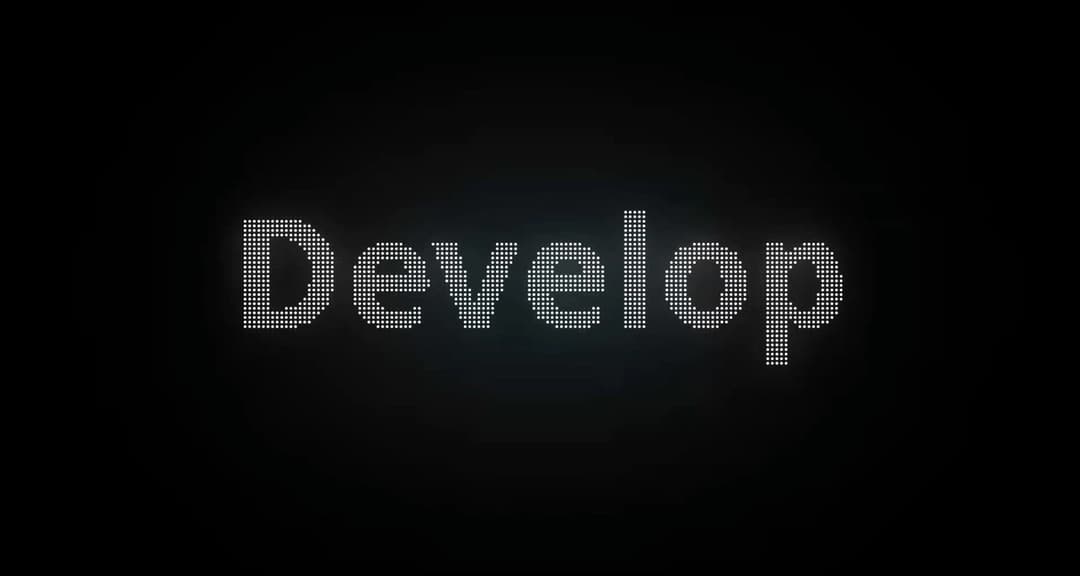
Canvas-powered dot matrix typography with dynamic text cycling, scramble and fade transitions, and customizable LED grid styles.
Built with React and Tailwind. Copy the prompt and paste it into Claude Code, Cursor or Lovable: your agent adds Dot Text to your project and fits it to your theme.
Code
How Dot Text is used: the demo's code. The component's own source comes with a free account.
Usage.tsx
"use client";

import React from "react";
import DotMatrixText from "@/components/ui/dot-text";

export default function DotMatrixDemo() {
  return (
    <div className="relative w-full min-h-[600px] h-screen bg-black flex items-center justify-center overflow-hidden select-none">

      {/* 1. Ambient Background Lighting */}
      <div className="absolute top-1/2 left-1/2 -translate-x-1/2 -translate-y-1/2 w-[800px] h-[400px] bg-primary/10 blur-[140px] rounded-full pointer-events-none" />
      <div className="absolute top-1/2 left-1/2 -translate-x-1/2 -translate-y-1/2 w-[400px] h-[200px] bg-sky-500/10 blur-[100px] rounded-full pointer-events-none" />

      {/* 2. Pure Dot Matrix Typography Stage */}
      <div className="relative z-10 w-full max-w-5xl px-6 h-56 md:h-80 flex items-center justify-center">
        <DotMatrixText
          text={["EaseMize", "Design", "Develop"]}
          transition="fade"
          cycleInterval={3000}
          dotSize={4}
          gap={2.5}
          activeColor="#ffffff"
          inactiveColor="rgba(255, 255, 255, 0.04)"
          showInactive={true}
          className="w-full h-full drop-shadow-[0_0_25px_rgba(255,255,255,0.4)]"
        />
      </div>

    </div>
  );
}More by Hossain Jahed
View all

Spotlight Card
8.7K
Cinematic landing Hero
5.6K
Motion Footer
5.6K
Sign In
4.6K
AI prompt Box
3K
Glassmorphism Trust Hero
2.8K
Limelight Nav
2K
Ai chat input
1.7K
More in Text
View all

Vertical Cut Reveal Characters
103

Rainbow Text Effect
47
Motion Blur Text
36
Text Loop
306
Text Reveal
27
Apple Hello Effect
608

Animated Text
8
Lightning Text
122

