
About
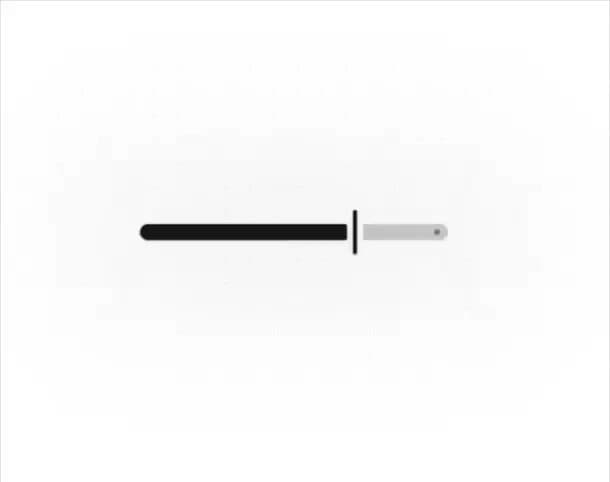
Material Design 3 Expressive Slider for Shadcn UI & Tailwind. Supports range/centered modes, clip-path icons, spring physics, and tooltips.
Built with React and Tailwind. Copy the prompt and paste it into Claude Code, Cursor or Lovable: your agent adds Material Design 3 Expressive Slider to your project and fits it to your theme.
Code
How Material Design 3 Expressive Slider is used: the demo's code. The component's own source comes with a free account.
Usage.tsx
import React, { useState } from "react";
import { Slider } from "@/components/ui/material-design-3-expressive-slider";
import { Sparkles, Zap } from "lucide-react";

export default function CinematicDualThemeShowcase() {
  const [power, setPower] = useState([65]);

  return (
    // Responsive background that adapts naturally to Light/Dark modes
    <div className="relative flex min-h-[600px] h-screen w-full items-center justify-center overflow-hidden bg-background font-sans transition-colors duration-500">

      {/* --- 1. GRADIENTAL DOT GRID --- */}
      {/* Uses 'currentColor' inherited from text color so dots adapt to light/dark themes natively */}
      <div
        className="absolute inset-0 z-0 text-primary/10 dark:text-primary/30"
        style={{
          backgroundImage: "radial-gradient(circle at center, currentColor 1px, transparent 1px)",
          backgroundSize: "24px 24px",
          // The mask relies on alpha channels, so 'black' works perfectly for both themes to create the fade
          maskImage: "radial-gradient(ellipse 60% 60% at center, black 10%, transparent 100%)",
          WebkitMaskImage: "radial-gradient(ellipse 60% 60% at center, black 10%, transparent 100%)"
        }}
      />

      {/* --- 2. THEME-AWARE VIGNETTE --- */}
      {/* Darkens/Lightens the extreme edges of the screen smoothly into the background color */}
      <div
        className="absolute inset-0 z-0 pointer-events-none"
        style={{
           background: "radial-gradient(circle at center, transparent 30%, var(--color-background) 110%)"
        }}
      />

      {/* --- 3. AMBIENT SPOTLIGHTING --- */}
      {/* Soft, airy glow in Light mode. Vibrant, deep neon glow in Dark mode. */}
      <div
        className="absolute top-1/2 left-1/2 -translate-x-1/2 -translate-y-1/2 w-[500px] h-[150px] bg-primary/10 dark:bg-primary/20 blur-[80px] rounded-full pointer-events-none z-0 animate-pulse"
        style={{ animationDuration: '4s' }}
      />
      <div
        className="absolute top-1/2 left-1/2 -translate-x-1/2 -translate-y-1/2 w-[300px] h-[80px] bg-secondary/20 dark:bg-secondary/30 blur-[60px] rounded-full pointer-events-none z-0"
      />

      {/* --- 4. THE HERO SLIDER --- */}
      <div className="relative z-10 w-full max-w-[400px] px-6">
        <Slider
          size="default"
          value={power}
          onValueChange={setPower}
          // Uses standard shadow in light mode, and a glowing neon shadow in dark mode
          className="text-primary drop-shadow-sm dark:drop-shadow-[0_0_20px_rgba(var(--color-primary),0.25)]"
          showTooltip
          formatLabel={(val) => `${Math.round(val)}%`}
        />
      </div>

    </div>
  );
}More by Hossain Jahed
View all

Spotlight Card
8.8K
Cinematic landing Hero
5.6K
Motion Footer
5.6K
Sign In
4.6K
AI prompt Box
3K
Glassmorphism Trust Hero
2.8K
Limelight Nav
2K
Ai chat input
1.7K