
About
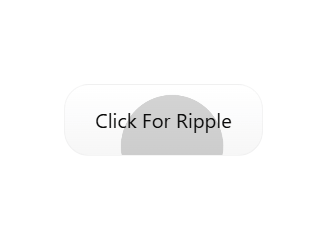
Add beautiful, performant ripple animations to any React element with zero configuration. Ripple Effect Generator brings Material Design's signature touch feedback to your components with intelligent sizing that ensures perfect coverage from any click point. This component can create a customized ripple effect on anything
Built with React and Tailwind. Copy the prompt and paste it into Claude Code, Cursor or Lovable: your agent adds Ripple Effect creator to your project and fits it to your theme.
Code
How Ripple Effect creator is used: the demo's code. The component's own source comes with a free account.
Usage.tsx
// app/ripple-demo/page.tsx

"use client";

import React, { useState } from 'react';
import { RippleEffect } from "@/components/ui/ripple-effect-creator";

const ShowcaseContainer = ({ children }: { children: ReactNode }) => (
  <div className="min-h-screen w-screen flex items-center justify-center border-b border-gray-700">
    {children}
  </div>
);

export default function RippleShowcasePage() {
  return (
    <div className="dark">
      <ShowcaseContainer>
        <RippleEffect rippleColor="#030303">
          <button className="px-10 py-5 text-xl font-bold text-white bg-blue-600 rounded-xl shadow-lg">
            Standard Button
          </button>
        </RippleEffect>
      </ShowcaseContainer>

      <ShowcaseContainer>
        <RippleEffect>
          <a href="#" onClick={e=>e.preventDefault()} className="inline-block px-12 py-5 text-xl font-bold text-white bg-teal-500 rounded-full shadow-lg hover:bg-teal-600 transform hover:scale-105 transition-transform">
            Pill-Shaped Link
          </a>
        </RippleEffect>
      </ShowcaseContainer>

      <ShowcaseContainer>
        <RippleEffect>
          <img
            src="https://cdn.21st.dev/assets/mirror/04/0426f0ea1c495cb0e44ac6fd4a5502d38fcdb04ae1d32c2d32929a9223765456.jpg"
            alt="Avatar"
            className="w-48 h-48 rounded-full object-cover shadow-2xl cursor-pointer border-4 border-gray-600 transform hover:scale-105 transition-transform"
          />
        </RippleEffect>
      </ShowcaseContainer>

      <ShowcaseContainer>
        <RippleEffect>
          <div className="w-[400px] h-[300px] bg-indigo-600 text-white rounded-2xl flex flex-col items-center justify-center cursor-pointer shadow-xl transform transition-transform">
            <p className="font-bold text-3xl">Interactive Card</p>
            <p className="text-lg opacity-80">(a div element)</p>
          </div>
        </RippleEffect>
      </ShowcaseContainer>

      <ShowcaseContainer>
        <RippleEffect rippleColor="#FBFF01">
          <button className="px-10 py-5 text-xl font-bold text-white bg-purple-600 rounded-xl shadow-lg">
            Custom Ripple yellow color
          </button>
        </RippleEffect>
      </ShowcaseContainer>

       <ShowcaseContainer>
        <RippleEffect rippleDuration={2000}>
          <button className="px-10 py-5 text-xl font-bold text-white bg-green-600 rounded-xl shadow-lg hover:bg-green-700 transform hover:scale-105 transition-transform">
            Slow Duration (2s)
          </button>
        </RippleEffect>
      </ShowcaseContainer>

      <ShowcaseContainer>
        <RippleEffect disabled>
          <button className="px-10 py-5 text-xl font-bold text-white bg-gray-500 rounded-xl cursor-not-allowed opacity-70">
            Disabled
          </button>
        </RippleEffect>
      </ShowcaseContainer>
    </div>
  );
}More by Hossain Jahed
View all

Spotlight Card
8.8K
Cinematic landing Hero
5.6K
Motion Footer
5.6K
Sign In
4.6K
AI prompt Box
3K
Glassmorphism Trust Hero
2.8K
Limelight Nav
2K
Ai chat input
1.7K
More in Buttons
View all
Button Save
46

Button
20

Eclipse Button
5

Button
32

Button
6

Button
14

Button Group
37
Split Button
32

