
About
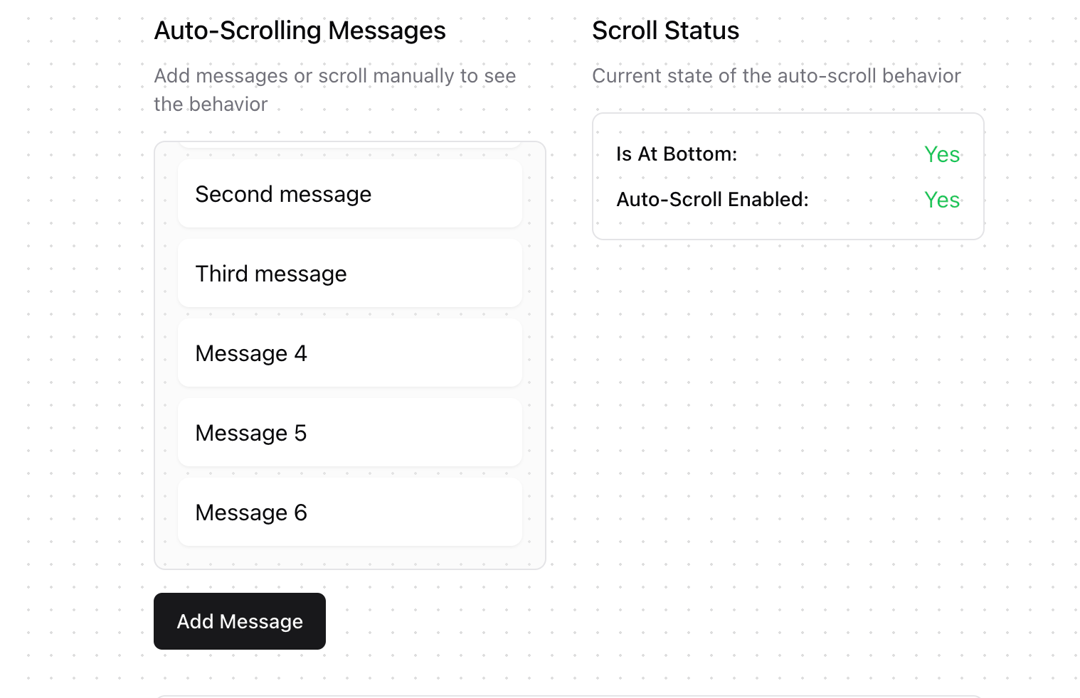
A React hook that provides automatic scrolling behavior for containers with dynamic content, particularly useful for chat interfaces, message lists, and real-time feeds. Features - Automatic scroll-to-bottom when new content is added - Smart detection of user scroll interactions - Configurable scroll offset threshold - Smooth scrolling support - Resize handling - Manual scroll control - Scroll state tracking
Built with React and Tailwind. Copy the prompt and paste it into Claude Code, Cursor or Lovable: your agent adds useAutoScroll to your project and fits it to your theme.
Code
How useAutoScroll is used: the demo's code. The component's own source comes with a free account.
Usage.tsx
'use client'

import { useState } from "react"
import { useAutoScroll } from "@/components/hooks/use-auto-scroll"
import { Button } from "@/components/ui/button"
import { ArrowDown } from "lucide-react"

function AutoScrollDemo() {
  const [messages, setMessages] = useState<string[]>([
    "Initial message",
    "Second message",
    "Third message",
  ])

  const { scrollRef, isAtBottom, autoScrollEnabled, scrollToBottom } = useAutoScroll({
    offset: 20,
    smooth: true,
    content: messages,
  })

  const addMessage = () => {
    setMessages(prev => [...prev, `Message ${prev.length + 1}`])
  }

  return (
    <div className="grid grid-cols-1 md:grid-cols-2 gap-8 p-8 max-w-4xl mx-auto">
      {/* Demo Container */}
      <div className="space-y-4">
        <div className="space-y-2">
          <h3 className="text-lg font-medium">Auto-Scrolling Messages</h3>
          <p className="text-sm text-muted-foreground">
            Add messages or scroll manually to see the behavior
          </p>
        </div>
        <div className="relative border rounded-lg bg-muted/30">
          <div
            ref={scrollRef}
            className="h-[300px] overflow-y-auto p-4 space-y-2"
          >
            {messages.map((msg, i) => (
              <div key={i} className="p-3 bg-background rounded-lg shadow-sm">
                {msg}
              </div>
            ))}
          </div>
          {!isAtBottom && (
            <Button
              size="icon"
              variant="outline"
              className="absolute bottom-4 right-4 rounded-full"
              onClick={scrollToBottom}
            >
              <ArrowDown className="h-4 w-4" />
            </Button>
          )}
        </div>
        <Button onClick={addMessage}>Add Message</Button>
      </div>

      {/* Status Panel */}
      <div className="space-y-4">
        <div className="space-y-2">
          <h3 className="text-lg font-medium">Scroll Status</h3>
          <p className="text-sm text-muted-foreground">
            Current state of the auto-scroll behavior
          </p>
        </div>
        <div className="space-y-2 p-4 border rounded-lg">
          <div className="flex justify-between items-center">
            <span className="text-sm font-medium">Is At Bottom:</span>
            <span className={isAtBottom ? "text-green-500" : "text-yellow-500"}>
              {isAtBottom ? "Yes" : "No"}
            </span>
          </div>
          <div className="flex justify-between items-center">
            <span className="text-sm font-medium">Auto-Scroll Enabled:</span>
            <span className={autoScrollEnabled ? "text-green-500" : "text-yellow-500"}>
              {autoScrollEnabled ? "Yes" : "No"}
            </span>
          </div>
        </div>
      </div>

      {/* Documentation */}
      <div className="md:col-span-2">
        <div className="space-y-4 p-6 border rounded-lg">
          <h3 className="text-lg font-medium">About useAutoScroll</h3>
          <div className="space-y-4">
            <pre className="bg-muted p-4 rounded-md text-xs overflow-x-auto">
              {`const { scrollRef, isAtBottom, autoScrollEnabled, scrollToBottom } = useAutoScroll({
  offset: 20,      // Distance threshold to consider "at bottom"
  smooth: true,    // Use smooth scrolling
  content: data    // Content to watch for changes
})`}
            </pre>
            <div className="grid grid-cols-1 md:grid-cols-2 gap-4 text-sm">
              <div>
                <h4 className="font-medium mb-2">Features</h4>
                <ul className="list-disc list-inside space-y-1 text-muted-foreground">
                  <li>Automatic scroll to bottom</li>
                  <li>Manual scroll detection</li>
                  <li>Smooth scrolling support</li>
                  <li>Content change detection</li>
                </ul>
              </div>
              <div>
                <h4 className="font-medium mb-2">Use Cases</h4>
                <ul className="list-disc list-inside space-y-1 text-muted-foreground">
                  <li>Chat applications</li>
                  <li>Feed interfaces</li>
                  <li>Log viewers</li>
                  <li>Real-time updates</li>
                </ul>
              </div>
            </div>
          </div>
        </div>
      </div>
    </div>
  )
}

export { AutoScrollDemo }
Dependencies
More by Jakob Hoeg Mørk
View all
Expandable Chat
737
Message loading
561
Chat Message List
228
Chat Bubble
183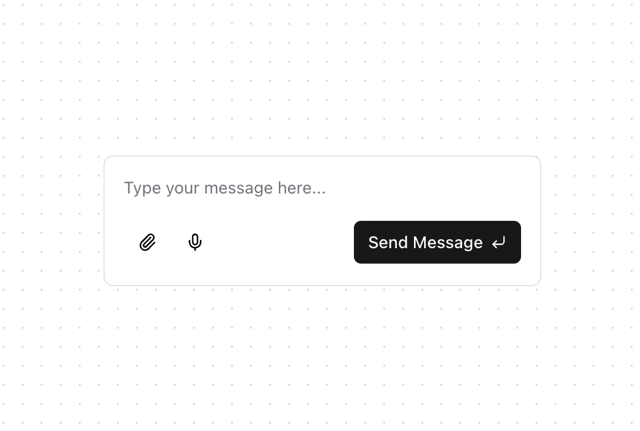
Chat Input
86
Button
77