
About
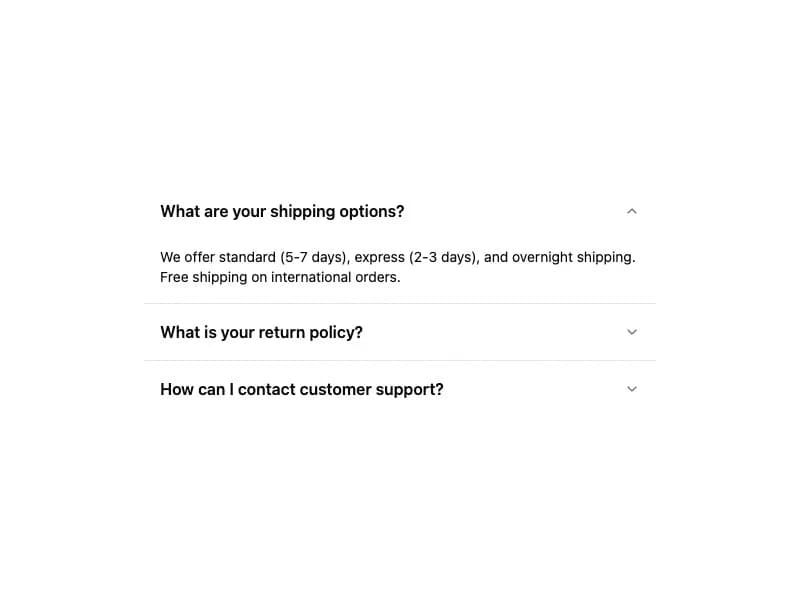
A vertically stacked set of interactive headings that each reveal a section of content. Supports single/multiple selection, collapsible behavior, and disabled items.
Built with React and Tailwind. Copy the prompt and paste it into Claude Code, Cursor or Lovable: your agent adds Accordion to your project and fits it to your theme.
Code
How Accordion is used: the demo's code. The component's own source comes with a free account.
Usage.tsx
import {
  Accordion,
  AccordionContent,
  AccordionItem,
  AccordionTrigger,
} from "@/components/ui/component"

export default function AccordionDemo() {
  return (
    <div className="flex items-center justify-center w-full min-h-screen bg-background p-8">
      <Accordion
        type="single"
        defaultValue="shipping"
        className="max-w-lg w-full"
      >
        <AccordionItem value="shipping">
          <AccordionTrigger>What are your shipping options?</AccordionTrigger>
          <AccordionContent>
            We offer standard (5-7 days), express (2-3 days), and overnight
            shipping. Free shipping on international orders.
          </AccordionContent>
        </AccordionItem>
        <AccordionItem value="returns">
          <AccordionTrigger>What is your return policy?</AccordionTrigger>
          <AccordionContent>
            Returns accepted within 30 days. Items must be unused and in original
            packaging. Refunds processed within 5-7 business days.
          </AccordionContent>
        </AccordionItem>
        <AccordionItem value="support">
          <AccordionTrigger>How can I contact customer support?</AccordionTrigger>
          <AccordionContent>
            Reach us via email, live chat, or phone. We respond within 24 hours
            during business days.
          </AccordionContent>
        </AccordionItem>
      </Accordion>
    </div>
  )
}
Dependencies
More by jshguo
View all

Progress
426
Select
369
Textarea
258
Input OTP
160
Interfaces Carousel
160
Switch
136
Hover Card
109
Card
85