
About
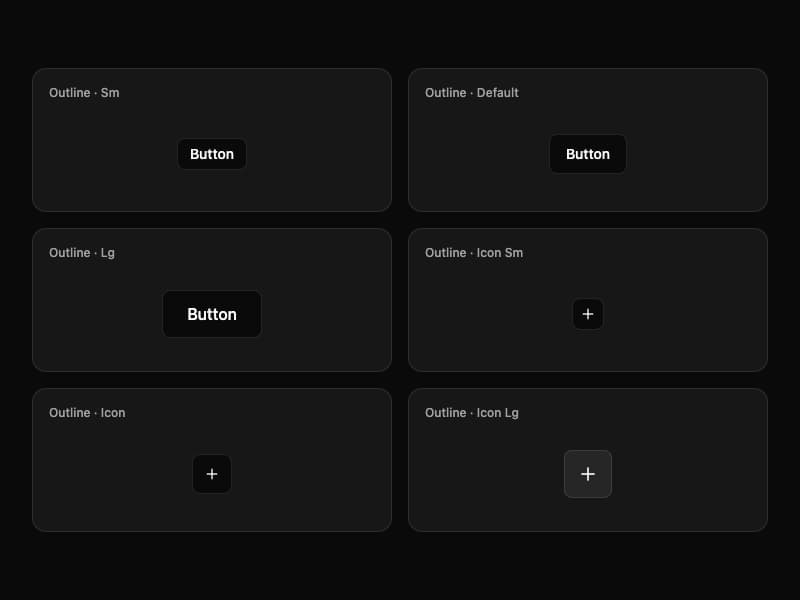
A versatile button component from Interfaces DS with six visual variants and six size combinations per variant.
Built with React and Tailwind. Copy the prompt and paste it into Claude Code, Cursor or Lovable: your agent adds Interfaces Button to your project and fits it to your theme.
Code
How Interfaces Button is used: the demo's code. The component's own source comes with a free account.
Usage.tsx
"use client"

import { Plus } from "lucide-react"

import { Button } from "@/components/ui/interfaces-button"

const sizes = [
  { label: "Outline · Sm", size: "sm" as const },
  { label: "Outline · Default", size: "default" as const },
  { label: "Outline · Lg", size: "lg" as const },
  { label: "Outline · Icon Sm", size: "icon-sm" as const, icon: true },
  { label: "Outline · Icon", size: "icon" as const, icon: true },
  { label: "Outline · Icon Lg", size: "icon-lg" as const, icon: true },
]

export default function ButtonOutlineDemo() {
  return (
    <div className="flex w-full min-h-screen items-center justify-center overflow-hidden bg-background p-8">
      <div className="grid w-full max-w-5xl gap-4 sm:grid-cols-2 lg:grid-cols-3">
        {sizes.map((item) => (
          <div
            key={item.label}
            className="flex min-h-36 flex-col rounded-xl border bg-card p-4 shadow-sm"
          >
            <p className="text-xs font-medium text-muted-foreground">{item.label}</p>
            <div className="flex flex-1 items-center justify-center pt-3">
              <Button variant="outline" size={item.size} aria-label={item.icon ? item.label.toLowerCase() : undefined}>
                {item.icon ? <Plus className="size-4" /> : "Button"}
              </Button>
            </div>
          </div>
        ))}
      </div>
    </div>
  )
}
Dependencies
More by jshguo
View all

Progress
426
Select
369
Textarea
258
Input OTP
160
Interfaces Carousel
160
Switch
136
Hover Card
109
Card
85
More in Buttons
View all
Button Save
46

Button
20

Eclipse Button
5

Button
32

Button
6

Button
14

Button Group
37
Split Button
32

