
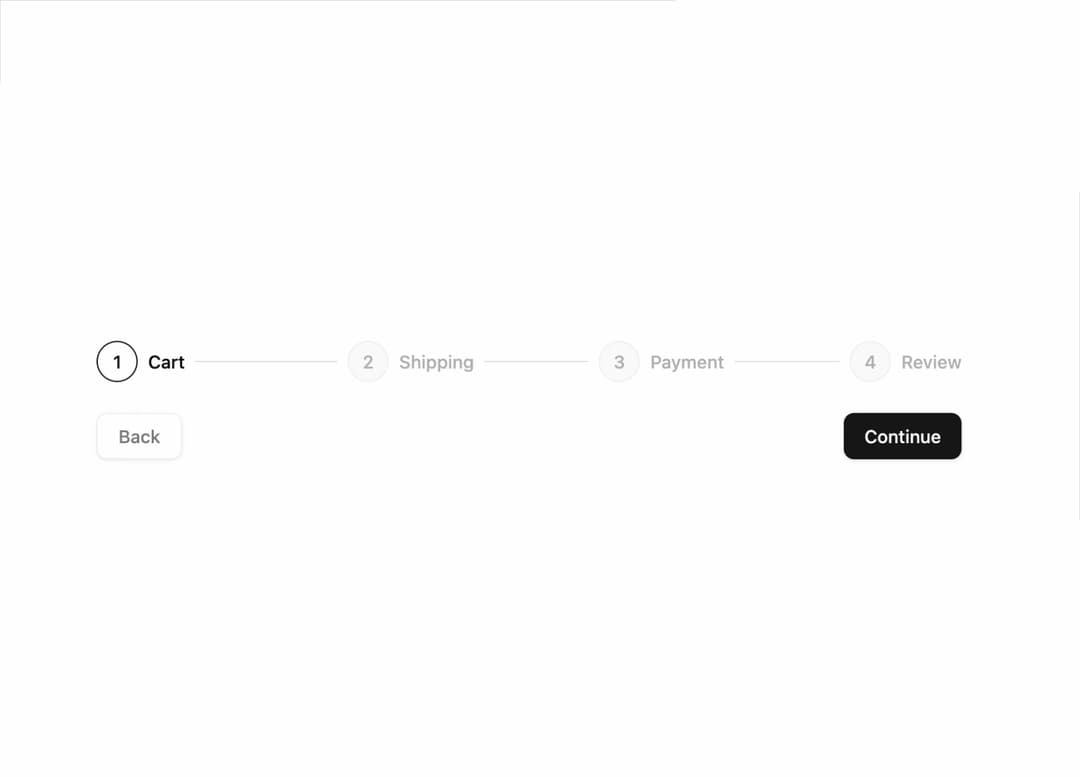
About
An accessible multi-step progress indicator for flows like checkout or onboarding, showing which steps are complete, current, or upcoming, with optional clickable triggers.
Built with React and Tailwind. Copy the prompt and paste it into Claude Code, Cursor or Lovable: your agent adds Stepper to your project and fits it to your theme.
Code
How Stepper is used: the demo's code. The component's own source comes with a free account.
Usage.tsx
"use client";

import { useState } from "react";
import { Button } from "@/components/ui/button";
import {
  Stepper,
  StepperIndicator,
  StepperItem,
  StepperSeparator,
  StepperTitle,
  StepperTrigger,
} from "@/components/ui/stepper";

const steps = ["Cart", "Shipping", "Payment", "Review"];

export default function StepperDemo() {
  const [step, setStep] = useState(1);

  return (
    <div className="flex w-full max-w-2xl flex-col gap-6">
      <Stepper value={step} onValueChange={setStep} label="Checkout">
        {steps.map((title, index) => (
          <StepperItem key={title} step={index}>
            <StepperTrigger>
              <StepperIndicator />
              <StepperTitle>{title}</StepperTitle>
            </StepperTrigger>
            {index < steps.length - 1 ? <StepperSeparator /> : null}
          </StepperItem>
        ))}
      </Stepper>
      <div className="flex justify-between gap-2">
        <Button
          variant="outline"
          disabled={step === 0}
          onClick={() => setStep((s) => Math.max(0, s - 1))}
        >
          Back
        </Button>
        <Button
          onClick={() => setStep((s) => Math.min(steps.length - 1, s + 1))}
        >
          Continue
        </Button>
      </div>
    </div>
  );
}
Dependencies
More by kevingirelli
View all
Aurora
54
QR Code
49
Warp Gradient
48
FAQ Section
46
Wave Text
37
Corner Frame
36
Animated Border
32
Spotlight
23