
About
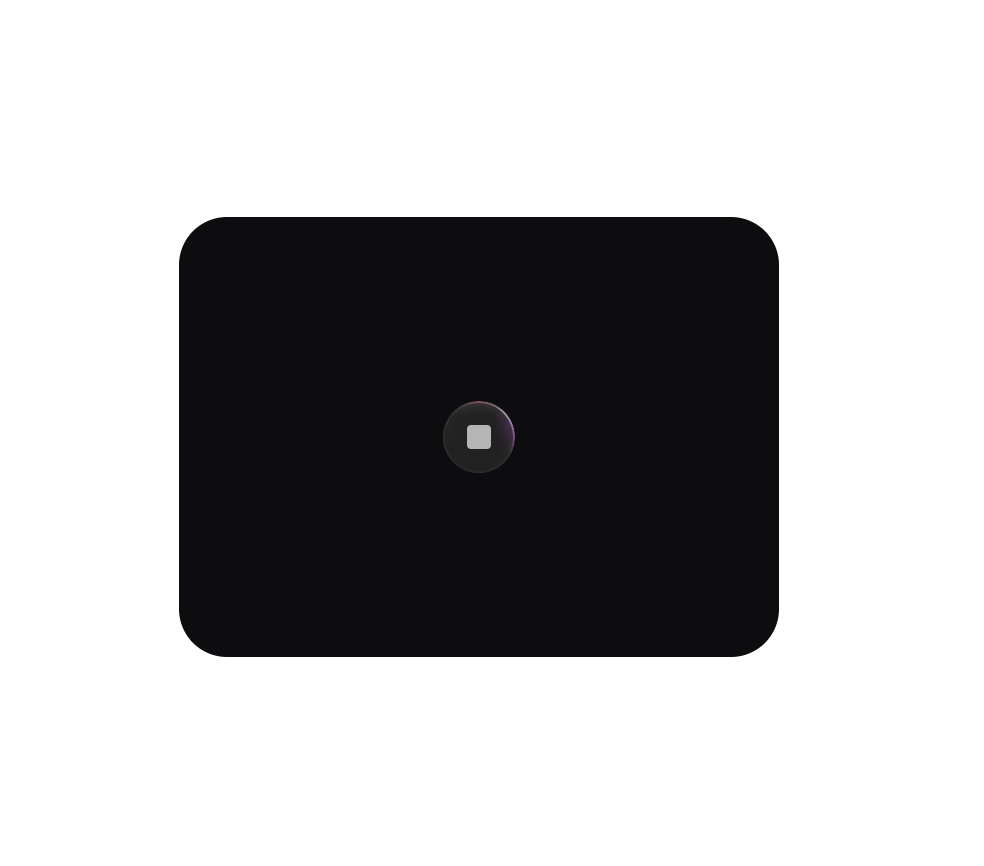
Animated border beam effect for React, sized for a compact button. The small preset wraps an icon button with a tight traveling glow around its border.
Built with React and Tailwind. Copy the prompt and paste it into Claude Code, Cursor or Lovable: your agent adds Border Beam Button to your project and fits it to your theme.
Code
How Border Beam Button is used: the demo's code. The component's own source comes with a free account.
Usage.tsx
import { BorderBeam } from "@/components/ui/border-beam-button";

function IconButton() {
  return (
    <div
      style={{
        width: 36,
        height: 36,
        borderRadius: 20,
        background: "#1d1d1d",
        boxShadow: "inset 0 0 0 1px rgba(44,47,54,0.52), inset 0 0 50px 0 rgba(255,255,255,0.02)",
        display: "flex",
        alignItems: "center",
        justifyContent: "center",
      }}
    >
      <div style={{ width: 12, height: 12, borderRadius: 2, background: "rgba(217,217,217,0.8)" }} />
    </div>
  );
}

export default function Default() {
  return (
    <div
      style={{
        display: "flex",
        alignItems: "center",
        justifyContent: "center",
        width: 300,
        maxWidth: "100%",
        minHeight: 220,
        margin: "0 auto",
        background: "#0d0d0f",
        borderRadius: 24,
      }}
    >
      <BorderBeam size="sm" colorVariant="colorful">
        <IconButton />
      </BorderBeam>
    </div>
  );
}
Dependencies
More by 21st
View all

Futuristic Hero
2.7K
Hero ASCII one
1.4K
Hero ASCII
1.3K
Admit One Ticket
961
Navigation Menu
916
Border Beam
890
Border Beam Search
545
Thinking Orbs
438
More in Buttons
View all

Button
14
Button
34
Texture Button
92
Button Save
46

Button
64

Button Group
3

App Store Button
454

Notification Button
103

