
About
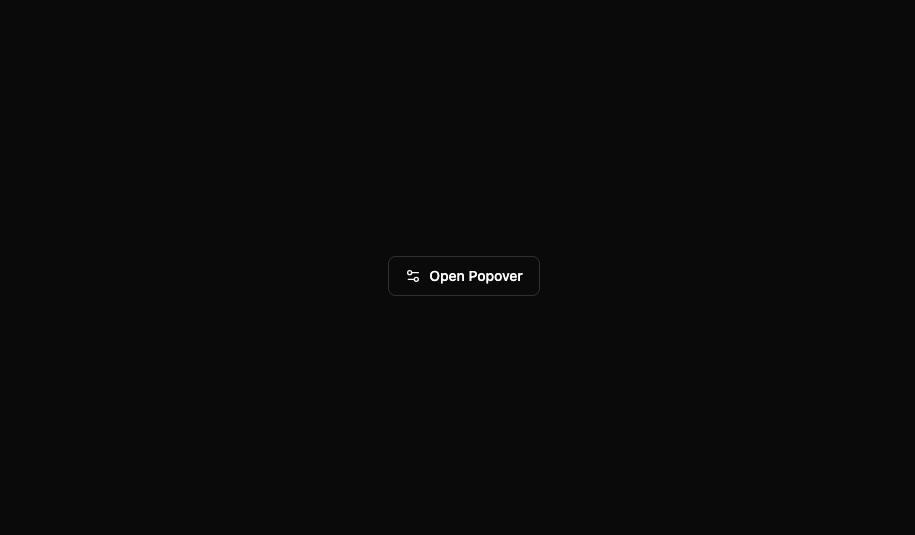
Here is modern popover component by indevui
Built with React and Tailwind. Copy the prompt and paste it into Claude Code, Cursor or Lovable: your agent adds indevuiPopover to your project and fits it to your theme.
Code
How indevuiPopover is used: the demo's code. The component's own source comes with a free account.
Usage.tsx
// demo.tsx
import Popover, { PopoverContent, PopoverTrigger } from '@/components/ui/indevui-popover';
import { Settings2 } from 'lucide-react';

function PopoverDemo() {
  return (
    <div className="flex justify-center p-8">
      <Popover>
        <PopoverTrigger asChild>
          <button
            aria-label="Update dimensions"
            className="inline-flex h-10 items-center justify-center whitespace-nowrap rounded-md border border-input bg-background px-4 py-2 text-sm font-medium ring-offset-background transition-colors hover:bg-accent hover:text-accent-foreground focus-visible:outline-none focus-visible:ring-2 focus-visible:ring-ring focus-visible:ring-offset-2 disabled:pointer-events-none disabled:opacity-50"
          >
            <Settings2 className="mr-2 h-4 w-4" />
            Open Popover
          </button>
        </PopoverTrigger>
        <PopoverContent className="w-80">
          <div className="grid gap-4">
            <div className="space-y-2">
              <h4 className="font-medium leading-none">Dimensions</h4>
              <p className="text-sm text-muted-foreground">
                Set the dimensions for the layer.
              </p>
            </div>
            <div className="grid gap-2">
              <div className="grid grid-cols-3 items-center gap-4">
                <label htmlFor="width" className="text-sm font-medium">
                  Width
                </label>
                <input
                  id="width"
                  defaultValue="100%"
                  className="col-span-2 flex h-9 w-full rounded-md border border-input bg-transparent px-3 py-1 text-sm shadow-sm transition-colors file:border-0 file:bg-transparent file:text-sm file:font-medium placeholder:text-muted-foreground focus-visible:outline-none focus-visible:ring-1 focus-visible:ring-ring"
                />
              </div>
              <div className="grid grid-cols-3 items-center gap-4">
                <label htmlFor="maxWidth" className="text-sm font-medium">
                  Max. width
                </label>
                <input
                  id="maxWidth"
                  defaultValue="300px"
                  className="col-span-2 flex h-9 w-full rounded-md border border-input bg-transparent px-3 py-1 text-sm shadow-sm transition-colors file:border-0 file:bg-transparent file:text-sm file:font-medium placeholder:text-muted-foreground focus-visible:outline-none focus-visible:ring-1 focus-visible:ring-ring"
                />
              </div>
              <div className="grid grid-cols-3 items-center gap-4">
                <label htmlFor="height" className="text-sm font-medium">
                  Height
                </label>
                <input
                  id="height"
                  defaultValue="25px"
                  className="col-span-2 flex h-9 w-full rounded-md border border-input bg-transparent px-3 py-1 text-sm shadow-sm transition-colors file:border-0 file:bg-transparent file:text-sm file:font-medium placeholder:text-muted-foreground focus-visible:outline-none focus-visible:ring-1 focus-visible:ring-ring"
                />
              </div>
            </div>
          </div>
        </PopoverContent>
      </Popover>
    </div>
  );
}

export { PopoverDemo as DemoOne };
Dependencies
More by LN
View all
Pricing Interaction
1.4K
Dorpdown Navigation
1.2K
Visualize Booking
618
Assisted Password Confirmation
585
Tags Selector
531
Mega Menu
386
Feedback Slider
326
FlipButton
288
More in Buttons
View all

Button
14
Button
34
Texture Button
92
Button Save
46

Button
64

Button Group
3

App Store Button
454

Notification Button
103

