
About
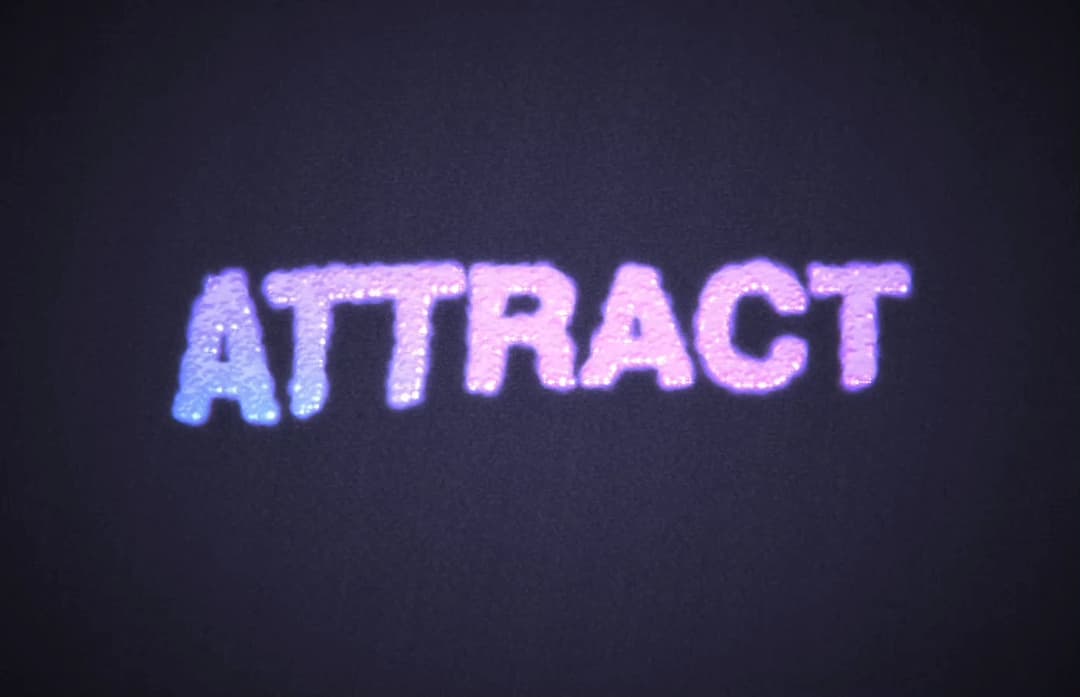
Interactive particle text effect with custom fluid dynamics, post processing, advanced animation and animated gradient. Particles can be configured to expand from mouse or attract to mouse. Additionally mouse clicks create explosive force. Highly customizable
Built with React and Tailwind. Copy the prompt and paste it into Claude Code, Cursor or Lovable: your agent adds Particle Text to your project and fits it to your theme.
Code
How Particle Text is used: the demo's code. The component's own source comes with a free account.
Usage.tsx
import { ParticleText, hexToRGB } from "@/components/ui/particle-text";

const Default = () => {
  return <ParticleText text="Particle Text" />;
};

const CustomText = () => {
  return (
    <ParticleText
      text="CUSTOM TEXT"
      particleSize={0.01}
      animationSpeed={2}
      primaryColor={[0.2, 0.3, 0.8]}
      secondaryColor={[0.6, 0.2, 0.9]}
      mouseForce={70}
      fontFamily="papyrus"
      fontSize={80}
    />
  );
};

const Attract = () => {
  return (
    <ParticleText
      text="ATTRACT"
      interactionMode="attract"
    />
  );
};

const WarmGradient = () => {
  return (
    <ParticleText
      text="WARM"
      primaryColor={[0.9, 0.3, 0.2]}
      secondaryColor={[1.0, 0.6, 0.1]}
      accentColor={[1.0, 0.8, 0.0]}
      glowColor={[1.0, 0.4, 0.0]}
    />
  );
};

// Example using hex colors
const HexColors = () => {
  return (
    <ParticleText
      text="HEX COLORS"
      primaryColor={hexToRGB('#FF6B6B')}
      secondaryColor={hexToRGB('#4ECDC4')}
    />
  );
};

export { Default, CustomText, WarmGradient, Attract, HexColors };More by scott clayton
View all
Horizon Hero Section
4K
Full Screen Scroll FX
2K
Music Portfolio
677
Scroll Animated Video
562
Revolution Hero
455
Ethereal
404
Iphone Mockup
400
Music Reactive Hero Section
358
More in Text
View all
Motion Blur Text
36

Vertical Cut Reveal Characters
103

NeonRGBTextEffect
144
Text Reveal
27
Random Letter Swap
46

Rainbow Text Effect
47
Text Color
545

Blur Reveal
300