
About
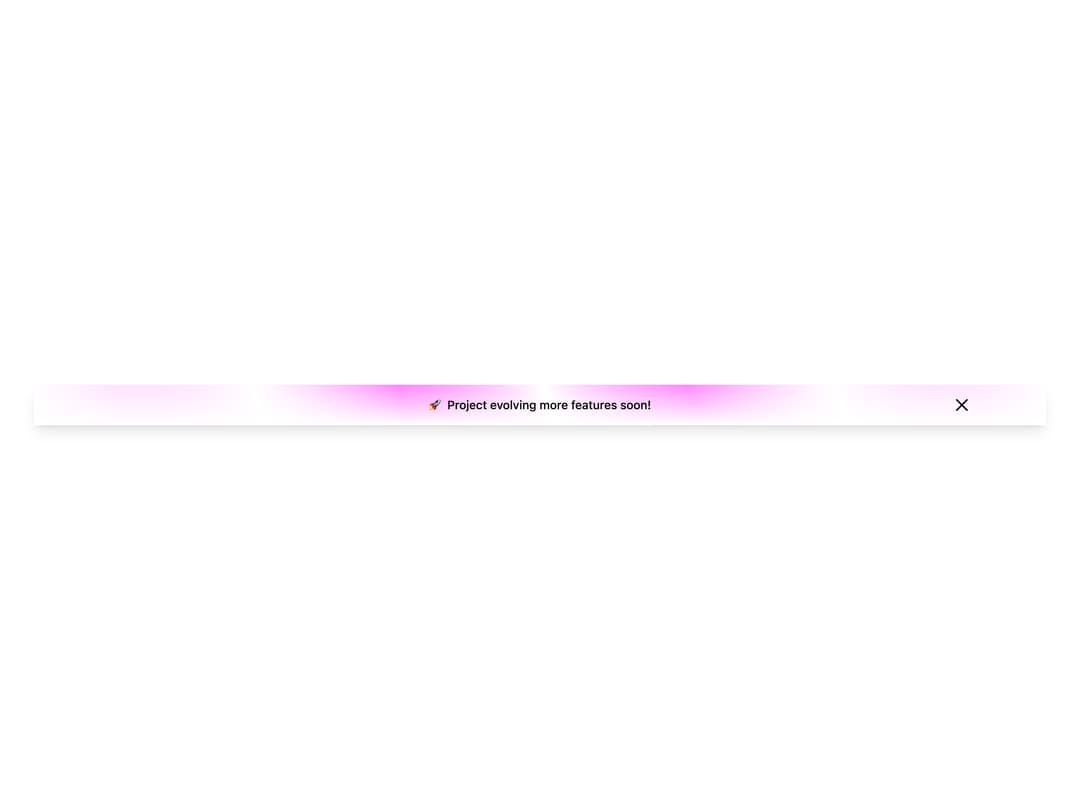
A stylish banner component for modern UIs, built with accessibility and animation in mind.
Built with React and Tailwind. Copy the prompt and paste it into Claude Code, Cursor or Lovable: your agent adds banner to your project and fits it to your theme.
Code
How banner is used: the demo's code. The component's own source comes with a free account.
Usage.tsx
import React from "react";
import { Banner } from "@/components/ui/banner";

const BannerDemo = () => {
  return (
    <div className="p-10 w-full">
      <Banner
        id="banner-id"
        variant="rainbow"
        className="shadow-lg bg-white dark:bg-transparent"
        rainbowColors={[
          "rgba(231,77,255,0.77)",
          "rgba(231,77,255,0.77)",
          "transparent",
          "rgba(231,77,255,0.77)",
          "transparent",
          "rgba(231,77,255,0.77)",
          "transparent",
        ]}
      >
        🚀 Project evolving more features soon!
      </Banner>
    </div>
  );
};

export default BannerDemo;
Dependencies
More by Md afsar mahmud
View all

Hover Footer
1.3K
counter loader
264
tech-curosr
180
gradient text
13
gradient button
gradient hero
glowing card