
About
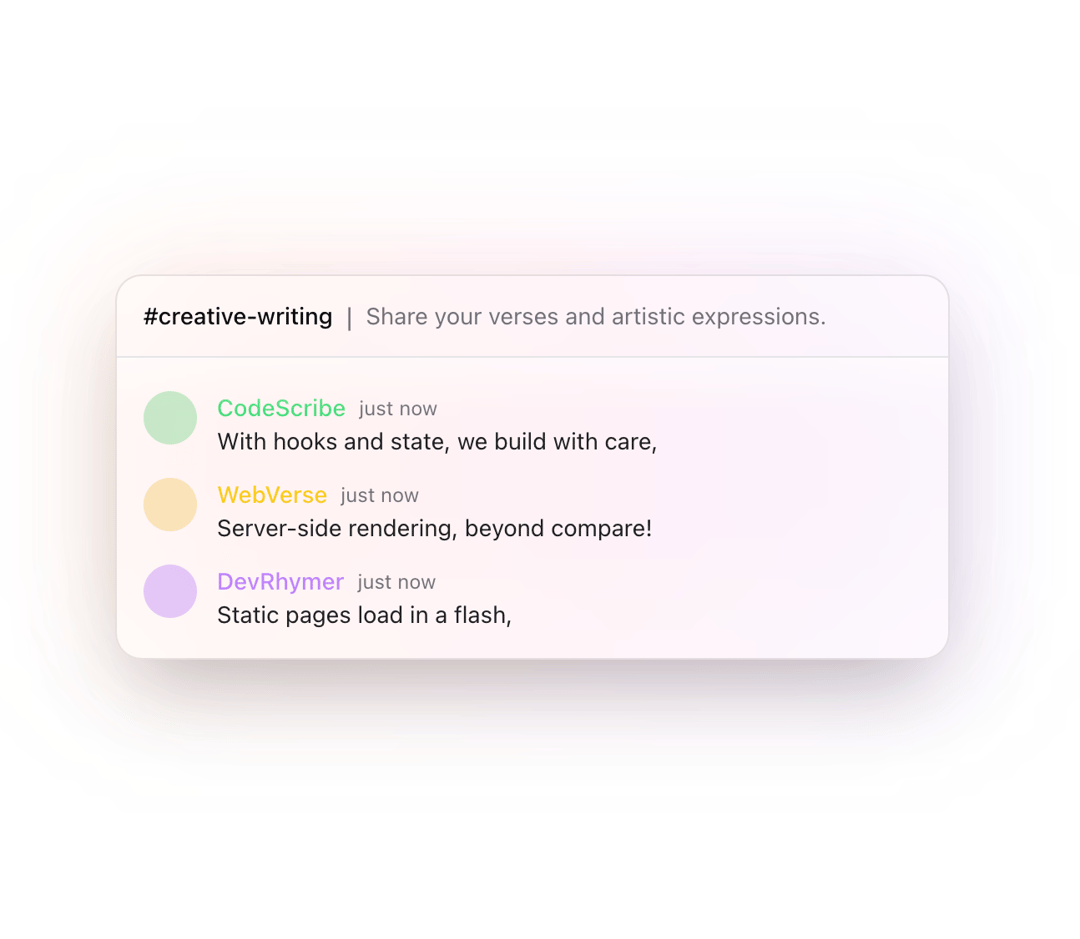
A dynamic chat preview component for showcasing real-time messages in channels. Supports gradient backgrounds, customizable messages, and responsive design.
Built with React and Tailwind. Copy the prompt and paste it into Claude Code, Cursor or Lovable: your agent adds Chat Preview to your project and fits it to your theme.
Code
How Chat Preview is used: the demo's code. The component's own source comes with a free account.
Usage.tsx
import { ChatPreview } from "@/components/ui/chat-preview"

function DefaultChatPreview() {
  return <ChatPreview />;
}

function CompactChatPreview() {
  return (
    <ChatPreview
      variation="compact"
      channel={{
        name: "compact-chat",
        description: "A smaller version of the chat preview.",
      }}
    />
  );
}

function ExpandedChatPreview() {
  return (
    <ChatPreview
      variation="expanded"
      channel={{
        name: "expanded-chat",
        description: "A wider version with custom styling",
      }}
    />
  );
}

function CustomizedChatPreview() {
  const customMessages = [
    {
      avatarBackground: "bg-gradient-to-r from-pink-500 to-purple-500",
      username: "CustomUser",
      content: "This is a custom styled chat preview!",
      color: "text-pink-400",
      duration: 3000,
    },
    {
      avatarBackground: "bg-gradient-to-r from-blue-500 to-cyan-500",
      username: "StyleMaster",
      content: "With gradient backgrounds and custom colors",
      color: "text-blue-400",
      duration: 2500,
    },
  ];

  return (
    <ChatPreview
      messages={customMessages}
      maxMessages={2}
      gradientBackground={false}
      channel={{
        name: "custom-style",
        description: "Showcasing custom styling options",
      }}
      theme={{
        background: "bg-zinc-900/90",
        border: "border border-zinc-700",
        textColor: "text-zinc-100",
        avatarSize: "w-8 h-8",
      }}
      className="w-full"
    />
  );
}

function NotificationChatPreview() {
  const notifications = [
    {
      avatarBackground: "bg-gradient-to-r from-green-500 to-emerald-500",
      username: "System",
      content: "✅ Deploy successful: Production v2.1.0",
      color: "text-green-400",
      duration: 3000,
    },
    {
      avatarBackground: "bg-gradient-to-r from-yellow-500 to-orange-500",
      username: "Monitor",
      content: "⚠️ High CPU usage detected on server-01",
      color: "text-yellow-400",
      duration: 2500,
    },
    {
      avatarBackground: "bg-gradient-to-r from-blue-500 to-cyan-500",
      username: "Updates",
      content: "📦 New packages available for installation",
      color: "text-blue-400",
      duration: 2800,
    },
  ];

  return (
    <ChatPreview
      messages={notifications}
      variation="compact"
      gradientBackground={false}
      channel={{
        name: "system-notifications",
        description: "Real-time system updates",
      }}
      theme={{
        background: "bg-black/90",
        border: "border border-zinc-800",
        textColor: "text-zinc-100",
        avatarSize: "w-6 h-6",
      }}
    />
  );
}

export {
  DefaultChatPreview,
  CompactChatPreview,
  ExpandedChatPreview,
  CustomizedChatPreview,
  NotificationChatPreview,
};
More in Cards
View all
Stats cards with links
33

Course Design Cards
1.1K

Card
70
Statistics Card 2
264
Statistics Card 10
263

Card
17

Card Studio
9
The Item one
3
