
About
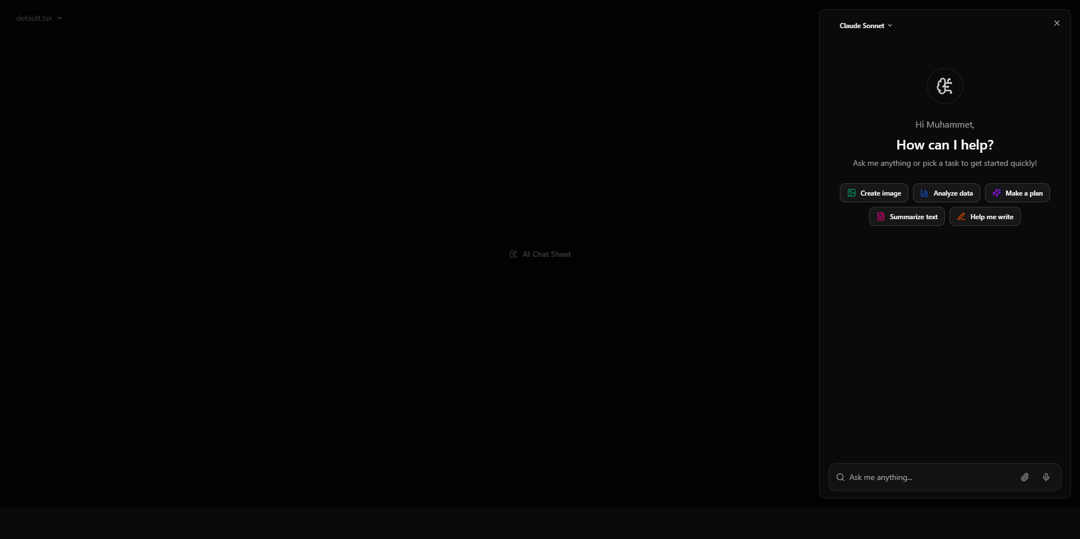
AI Chat Sheet is a mock design for a responsive AI assistant panel. It showcases an interactive interface with quick action buttons, model selection, and a chat input, giving a realistic preview of how an AI assistant could look and behave. This component is intended for design and prototyping purposes only, and does not provide actual AI functionality.
Built with React and Tailwind. Copy the prompt and paste it into Claude Code, Cursor or Lovable: your agent adds AI Chat Sheet to your project and fits it to your theme.
Code
How AI Chat Sheet is used: the demo's code. The component's own source comes with a free account.
Usage.tsx
import { AIChatSheet ,type QuickAction , type ModelOption  } from "@/components/ui/ai-chat-sheet";
import {
  ImageIcon,
  BarChart3,
  Sparkles,
  FileText,
  PenLine,
} from "lucide-react";

export default function DemoOne() {

  const quickActions: QuickAction[] = [
    { icon: ImageIcon, label: "Create image", color: "text-emerald-600" },
    { icon: BarChart3, label: "Analyze data", color: "text-blue-600" },
    { icon: Sparkles, label: "Make a plan", color: "text-purple-600" },
    { icon: FileText, label: "Summarize text", color: "text-pink-600" },
    { icon: PenLine, label: "Help me write", color: "text-orange-600" },
  ];

  const models: ModelOption[] = [
    { id: "claude", name: "Claude Sonnet" },
    { id: "gpt4", name: "GPT-4" },
    { id: "mistral", name: "Mistral Large" },
    { id: "llama3", name: "Llama 3" },
    { id: "gemini", name: "Gemini Pro" },
  ];

  return (
    <main className="flex min-h-screen items-center justify-center bg-background">
        <AIChatSheet
          username="Muhammet"
          models={models}
          quickActions={quickActions}
        />
    </main>
  )
}
Dependencies
More by Muhammet Bilgin
View all

Cosmic 404
149
More in AI chats
View all

AI Actions
319
Color Picker
81
Agent Chat
17
Prompt with Model Picker
2
Message Thread
35

System Message
54
Suggestions
28

Modal Card
101


