About
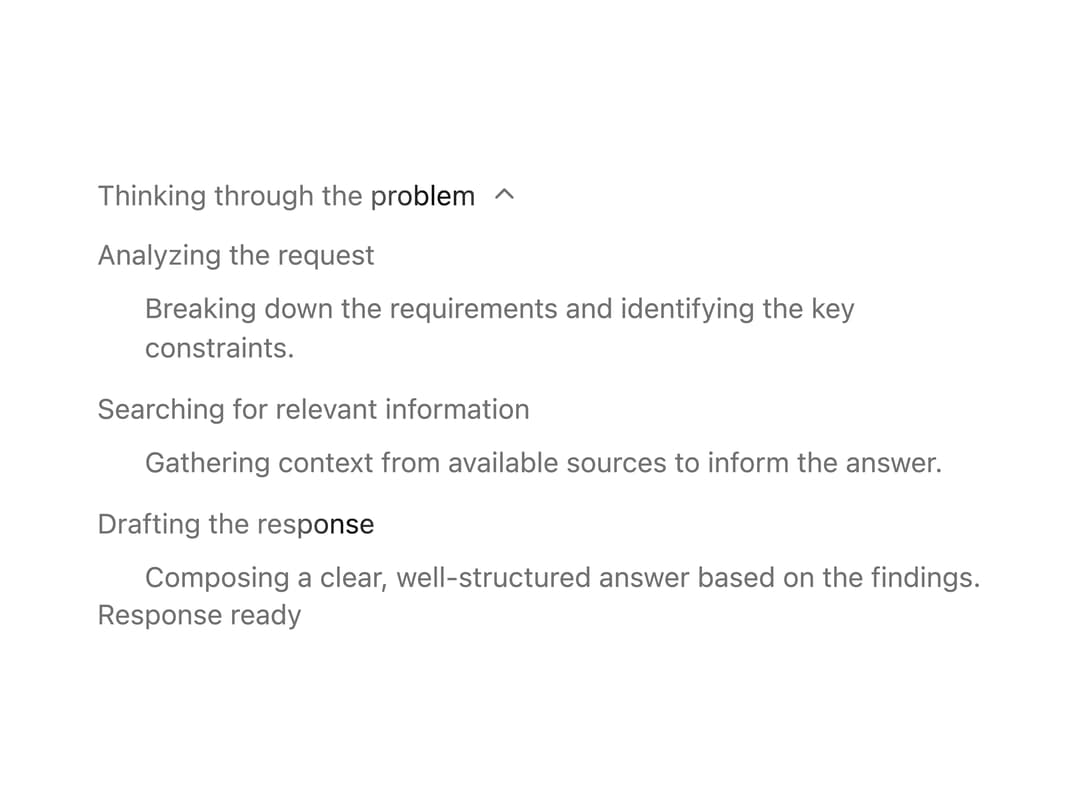
A collapsible step-by-step timeline for showing an AI assistant's reasoning or tool-execution trace, with per-step status, expandable output, and auto-close when all steps finish.
Built with React and Tailwind. Copy the prompt and paste it into Claude Code, Cursor or Lovable: your agent adds Chain of Thought to your project and fits it to your theme.
Code
How Chain of Thought is used: the demo's code. The component's own source comes with a free account.
Usage.tsx
import {
  ChainOfThought,
  ChainOfThoughtTrigger,
  ChainOfThoughtContent,
  ChainOfThoughtStep,
  ChainOfThoughtStepTitle,
  ChainOfThoughtStepContent,
  ChainOfThoughtComplete,
} from "@/components/ui/chain-of-thought";

export default function ChainOfThoughtDemo() {
  return (
    <div className="w-full max-w-md">
      <ChainOfThought>
        <ChainOfThoughtTrigger label="Thinking through the problem" />
        <ChainOfThoughtContent>
          <ChainOfThoughtStep status="completed">
            <ChainOfThoughtStepTitle>
              Analyzing the request
            </ChainOfThoughtStepTitle>
            <ChainOfThoughtStepContent>
              <p className="text-sm text-muted-foreground">
                Breaking down the requirements and identifying the key
                constraints.
              </p>
            </ChainOfThoughtStepContent>
          </ChainOfThoughtStep>
          <ChainOfThoughtStep status="completed">
            <ChainOfThoughtStepTitle>
              Searching for relevant information
            </ChainOfThoughtStepTitle>
            <ChainOfThoughtStepContent>
              <p className="text-sm text-muted-foreground">
                Gathering context from available sources to inform the answer.
              </p>
            </ChainOfThoughtStepContent>
          </ChainOfThoughtStep>
          <ChainOfThoughtStep status="active">
            <ChainOfThoughtStepTitle>
              Drafting the response
            </ChainOfThoughtStepTitle>
            <ChainOfThoughtStepContent>
              <p className="text-sm text-muted-foreground">
                Composing a clear, well-structured answer based on the findings.
              </p>
            </ChainOfThoughtStepContent>
          </ChainOfThoughtStep>
        </ChainOfThoughtContent>
        <ChainOfThoughtComplete label="Response ready" />
      </ChainOfThought>
    </div>
  );
}
Dependencies
More by nexus-ui
View all
Circular Carousel
1.2K
Images Badge
965
Chat Messages
302
Shooting Stars Grid
156
Infinite Moving Cards
148
Cinematic Logo Cloud
145
Logo Clouds
102
Interactive Starfield Hero
86
More in AI chats
View all

AI Actions
319
Agent Chat
17

System Message
54
Message Thread
35
Color Picker
81

AI Task List
160

Modal Card
101
Quota Banner
21


