
About
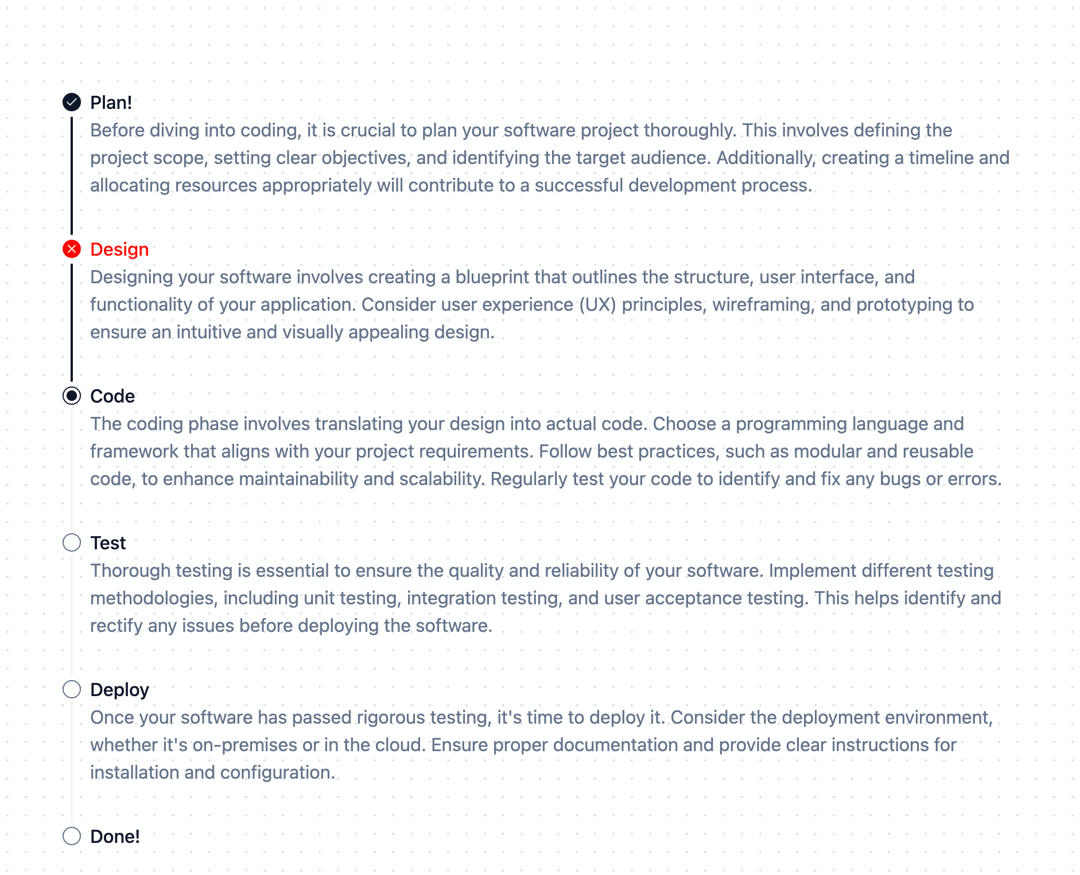
Displays a list of events in chronological order.
Built with React and Tailwind. Copy the prompt and paste it into Claude Code, Cursor or Lovable: your agent adds Timeline to your project and fits it to your theme.
Code
How Timeline is used: the demo's code. The component's own source comes with a free account.
Usage.tsx
import React from "react";

import {
  Timeline,
  TimelineContent,
  TimelineDot,
  TimelineHeading,
  TimelineItem,
  TimelineLine,
} from "@/components/ui/timeline"

export function TimelineDemo() {
  return (
    <Timeline>
      <TimelineItem status="done">
        <TimelineHeading>Plan!</TimelineHeading>
        <TimelineDot status="done" />
        <TimelineLine done />
        <TimelineContent>
          Before diving into coding, it is crucial to plan your software project
          thoroughly. This involves defining the project scope, setting clear
          objectives, and identifying the target audience. Additionally,
          creating a timeline and allocating resources appropriately will
          contribute to a successful development process.
        </TimelineContent>
      </TimelineItem>
      <TimelineItem status="done">
        <TimelineHeading side="right" className="text-destructive">
          Design
        </TimelineHeading>
        <TimelineDot status="error" />
        <TimelineLine done />
        <TimelineContent>
          Designing your software involves creating a blueprint that outlines
          the structure, user interface, and functionality of your application.
          Consider user experience (UX) principles, wireframing, and prototyping
          to ensure an intuitive and visually appealing design.
        </TimelineContent>
      </TimelineItem>
      <TimelineItem status="done">
        <TimelineHeading>Code</TimelineHeading>
        <TimelineDot status="current" />
        <TimelineLine />
        <TimelineContent>
          The coding phase involves translating your design into actual code.
          Choose a programming language and framework that aligns with your
          project requirements. Follow best practices, such as modular and
          reusable code, to enhance maintainability and scalability. Regularly
          test your code to identify and fix any bugs or errors.
        </TimelineContent>
      </TimelineItem>
      <TimelineItem>
        <TimelineHeading>Test</TimelineHeading>
        <TimelineDot />
        <TimelineLine />
        <TimelineContent>
          Thorough testing is essential to ensure the quality and reliability of
          your software. Implement different testing methodologies, including
          unit testing, integration testing, and user acceptance testing. This
          helps identify and rectify any issues before deploying the software.
        </TimelineContent>
      </TimelineItem>
      <TimelineItem>
        <TimelineHeading>Deploy</TimelineHeading>
        <TimelineDot />
        <TimelineLine />
        <TimelineContent>
          Once your software has passed rigorous testing, it's time to deploy
          it. Consider the deployment environment, whether it's on-premises or
          in the cloud. Ensure proper documentation and provide clear
          instructions for installation and configuration.
        </TimelineContent>
      </TimelineItem>
      <TimelineItem>
        <TimelineHeading>Done!</TimelineHeading>
        <TimelineDot />
      </TimelineItem>
    </Timeline>
  );
}
Dependencies
More by Nyxb UI
View all
Warp Background
132
Stepper
88
Video Modal
82
Globe
30