
About
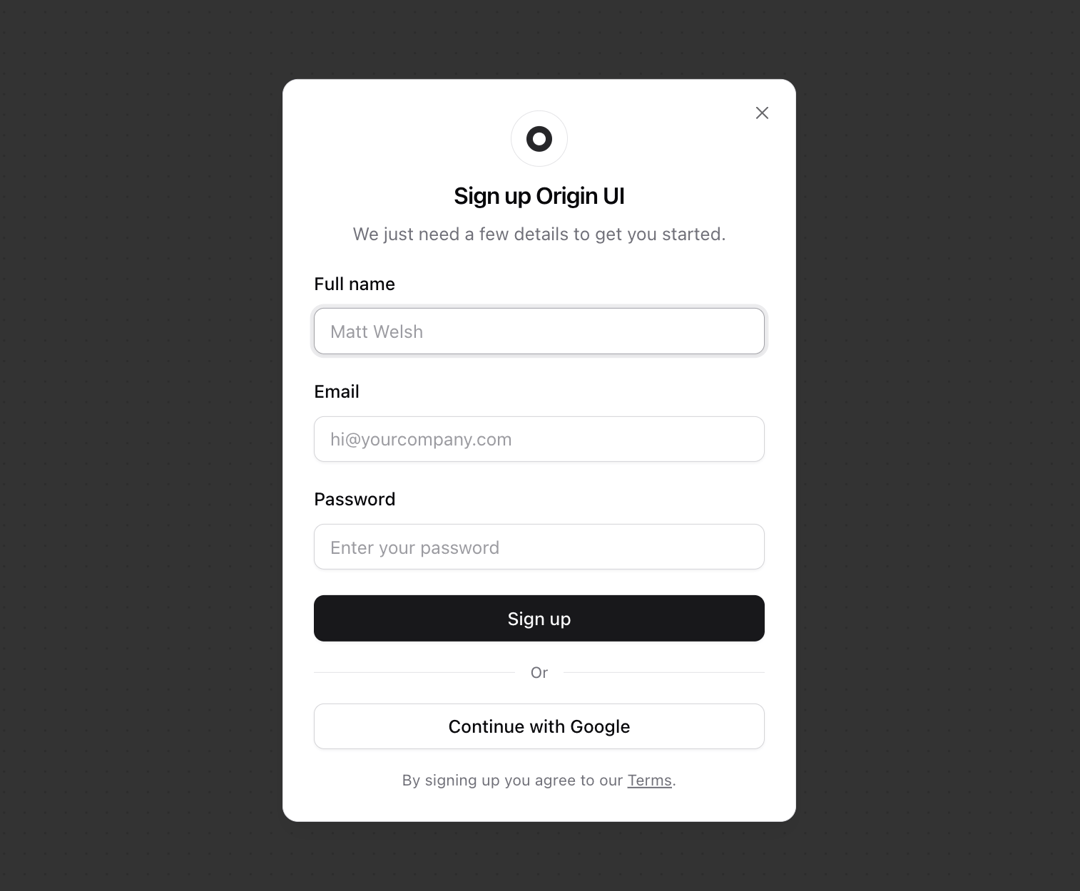
Enhanced shadcn/ui dialog
Built with React and Tailwind. Copy the prompt and paste it into Claude Code, Cursor or Lovable: your agent adds Dialog to your project and fits it to your theme.
Code
How Dialog is used: the demo's code. The component's own source comes with a free account.
Usage.tsx
import { Button } from "@/components/ui/button";
import {
  Dialog,
  DialogContent,
  DialogDescription,
  DialogHeader,
  DialogTitle,
  DialogTrigger,
} from "@/components/ui/dialog";
import { Input } from "@/components/ui/input";
import { Label } from "@/components/ui/label";
import { useId } from "react";

function Component() {
  const id = useId();
  return (
    <Dialog>
      <DialogTrigger asChild>
        <Button variant="outline">Sign up</Button>
      </DialogTrigger>
      <DialogContent>
        <div className="flex flex-col items-center gap-2">
          <div
            className="flex size-11 shrink-0 items-center justify-center rounded-full border border-border"
            aria-hidden="true"
          >
            <svg
              className="stroke-zinc-800 dark:stroke-zinc-100"
              xmlns="http://www.w3.org/2000/svg"
              width="20"
              height="20"
              viewBox="0 0 32 32"
              aria-hidden="true"
            >
              <circle cx="16" cy="16" r="12" fill="none" strokeWidth="8" />
            </svg>
          </div>
          <DialogHeader>
            <DialogTitle className="sm:text-center">Sign up Origin UI</DialogTitle>
            <DialogDescription className="sm:text-center">
              We just need a few details to get you started.
            </DialogDescription>
          </DialogHeader>
        </div>

        <form className="space-y-5">
          <div className="space-y-4">
            <div className="space-y-2">
              <Label htmlFor={`${id}-name`}>Full name</Label>
              <Input id={`${id}-name`} placeholder="Matt Welsh" type="text" required />
            </div>
            <div className="space-y-2">
              <Label htmlFor={`${id}-email`}>Email</Label>
              <Input id={`${id}-email`} placeholder="hi@yourcompany.com" type="email" required />
            </div>
            <div className="space-y-2">
              <Label htmlFor={`${id}-password`}>Password</Label>
              <Input
                id={`${id}-password`}
                placeholder="Enter your password"
                type="password"
                required
              />
            </div>
          </div>
          <Button type="button" className="w-full">
            Sign up
          </Button>
        </form>

        <div className="flex items-center gap-3 before:h-px before:flex-1 before:bg-border after:h-px after:flex-1 after:bg-border">
          <span className="text-xs text-muted-foreground">Or</span>
        </div>

        <Button variant="outline">Continue with Google</Button>

        <p className="text-center text-xs text-muted-foreground">
          By signing up you agree to our{" "}
          <a className="underline hover:no-underline" href="#">
            Terms
          </a>
          .
        </p>
      </DialogContent>
    </Dialog>
  );
}

export { Component };
Dependencies
More by Origin UI
View all
Avatar
951
useImageUpload
926
usePagination
622
Popover
384
Button
361
Command
320
Accordion
256![Calendar [React Day Picker]](https://cdn.21st.dev/cdn-cgi/image/fit=scale-down,width=640,quality=75,format=webp/https://cdn.21st.dev/user_originui/calendar/default/preview.1737991983843.png)
Calendar [React Day Picker]
254
More in Forms
View all

Premium Auth
496

Login 2
7
Authentication Card
45

Login 1
52

Form
16

Contact Card
1K

Card Studio
41

Book A Demo 3
83
