
About
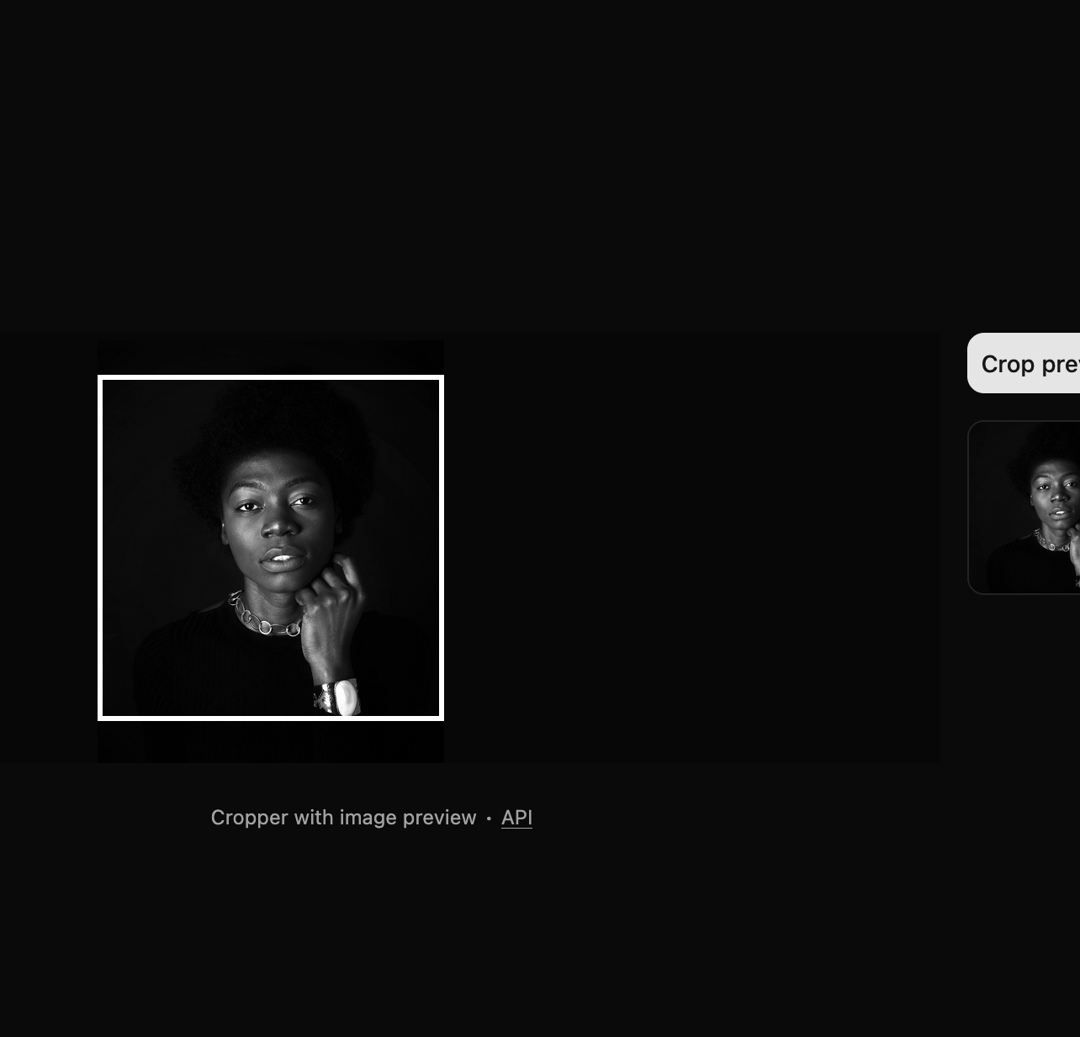
Here is Image Crop component
Built with React and Tailwind. Copy the prompt and paste it into Claude Code, Cursor or Lovable: your agent adds Image Crop to your project and fits it to your theme.
Code
How Image Crop is used: the demo's code. The component's own source comes with a free account.
Usage.tsx
"use client"

import { useCallback, useEffect, useState } from "react"

import { Button } from "@/components/ui/button"
import {
  Cropper,
  CropperCropArea,
  CropperDescription,
  CropperImage,
} from "@/components/ui/image-crop"

// Define type for pixel crop area
type Area = { x: number; y: number; width: number; height: number }

// --- Start: Copied Helper Functions ---
const createImage = (url: string): Promise<HTMLImageElement> =>
  new Promise((resolve, reject) => {
    const image = new Image()
    image.addEventListener("load", () => resolve(image))
    image.addEventListener("error", (error) => reject(error))
    image.setAttribute("crossOrigin", "anonymous") // Needed for canvas Tainted check
    image.src = url
  })

async function getCroppedImg(
  imageSrc: string,
  pixelCrop: Area,
  outputWidth: number = pixelCrop.width, // Optional: specify output size
  outputHeight: number = pixelCrop.height
): Promise<Blob | null> {
  try {
    const image = await createImage(imageSrc)
    const canvas = document.createElement("canvas")
    const ctx = canvas.getContext("2d")

    if (!ctx) {
      return null
    }

    // Set canvas size to desired output size
    canvas.width = outputWidth
    canvas.height = outputHeight

    // Draw the cropped image onto the canvas
    ctx.drawImage(
      image,
      pixelCrop.x,
      pixelCrop.y,
      pixelCrop.width,
      pixelCrop.height,
      0,
      0,
      outputWidth, // Draw onto the output size
      outputHeight
    )

    // Convert canvas to blob
    return new Promise((resolve) => {
      canvas.toBlob((blob) => {
        resolve(blob)
      }, "image/jpeg") // Specify format and quality if needed
    })
  } catch (error) {
    console.error("Error in getCroppedImg:", error)
    return null
  }
}
// --- End: Copied Helper Functions ---

const ORIGINAL_IMAGE_URL =
  "https://cdn.21st.dev/assets/mirror/2c/2c020c3e4c6dbcf1e8260cf876f583c4b19fece2e019ad2204da76c2451a689e.jpg"

export default function Component() {
  const [croppedAreaPixels, setCroppedAreaPixels] = useState<Area | null>(null)
  const [croppedImageUrl, setCroppedImageUrl] = useState<string | null>(null)

  // Callback to update crop area state
  const handleCropChange = useCallback((pixels: Area | null) => {
    setCroppedAreaPixels(pixels)
  }, [])

  // Function to handle the crop button click
  const handleCrop = async () => {
    if (!croppedAreaPixels) {
      console.error("No crop area selected.")
      return
    }

    try {
      const croppedBlob = await getCroppedImg(
        ORIGINAL_IMAGE_URL,
        croppedAreaPixels
      )
      if (!croppedBlob) {
        throw new Error("Failed to generate cropped image blob.")
      }

      // Create a new object URL
      const newCroppedUrl = URL.createObjectURL(croppedBlob)

      // Revoke the old URL if it exists
      if (croppedImageUrl) {
        URL.revokeObjectURL(croppedImageUrl)
      }

      // Set the new URL
      setCroppedImageUrl(newCroppedUrl)
    } catch (error) {
      console.error("Error during cropping:", error)
      // Optionally: Clear the old image URL on error
      if (croppedImageUrl) {
        URL.revokeObjectURL(croppedImageUrl)
      }
      setCroppedImageUrl(null)
    }
  }

  // Effect for cleaning up the object URL
  useEffect(() => {
    // This is the cleanup function that runs when the component unmounts
    // or when croppedImageUrl changes before the next effect runs.
    const currentUrl = croppedImageUrl
    return () => {
      if (currentUrl && currentUrl.startsWith("blob:")) {
        URL.revokeObjectURL(currentUrl)
        console.log("Revoked URL:", currentUrl) // Optional: for debugging
      }
    }
  }, [croppedImageUrl]) // Dependency array ensures cleanup runs when URL changes

  return (
   <div className="flex min-h-screen w-full flex-col items-center justify-center gap-4 bg-background p-8">
      <div className="flex w-full flex-col gap-4 md:flex-row">
        <Cropper
          className="h-64 md:flex-1"
          image={ORIGINAL_IMAGE_URL}
          onCropChange={handleCropChange}
        >
          <CropperDescription />
          <CropperImage />
          <CropperCropArea />
        </Cropper>
        <div className="flex w-26 flex-col gap-4">
          <Button onClick={handleCrop} disabled={!croppedAreaPixels}>
            Crop preview
          </Button>
          {/* Display Area */}
          <div className="aspect-square w-full shrink-0 overflow-hidden rounded-lg border">
            {croppedImageUrl ? (
              <img
                src={croppedImageUrl}
                alt="Cropped result"
                className="h-full w-full object-cover"
              />
            ) : (
              <div className="bg-muted text-muted-foreground/80 flex h-full w-full items-center justify-center p-2 text-center text-xs">
                Image preview
              </div>
            )}
          </div>
        </div>
      </div>

      <p
        aria-live="polite"
        role="region"
        className="text-muted-foreground mt-2 text-xs"
      >
        Cropper with image preview ∙{" "}
        <a
          href="https://github.com/origin-space/image-cropper"
          className="hover:text-foreground underline"
          target="_blank"
          rel="noopener noreferrer"
        >
          API
        </a>
      </p>
    </div>
  )
}
Dependencies
More by Origin UI
View all
Dialog
1.2K
Avatar
950
useImageUpload
926
usePagination
622
Popover
384
Button
361
Command
320
Accordion
256