
About
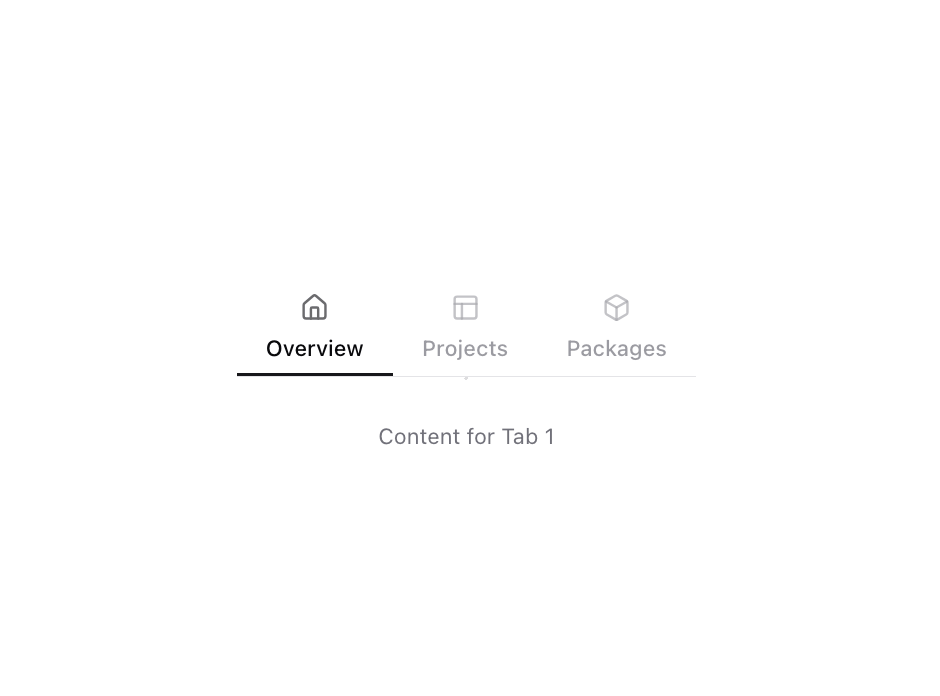
Enchanced shadcn/ui tabs
Built with React and Tailwind. Copy the prompt and paste it into Claude Code, Cursor or Lovable: your agent adds Tabs to your project and fits it to your theme.
Code
How Tabs is used: the demo's code. The component's own source comes with a free account.
Usage.tsx
import { Tabs, TabsContent, TabsList, TabsTrigger } from "@/components/ui/tabs";
import { Box, House, PanelsTopLeft } from "lucide-react";

function Component() {
  return (
    <Tabs defaultValue="tab-1">
      <TabsList className="h-auto rounded-none border-b border-border bg-transparent p-0">
        <TabsTrigger
          value="tab-1"
          className="relative flex-col rounded-none px-4 py-2 text-xs after:absolute after:inset-x-0 after:bottom-0 after:h-0.5 data-[state=active]:bg-transparent data-[state=active]:shadow-none data-[state=active]:after:bg-primary"
        >
          <House className="mb-1.5 opacity-60" size={16} strokeWidth={2} aria-hidden="true" />
          Overview
        </TabsTrigger>
        <TabsTrigger
          value="tab-2"
          className="relative flex-col rounded-none px-4 py-2 text-xs after:absolute after:inset-x-0 after:bottom-0 after:h-0.5 data-[state=active]:bg-transparent data-[state=active]:shadow-none data-[state=active]:after:bg-primary"
        >
          <PanelsTopLeft
            className="mb-1.5 opacity-60"
            size={16}
            strokeWidth={2}
            aria-hidden="true"
          />
          Projects
        </TabsTrigger>
        <TabsTrigger
          value="tab-3"
          className="relative flex-col rounded-none px-4 py-2 text-xs after:absolute after:inset-x-0 after:bottom-0 after:h-0.5 data-[state=active]:bg-transparent data-[state=active]:shadow-none data-[state=active]:after:bg-primary"
        >
          <Box className="mb-1.5 opacity-60" size={16} strokeWidth={2} aria-hidden="true" />
          Packages
        </TabsTrigger>
      </TabsList>
      <TabsContent value="tab-1">
        <p className="p-4 text-center text-xs text-muted-foreground">Content for Tab 1</p>
      </TabsContent>
      <TabsContent value="tab-2">
        <p className="p-4 text-center text-xs text-muted-foreground">Content for Tab 2</p>
      </TabsContent>
      <TabsContent value="tab-3">
        <p className="p-4 text-center text-xs text-muted-foreground">Content for Tab 3</p>
      </TabsContent>
    </Tabs>
  );
}

export { Component };
Dependencies
More by Origin UI
View all
Dialog
1.2K
Avatar
952
useImageUpload
926
usePagination
622
Popover
384
Button
364
Command
322
Accordion
258
More in Navigation
View all

Sidebar
235
Navbar with Theme Toggle
43

Tabs
60

Sidebar
340
Numberless Pagination with Text
11
Oversized 404 Numeral
50
Footer
446
Pagination
43

