
About
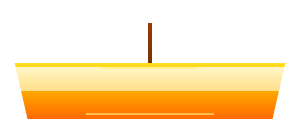
Beautiful animated lamp component for theme switching with Framer Motion
Built with React and Tailwind. Copy the prompt and paste it into Claude Code, Cursor or Lovable: your agent adds Lamp Toggle - Theme Switcher to your project and fits it to your theme.
Code
How Lamp Toggle - Theme Switcher is used: the demo's code. The component's own source comes with a free account.
Usage.tsx
// Demo showing different animation speeds and effects
// Demonstrates the smooth animation capabilities

import { Component } from "@/components/ui/lamp-toggle-theme-switcher";
import { useState } from "react";

export default function AnimationDemo() {
  const [isDark, setIsDark] = useState(false);
  const [selectedSpeed, setSelectedSpeed] = useState(0.3);

  const animationSpeeds = [
    { value: 0.1, label: "Lightning Fast", description: "0.1s" },
    { value: 0.3, label: "Default", description: "0.3s" },
    { value: 0.6, label: "Smooth", description: "0.6s" },
    { value: 1.0, label: "Slow Motion", description: "1.0s" }
  ];

  const toggleTheme = () => setIsDark(!isDark);

  return (
    <div className={`min-h-screen p-8 transition-all duration-500 ${
      isDark ? 'bg-gray-900 text-white' : 'bg-white text-gray-900'
    }`}>
      <div className="text-center mb-12">
        <h1 className="text-4xl font-bold mb-4">⚡ Animation Speeds</h1>
        <p className="text-lg opacity-80">
          Try different animation speeds and see how the lamp responds
        </p>
      </div>

      {/* Main Demo Lamp */}
      <div className="text-center mb-12">
        <div className="relative h-24 flex items-center justify-center">
          <Component
            isDark={isDark}
            onToggle={toggleTheme}
            size="large"
            animationDuration={selectedSpeed}
            className="relative top-0 left-0 transform-none"
          />
        </div>
        <div className="mt-6">
          <div className={`inline-flex items-center gap-2 px-4 py-2 rounded-full ${
            isDark ? 'bg-gray-800 text-gray-300' : 'bg-gray-100 text-gray-700'
          }`}>
            <div className={`w-3 h-3 rounded-full ${isDark ? 'bg-blue-400' : 'bg-yellow-400'}`}></div>
            Animation Speed: <strong>{selectedSpeed}s</strong>
          </div>
        </div>
      </div>

      {/* Speed Controls */}
      <div className="max-w-4xl mx-auto mb-12">
        <h3 className="text-2xl font-bold text-center mb-8">🎛️ Speed Controls</h3>
        <div className="grid grid-cols-1 md:grid-cols-4 gap-4">
          {animationSpeeds.map((speed) => (
            <button
              key={speed.value}
              onClick={() => setSelectedSpeed(speed.value)}
              className={`p-4 rounded-xl transition-all border-2 ${
                selectedSpeed === speed.value
                  ? 'border-blue-500 bg-blue-500/10'
                  : isDark
                    ? 'border-gray-700 bg-gray-800 hover:bg-gray-700'
                    : 'border-gray-200 bg-gray-50 hover:bg-gray-100'
              }`}
            >
              <div className="text-lg font-semibold">{speed.label}</div>
              <div className="text-sm opacity-70 mt-1">{speed.description}</div>
            </button>
          ))}
        </div>
      </div>

      {/* Live Animation Comparison */}
      <div className="max-w-6xl mx-auto">
        <h3 className="text-2xl font-bold text-center mb-8">🎬 Live Comparison</h3>
        <div className="grid grid-cols-1 md:grid-cols-4 gap-8">
          {animationSpeeds.map((speed) => (
            <div key={speed.value} className="text-center">
              <div className="relative h-20 flex items-center justify-center mb-4">
                <Component
                  isDark={isDark}
                  onToggle={toggleTheme}
                  size="medium"
                  animationDuration={speed.value}
                  className="relative top-0 left-0 transform-none"
                />
              </div>
              <div className="font-semibold">{speed.label}</div>
              <div className="text-sm opacity-70">{speed.description}</div>
            </div>
          ))}
        </div>
      </div>

      {/* Code Example */}
      <div className="max-w-4xl mx-auto mt-16">
        <h3 className="text-2xl font-bold text-center mb-8">💻 Code Example</h3>
        <div className={`p-6 rounded-xl ${isDark ? 'bg-gray-800' : 'bg-gray-50'}`}>
          <pre className={`p-4 rounded-lg overflow-x-auto text-sm ${
            isDark ? 'bg-gray-900' : 'bg-white'
          }`}>
            <code>{`<Component
  isDark={${isDark}}
  onToggle={toggleTheme}
  size="medium"
  animationDuration={${selectedSpeed}}
/>`}</code>
          </pre>
        </div>
      </div>

      <div className="text-center mt-16">
        <button
          onClick={toggleTheme}
          className="px-6 py-3 bg-gradient-to-r from-yellow-400 to-orange-500 text-white rounded-lg hover:from-yellow-500 hover:to-orange-600 transition-all"
        >
          🏮 Toggle Theme to See Animation
        </button>
      </div>
    </div>
  );
}
Dependencies
More by Özhan Gebeşoğlu
View all
Parallax Card Grid
More in Buttons
View all
Button Save
46

Button
20

Eclipse Button
5

Button
6

Button
14

Button Group
37

Button
32
Split Button
32

