About
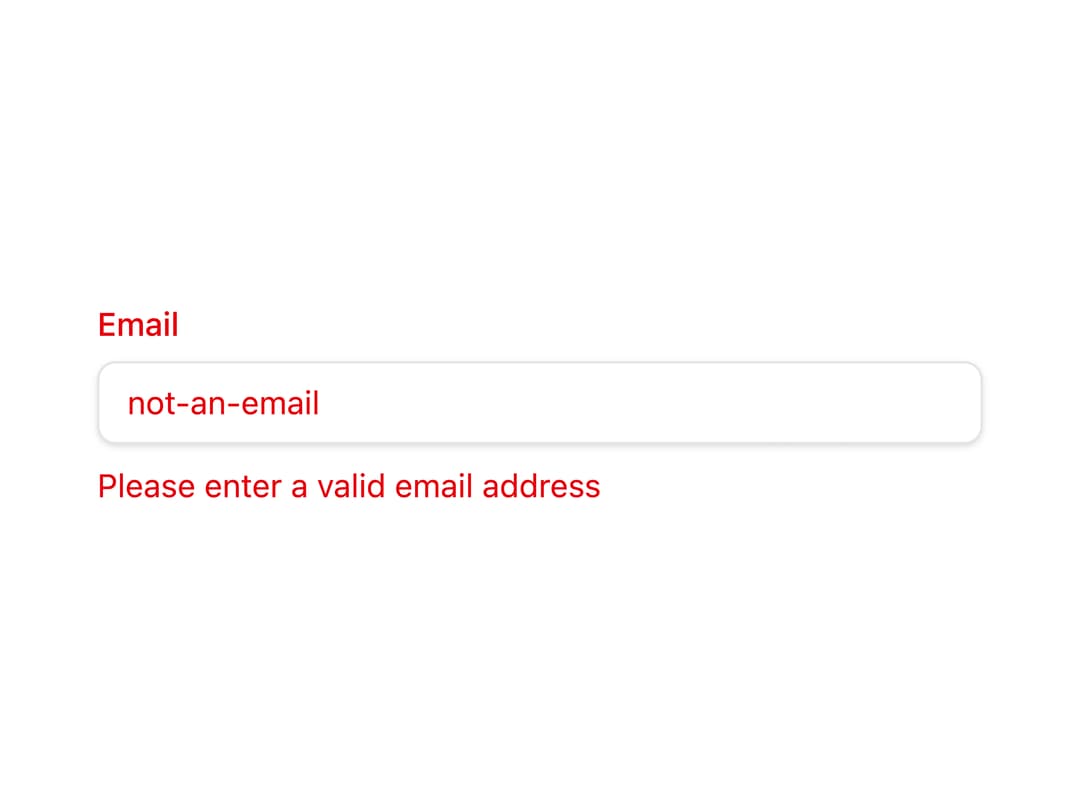
A text input field for TanStack Form that shows a label, optional prefix/suffix icons, and an inline validation error message.
Built with React and Tailwind. Copy the prompt and paste it into Claude Code, Cursor or Lovable: your agent adds Form Input to your project and fits it to your theme.
Code
How Form Input is used: the demo's code. The component's own source comes with a free account.
Usage.tsx
"use client";

import { FormInput } from "@/components/ui/form-input";
import { useForm } from "@tanstack/react-form";

export default function FormInputDemo() {
  const form = useForm({
    defaultValues: {
      email: "",
    },
    onSubmit: async ({ value }) => {
      console.log(value);
    },
  });

  return (
    <form
      onSubmit={(e) => {
        e.preventDefault();
        e.stopPropagation();
        form.handleSubmit();
      }}
      className="w-full max-w-sm"
    >
      <FormInput
        form={form}
        name="email"
        label="Email"
        type="email"
        placeholder="you@example.com"
      />
    </form>
  );
}
Dependencies
More by pacekit
View all

AI Response Writer
357
Mouse Wave Text
16
Bouncing Text
14
Gradient Shadow
12
Scramble Text
9
AI Suggestions
6
Squash Text
5
GitHub Star Counter
More in Forms
View all

Premium Auth
500

Login 1
52

Book A Demo 3
83
Authentication Card
47
Book A Demo 1
69

Contact Card
1K

Login Card
32

Login 2
7
