
About
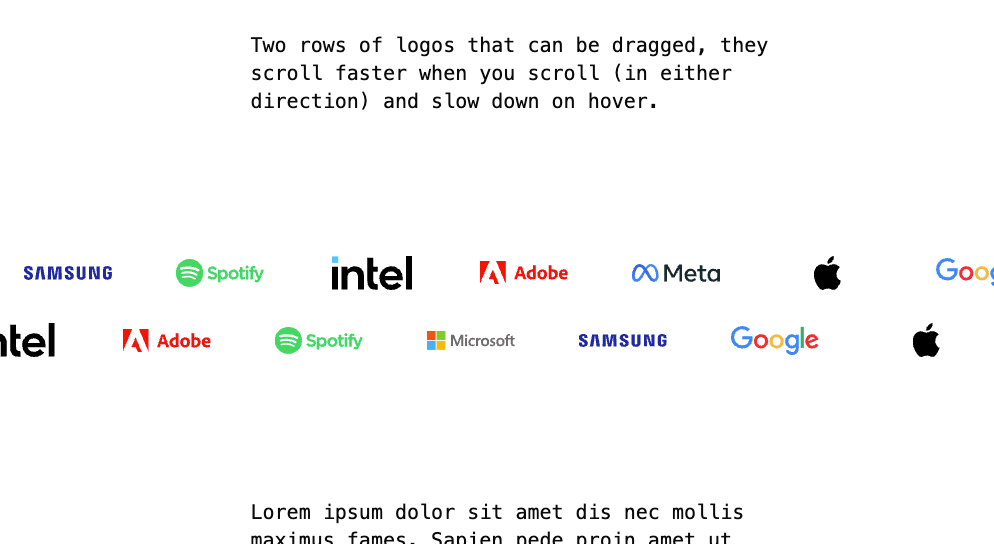
A high-performance infinite carousel with deep interaction handling: mathematically precise looping (even with 2 images), hover slowdown, drag with inertia, and a prop-based logo layout mode.
Built with React and Tailwind. Copy the prompt and paste it into Claude Code, Cursor or Lovable: your agent adds Infinite Image Carousel to your project and fits it to your theme.
Code
How Infinite Image Carousel is used: the demo's code. The component's own source comes with a free account.
Usage.tsx
import {InfiniteImageCarousel} from "@/components/ui/infinite-image-carousel";

export default function InfiniteImageCarousel_ScrollExample() {
    return (
        <div className="flex flex-col justify-between py-[15vh]">

            <p className="container mx-auto px-6 max-w-xl md:text-xl font-medium font-mono mb-[15vh]">
                Two rows of logos that can be dragged, they scroll faster when you scroll (in either direction) and
                slow down on hover.
            </p>

            {/*logos*/}
            <div className="relative
                before:absolute before:inset-y-0 before:left-0 before:w-[clamp(20px,20vw,300px)] before:bg-gradient-to-r before:from-white before:to-transparent before:z-20 before:pointer-events-none
                after:absolute after:inset-y-0 after:right-0 after:w-[clamp(20px,20vw,300px)] after:bg-gradient-to-l after:from-white after:to-transparent after:z-20 after:pointer-events-none
                ">
                <InfiniteImageCarousel
                    itemClass="lg:mr-8 lg:px-4 2xl:[--width:160px] md:[--width:120px] [--width:80px]"
                    isLogo={true}
                    direction={1}
                    images={exampleLogos()}
                    scroll={true}
                    scrollSensitivity={200}
                    duration={40}
                    hoverDuration={70}
                />
            </div>
            <div className="relative
                before:absolute before:inset-y-0 before:left-0 before:w-[clamp(20px,20vw,300px)] before:bg-gradient-to-r before:from-white before:to-transparent before:z-20 before:pointer-events-none
                after:absolute after:inset-y-0 after:right-0 after:w-[clamp(20px,20vw,300px)] after:bg-gradient-to-l after:from-white after:to-transparent after:z-20 after:pointer-events-none
                ">
                <InfiniteImageCarousel
                    itemClass="lg:mr-8 lg:px-4 2xl:[--width:160px] md:[--width:120px] [--width:80px]"
                    isLogo={true}
                    direction={-1}
                    images={exampleLogos()}
                    scroll={true}
                    scrollSensitivity={200}
                    duration={40}
                    hoverDuration={70}
                />
            </div>

            <p className="container mx-auto px-6 max-w-xl mt-[15vh] md:text-xl font-medium font-mono">
                Lorem ipsum dolor sit amet dis nec mollis maximus fames. Sapien pede proin amet ut dictum. Cras
                habitasse
                a volutpat id non felis parturient orci elementum accumsan praesent. Potenti sem augue primis fusce
                nisi.
                Urna aliquam ultrices nunc praesent tellus sapien auctor aptent ipsum vel metus. Ligula sagittis mus
                tristique netus ex ac. Lectus rhoncus proin aliquet eros efficitur quam sed.

                Litora quis iaculis integer si ultrices aenean. Est sodales ridiculus metus cras diam ante imperdiet
                curabitur. Tristique et per fames amet elit habitasse sit. Facilisis torquent hac sodales lorem euismod
                vulputate mus purus. Si tristique ligula class diam cursus sociosqu risus ullamcorper imperdiet mus
                vitae. Mauris dis sem penatibus urna tempus laoreet. Vivamus consectetuer et leo fringilla proin donec.
            </p>

        </div>
    );
}

const exampleLogos = () => {
    const brands = ['apple', 'google', 'microsoft', 'meta', 'netflix', 'spotify', 'samsung', 'intel', 'adobe'];
    const shuffled = brands.sort(() => Math.random() - 0.5);
    return shuffled.map((brand, i) => ({
        url: `https://cdn.svglogos.dev/logos/${brand}.svg`,
        title: brand.charAt(0).toUpperCase() + brand.slice(1)
    }));
};
Dependencies
More by Phuc Bui
View all
Moving Border
449
Draw SVG
1
Shimmer Layer
Magnetic

Text Ripple