
About
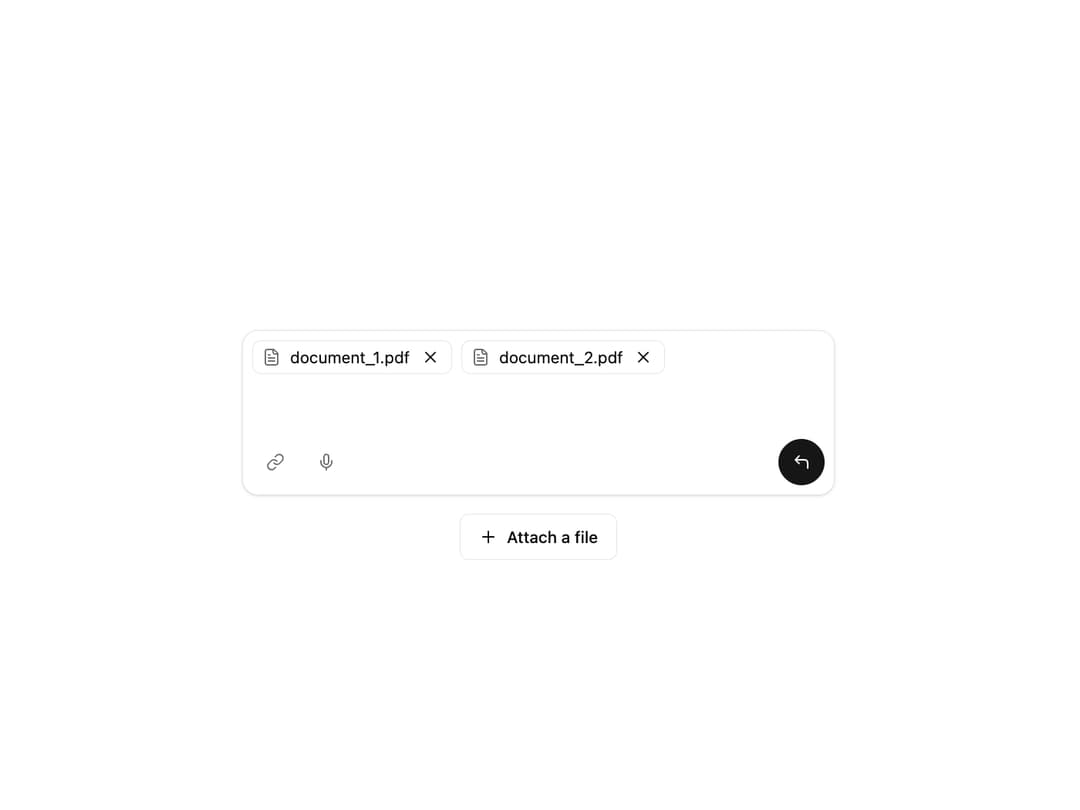
Advanced Chat Input A sophisticated chat input component that supports file attachments, custom action icons, and an animated send button. It automatically resizes based on content.
Built with React and Tailwind. Copy the prompt and paste it into Claude Code, Cursor or Lovable: your agent adds Advanced Ai Chat Input to your project and fits it to your theme.
Code
How Advanced Ai Chat Input is used: the demo's code. The component's own source comes with a free account.
Usage.tsx
// demo.tsx

import * as React from "react";
import {
  AdvancedChatInput,
  type FileAttachment,
} from "@/components/ui/advanced-ai-chat-input";
import { Button } from "@/components/ui/button";
import { FileText, Link, Mic, Plus } from "lucide-react";

export default function AdvancedChatInputDemo() {
  const [inputValue, setInputValue] = React.useState("");
  const [files, setFiles] = React.useState<FileAttachment[]>([]);

  // Handler to add a new file attachment
  const handleAddFile = () => {
    const newFile: FileAttachment = {
      id: Date.now(),
      name: `document_${files.length + 1}.pdf`,
      icon: <FileText className="h-4 w-4 text-muted-foreground" />,
    };
    setFiles((prevFiles) => [...prevFiles, newFile]);
  };

  // Handler to remove a file by its ID
  const handleRemoveFile = (id: string | number) => {
    setFiles((prevFiles) => prevFiles.filter((file) => file.id !== id));
  };

  // Handler for the send action
  const handleSend = () => {
    if (!inputValue && files.length === 0) return;
    console.log("Sending:", {
      message: inputValue,
      files: files.map((f) => f.name),
    });
    // Reset state after sending
    setInputValue("");
    setFiles([]);
  };

  // Define action icons to be passed as a prop
  const actionIcons = [
    <Button key="link" variant="ghost" size="icon" aria-label="Attach link">
      <Link className="h-4 w-4 text-muted-foreground" />
    </Button>,
    <Button key="mic" variant="ghost" size="icon" aria-label="Use microphone">
      <Mic className="h-4 w-4 text-muted-foreground" />
    </Button>,
  ];

  return (
    <div className="flex min-h-[400px] w-full flex-col items-center justify-center gap-4 bg-background p-4">
      <div className="w-full max-w-lg">
        <AdvancedChatInput
          value={inputValue}
          onChange={(e) => setInputValue(e.target.value)}
          placeholder="What's on your mind?"
          files={files}
          onFileRemove={handleRemoveFile}
          onSend={handleSend}
          actionIcons={actionIcons}
          textareaProps={{
            onKeyDown: (e) => {
              if (e.key === "Enter" && !e.shiftKey) {
                e.preventDefault();
                handleSend();
              }
            },
          }}
        />
      </div>

      {/* Demo control to add files dynamically */}
      <Button variant="outline" onClick={handleAddFile}>
        <Plus className="mr-2 h-4 w-4" />
        Attach a file
      </Button>
    </div>
  );
}
Dependencies
More by Ravi Katiyar
View all

Animated Shader Hero
3.7K
Hero
3.1K
Circular Gallery
2.7K
Minimalist Hero
2.5K
Floating Icons Hero Section
1.9K
Glass Calendar
1.8K
Feature Carousel
1.7K
AI Image Generator Hero
1.4K
More in Buttons
View all

Button
14
Button
34
Texture Button
92
Button Save
46

Button
64

Button Group
3

Notification Button
103

App Store Button
454

