
About
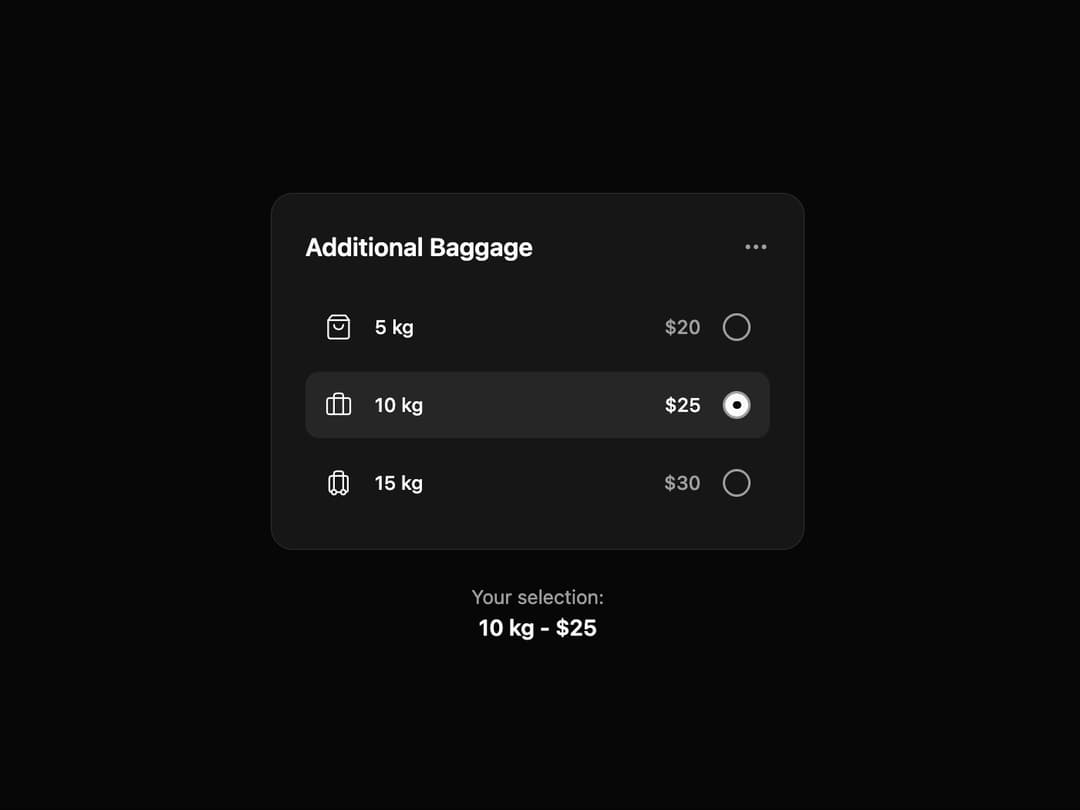
Additional Baggage Selection UI designed for flight or travel booking apps. It allows users to choose extra baggage weight options (5 kg, 10 kg, 15 kg) with clear pricing. The selected option is highlighted with a radio button and summarized below for quick confirmation. Simple icons, dark theme, and concise layout make it easy to review and decide. Ideal for airline apps, ticket booking platforms, or travel management systems.
Built with React and Tailwind. Copy the prompt and paste it into Claude Code, Cursor or Lovable: your agent adds Baggage Add-on to your project and fits it to your theme.
Code
How Baggage Add-on is used: the demo's code. The component's own source comes with a free account.
Usage.tsx
import React from 'react';
import { MinimalistOptionSelector, Option } from '@/components/ui/baggage-add-on';
import { Briefcase, Luggage, ShoppingBag } from 'lucide-react';

// Data for the component options
const baggageOptions: Option[] = [
  {
    id: '5kg',
    icon: <ShoppingBag className="h-5 w-5" strokeWidth={1.5} />,
    label: '5 kg',
    price: 20,
  },
  {
    id: '10kg',
    icon: <Briefcase className="h-5 w-5" strokeWidth={1.5} />,
    label: '10 kg',
    price: 25,
  },
  {
    id: '15kg',
    icon: <Luggage className="h-5 w-5" strokeWidth={1.5} />,
    label: '15 kg',
    price: 30,
  },
];

export default function MinimalistOptionSelectorDemo() {
  const [selectedValue, setSelectedValue] = React.useState<string>('10kg');
  const selectedOption = baggageOptions.find(opt => opt.id === selectedValue);

  return (
    // The container div no longer has background color classes
    <div className="flex flex-col items-center justify-center min-h-[500px] w-full gap-6 p-4">
      <MinimalistOptionSelector
        options={baggageOptions}
        defaultValue="10kg"
        onValue-change={(id) => setSelectedValue(id)}
      />

      {/* Selection summary */}
      <div className="text-center">
        <p className="text-sm text-muted-foreground">
          Your selection:
        </p>
        <p className="text-base font-semibold text-foreground">
          {selectedOption?.label} - ${selectedOption?.price}
        </p>
      </div>
    </div>
  );
}
Dependencies
More by Ravi Katiyar
View all

Animated Shader Hero
3.7K
Hero
3.1K
Circular Gallery
2.7K
Minimalist Hero
2.5K
Floating Icons Hero Section
1.9K
Glass Calendar
1.8K
Feature Carousel
1.7K
AI Image Generator Hero
1.4K
More in Cards
View all
Stats cards with links
33

Course Design Cards
1.1K

Card
70
Statistics Card 2
264
Statistics Card 10
263

Card
17

Card Studio
9
The Item one
3
