
About
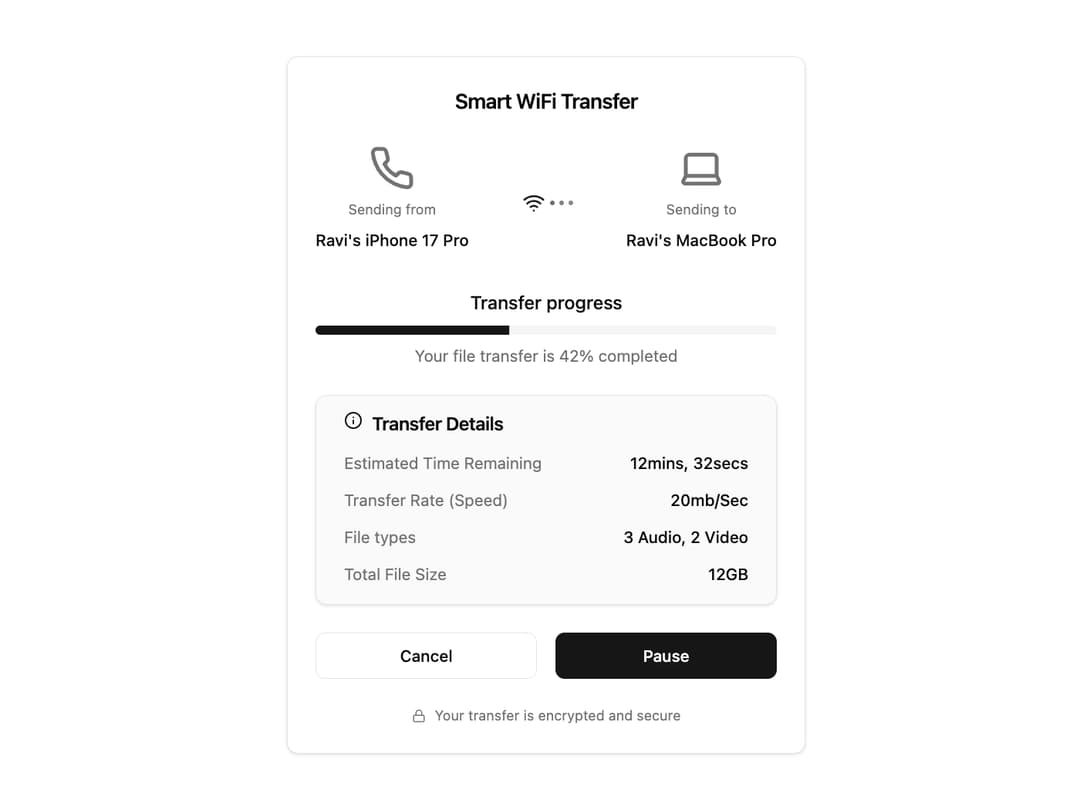
File Transfer Card This component encapsulates the entire file transfer UI, receiving all dynamic data through props to ensure maximum reusability.
Built with React and Tailwind. Copy the prompt and paste it into Claude Code, Cursor or Lovable: your agent adds File Transfer Card to your project and fits it to your theme.
Code
How File Transfer Card is used: the demo's code. The component's own source comes with a free account.
Usage.tsx
import React, { useState, useEffect, useCallback } from "react";
import { FileTransferCard } from "@/components/ui/file-transfer-card";

// Main demo component to showcase the FileTransferCard
const FileTransferCardDemo = () => {
  // State management for the transfer simulation
  const [progress, setProgress] = useState(20);
  const [status, setStatus] = useState<"in-progress" | "paused" | "completed" | "connecting">("in-progress");
  const [timeLeft, setTimeLeft] = useState(12 * 60 + 54); // Initial time in seconds

  // Effect to simulate the file transfer progress
  useEffect(() => {
    if (status === "in-progress" && progress < 100) {
      const interval = setInterval(() => {
        setProgress((prev) => Math.min(prev + 1, 100));
        setTimeLeft((prev) => Math.max(prev - 1, 0));
      }, 500); // Update every 0.5 seconds

      return () => clearInterval(interval);
    } else if (progress >= 100) {
      setStatus("completed");
    }
  }, [status, progress]);

  // Handler for pausing and resuming the transfer
  const handleTogglePause = useCallback(() => {
    setStatus((prevStatus) => (prevStatus === "in-progress" ? "paused" : "in-progress"));
  }, []);

  // Handler for canceling the transfer
  const handleCancel = useCallback(() => {
    setStatus("paused");
    setProgress(0);
    setTimeLeft(0);
    // Here you would add logic to actually cancel the transfer
    console.log("Transfer canceled.");
  }, []);

  // Format the remaining time into a user-friendly string
  const formatTime = (seconds: number) => {
    if (status === 'completed') return "Completed";
    if (seconds <= 0) return "Calculating...";
    const mins = Math.floor(seconds / 60);
    const secs = seconds % 60;
    return `${mins}mins, ${secs}secs`;
  };

  return (
    <div className="w-full bg-background flex items-center justify-center p-4">
      <FileTransferCard
        status={status}
        progress={progress}
        sourceDevice={{ name: "Ravi's iPhone 17 Pro", type: "phone" }}
        destinationDevice={{ name: "Ravi's MacBook Pro", type: "laptop" }}
        estimatedTime={formatTime(timeLeft)}
        transferRate="20mb/Sec"
        fileTypes="3 Audio, 2 Video"
        totalFileSize="12GB"
        onCancel={handleCancel}
        onTogglePause={handleTogglePause}
      />
    </div>
  );
};

export default FileTransferCardDemo;
Dependencies
More by Ravi Katiyar
View all

Animated Shader Hero
3.7K
Hero
3.1K
Circular Gallery
2.7K
Minimalist Hero
2.5K
Floating Icons Hero Section
1.9K
Glass Calendar
1.8K
Feature Carousel
1.7K
AI Image Generator Hero
1.4K
More in Cards
View all
Stats cards with links
33

Course Design Cards
1.1K

Card
70
Statistics Card 2
264
Statistics Card 10
263

Card
17

Card Studio
9
The Item one
3
