
About
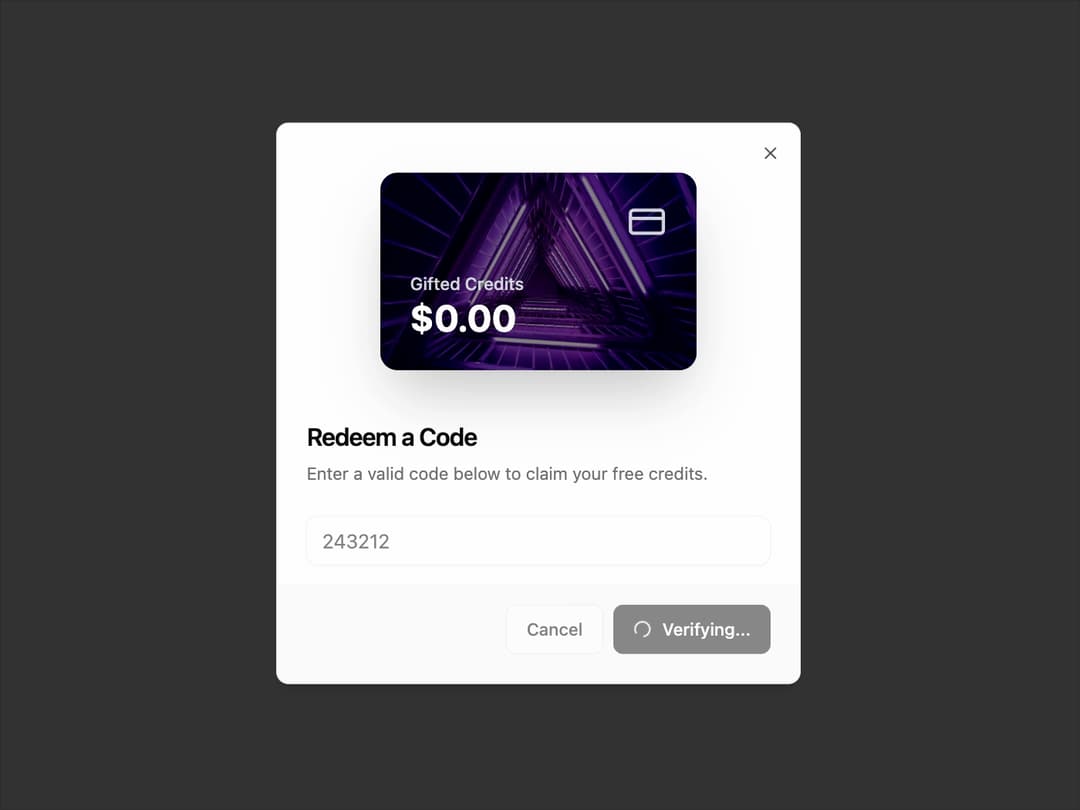
RedeemDialog A modal dialog that allows users to enter and submit a redemption code. It features a loading state for asynchronous validation and uses framer-motion for a subtle entry animation on the visual card element.
Built with React and Tailwind. Copy the prompt and paste it into Claude Code, Cursor or Lovable: your agent adds Redeem to your project and fits it to your theme.
Code
How Redeem is used: the demo's code. The component's own source comes with a free account.
Usage.tsx
// demo.tsx

"use client";

import * as React from "react";
import { Button } from "@/components/ui/button";
import { RedeemDialog } from "@/components/ui/redeem";

export default function RedeemDialogDemo() {
  const [isDialogOpen, setIsDialogOpen] = React.useState(false);

  // A sample image URL for the card background
  const imageUrl = "https://cdn.21st.dev/assets/mirror/e8/e860aa16da77c29e3ebc891d9f1334d04438d2f77ef007672e5c95da2f886511.jpg";

  // Mock function to simulate an API call for redeeming a code
  const handleRedeem = (code: string): Promise<void> => {
    console.log(`Verifying code: ${code}`);
    return new Promise((resolve) => {
      setTimeout(() => {
        console.log("Code verified successfully!");
        setIsDialogOpen(false);
        resolve();
      }, 2000);
    });
  };

  return (
    <div className="flex min-h-[350px] w-full items-center justify-center">
      <Button onClick={() => setIsDialogOpen(true)}>
        Redeem Code
      </Button>

      {/* The RedeemDialog component with the new background image prop */}
      <RedeemDialog
        open={isDialogOpen}
        onOpenChange={setIsDialogOpen}
        onRedeem={handleRedeem}
        cardBackgroundImage={imageUrl}
      />
    </div>
  );
}
Dependencies
More by Ravi Katiyar
View all

Animated Shader Hero
3.7K
Hero
3.1K
Circular Gallery
2.7K
Minimalist Hero
2.5K
Floating Icons Hero Section
1.9K
Glass Calendar
1.8K
Feature Carousel
1.7K
AI Image Generator Hero
1.4K
More in Buttons
View all

Button
14
Button
34
Texture Button
92
Button Save
46

Button
64

Button Group
3

App Store Button
454

Notification Button
103

