
About
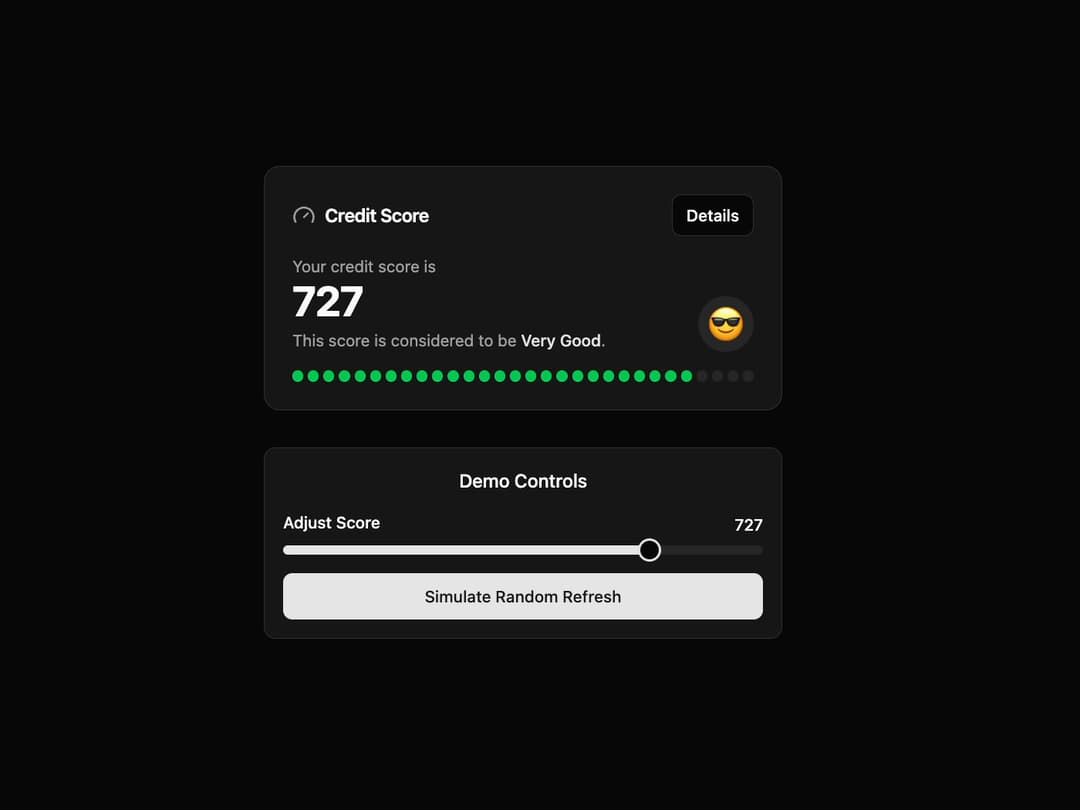
Credit Score Card This component provides a visually appealing way to display a score, such as a credit score. It features a segmented progress bar with a staggered animation, is fully responsive, and adapts to both light and dark themes using shadcn CSS variables.
Built with React and Tailwind. Copy the prompt and paste it into Claude Code, Cursor or Lovable: your agent adds Score Card to your project and fits it to your theme.
Code
How Score Card is used: the demo's code. The component's own source comes with a free account.
Usage.tsx
"use client";

import * as React from "react";
import { CreditScoreCard } from "@/components/ui/score-card";
import { Button } from "@/components/ui/button";
import { Slider } from "@/components/ui/slider";
import { Label } from "@/components/ui/label";

export default function CreditScoreCardDemo() {
  // State to hold the score, with an initial value
  const [score, setScore] = React.useState(710);

  // Function to simulate fetching a new random score
  const refreshScore = () => {
    const randomScore = Math.floor(Math.random() * (850 - 300 + 1)) + 300;
    setScore(randomScore);
  };

  return (
    <div className="flex w-full flex-col items-center justify-center gap-8 bg-background p-4 md:p-8">
      {/* The component itself */}
      <CreditScoreCard
        score={score}
        onDetailsClick={() => alert(`Showing details for score: ${score}`)}
      />

      {/* Controls to demonstrate interactivity */}
      <div className="w-full max-w-md space-y-4 rounded-lg border bg-card p-4">
        <h4 className="text-center font-medium text-card-foreground">Demo Controls</h4>
        <div className="space-y-2">
            <div className="flex justify-between">
                <Label htmlFor="score-slider">Adjust Score</Label>
                <span className="text-sm font-medium">{score}</span>
            </div>
            <Slider
              id="score-slider"
              value={[score]}
              onValueChange={(value) => setScore(value[0])}
              max={850}
              min={300}
              step={1}
            />
        </div>
        <Button onClick={refreshScore} className="w-full">
          Simulate Random Refresh
        </Button>
      </div>
    </div>
  );
}
Dependencies
More by Ravi Katiyar
View all

Animated Shader Hero
3.7K
Hero
3.1K
Circular Gallery
2.7K
Minimalist Hero
2.5K
Floating Icons Hero Section
1.9K
Glass Calendar
1.8K
Feature Carousel
1.7K
AI Image Generator Hero
1.4K
More in Cards
View all
Stats cards with links
33

Course Design Cards
1.1K

Card
70
Statistics Card 2
264
Statistics Card 10
263

Card
17

Card Studio
9
The Item one
3
