
About
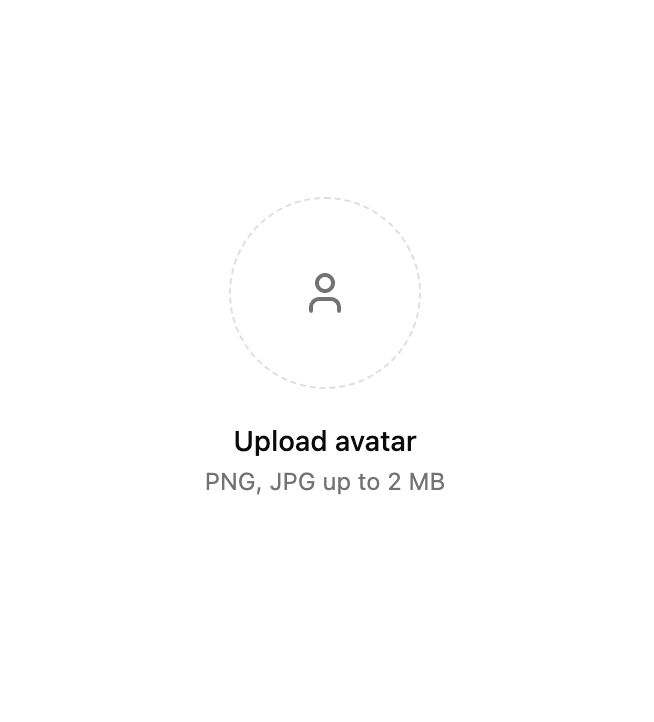
A file upload component for React.
Built with React and Tailwind. Copy the prompt and paste it into Claude Code, Cursor or Lovable: your agent adds File Upload to your project and fits it to your theme.
Code
How File Upload is used: the demo's code. The component's own source comes with a free account.
Usage.tsx
'use client';

import { useState } from 'react';
import { useFileUpload } from '@/components/ui/file-upload';
import {
  Alert,
  AlertContent,
  AlertDescription,
  AlertIcon,
  AlertTitle,
} from '@/components/ui/alert-1';
import { Button } from '@/components/ui/button-1';
import { TriangleAlert, User, X } from 'lucide-react';
import { cn } from '@/lib/utils';
import { FileWithPreview } from '@/types';

function formatBytes(bytes: number): string {
  const sizes = ['Bytes', 'KB', 'MB', 'GB'];
  if (bytes === 0) return '0 Byte';
  const i = Math.floor(Math.log(bytes) / Math.log(1024));
  return `${parseFloat((bytes / Math.pow(1024, i)).toFixed(2))} ${sizes[i]}`;
}

export function useCopyToClipboard() {
  const [copied, setCopied] = useState(false);

  const copy = async (text: string) => {
    if (!navigator?.clipboard) return false;

    try {
      await navigator.clipboard.writeText(text);
      setCopied(true);
      setTimeout(() => setCopied(false), 2000);
      return true;
    } catch (error) {
      console.error('Failed to copy:', error);
      setCopied(false);
      return false;
    }
  };

  return { copy, copied };
}

interface AvatarUploadProps {
  maxSize?: number;
  className?: string;
  onFileChange?: (file: FileWithPreview | null) => void;
  defaultAvatar?: string;
}
export default function AvatarUpload({
  maxSize = 2 * 1024 * 1024, // 2MB
  className,
  onFileChange,
  defaultAvatar,
}: AvatarUploadProps) {
  const [
    { files, isDragging, errors },
    { removeFile, handleDragEnter, handleDragLeave, handleDragOver, handleDrop, openFileDialog, getInputProps },
  ] = useFileUpload({
    maxFiles: 1,
    maxSize,
    accept: 'image/*',
    multiple: false,
    onFilesChange: (files) => {
      onFileChange?.(files[0] || null);
    },
  });
  const currentFile = files[0];
  const previewUrl = currentFile?.preview || defaultAvatar;
  const handleRemove = () => {
    if (currentFile) {
      removeFile(currentFile.id);
    }
  };
  return (
    <div className={cn('flex flex-col items-center gap-4', className)}>
      {/* Avatar Preview */}
      <div className="relative">
        <div
          className={cn(
            'group/avatar relative h-24 w-24 cursor-pointer overflow-hidden rounded-full border border-dashed transition-colors',
            isDragging ? 'border-primary bg-primary/5' : 'border-muted-foreground/25 hover:border-muted-foreground/20',
            previewUrl && 'border-solid',
          )}
          onDragEnter={handleDragEnter}
          onDragLeave={handleDragLeave}
          onDragOver={handleDragOver}
          onDrop={handleDrop}
          onClick={openFileDialog}
        >
          <input {...getInputProps()} className="sr-only" />
          {previewUrl ? (
            <img src={previewUrl} alt="Avatar" className="h-full w-full object-cover" />
          ) : (
            <div className="flex h-full w-full items-center justify-center">
              <User className="size-6 text-muted-foreground" />
            </div>
          )}
        </div>
        {/* Remove Button - only show when file is uploaded */}
        {currentFile && (
          <Button
            size="icon"
            variant="outline"
            onClick={handleRemove}
            className="size-6 absolute end-0 top-0 rounded-full"
            aria-label="Remove avatar"
          >
            <X className="size-3.5" />
          </Button>
        )}
      </div>
      {/* Upload Instructions */}
      <div className="text-center space-y-0.5">
        <p className="text-sm font-medium">{currentFile ? 'Avatar uploaded' : 'Upload avatar'}</p>
        <p className="text-xs text-muted-foreground">PNG, JPG up to {formatBytes(maxSize)}</p>
      </div>
      {/* Error Messages */}
      {errors.length > 0 && (
        <Alert variant="destructive" appearance="light" className="mt-5">
          <AlertIcon>
            <TriangleAlert />
          </AlertIcon>
          <AlertContent>
            <AlertTitle>File upload error(s)</AlertTitle>
            <AlertDescription>
              {errors.map((error, index) => (
                <p key={index} className="last:mb-0">
                  {error}
                </p>
              ))}
            </AlertDescription>
          </AlertContent>
        </Alert>
      )}
    </div>
  );
}
More by Sean Hello
View all

3D Testimonails
3.3K
Line Charts 9
637
Alert
492
Area Charts 1
385
Line Charts 6
384
Scroll Area
376
Area Charts 2
317
Navigation Menu
305