
About
ReUI Field with the first 10 official ReUI examples, preserved from the MIT-licensed source registry.
Built with React and Tailwind. Copy the prompt and paste it into Claude Code, Cursor or Lovable: your agent adds ReUI Field to your project and fits it to your theme.
Code
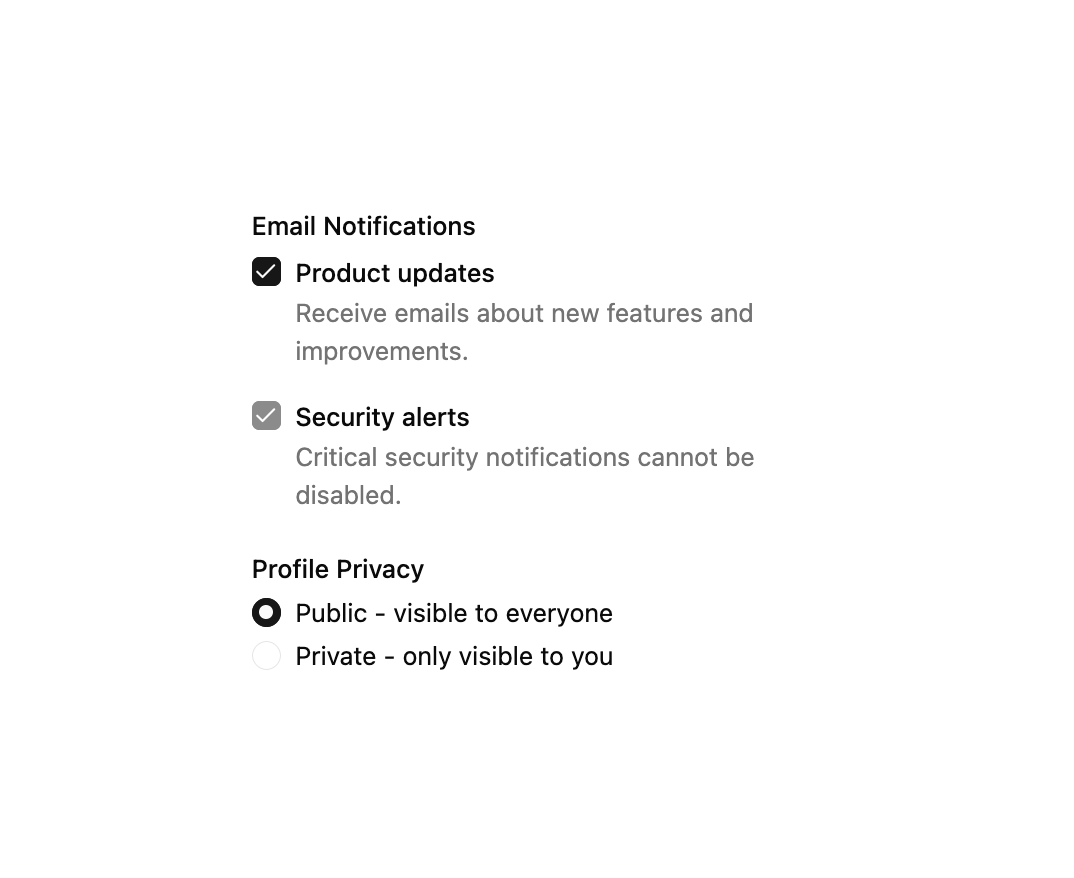
How ReUI Field is used: the demo's code. The component's own source comes with a free account.
Usage.tsx
import { Checkbox } from "@/components/ui/reui-field-utils/checkbox"
import {
  Field,
  FieldContent,
  FieldDescription,
  FieldGroup,
  FieldLabel,
  FieldLegend,
  FieldSet,
  FieldTitle,
} from "@/components/ui/reui-field"
import {
  RadioGroup,
  RadioGroupItem,
} from "@/components/ui/reui-field-utils/radio-group"

export default function Pattern() {
  return (
    <div className="mx-auto w-full max-w-xs">
      <FieldGroup>
        <FieldSet>
          <FieldLegend variant="label">Email Notifications</FieldLegend>
          <FieldGroup className="gap-4">
            <Field orientation="horizontal">
              <Checkbox id="notify-updates" defaultChecked />
              <FieldContent>
                <FieldTitle>Product updates</FieldTitle>
                <FieldDescription>
                  Receive emails about new features and improvements.
                </FieldDescription>
              </FieldContent>
            </Field>
            <Field orientation="horizontal">
              <Checkbox id="notify-security" defaultChecked disabled />
              <FieldContent>
                <FieldTitle>Security alerts</FieldTitle>
                <FieldDescription>
                  Critical security notifications cannot be disabled.
                </FieldDescription>
              </FieldContent>
            </Field>
          </FieldGroup>
        </FieldSet>
        <FieldSet>
          <FieldLegend variant="label">Profile Privacy</FieldLegend>
          <RadioGroup defaultValue="public">
            <FieldGroup className="gap-2">
              <Field orientation="horizontal">
                <RadioGroupItem value="public" id="privacy-public" />
                <FieldLabel htmlFor="privacy-public" className="font-normal">
                  Public - visible to everyone
                </FieldLabel>
              </Field>
              <Field orientation="horizontal">
                <RadioGroupItem value="private" id="privacy-private" />
                <FieldLabel htmlFor="privacy-private" className="font-normal">
                  Private - only visible to you
                </FieldLabel>
              </Field>
            </FieldGroup>
          </RadioGroup>
        </FieldSet>
      </FieldGroup>
    </div>
  )
}
Dependencies
More by Sean Hello
View all

3D Testimonails
3.3K
Line Charts 9
637
Alert
492
Area Charts 1
385
Line Charts 6
384
Scroll Area
376
Area Charts 2
317
Navigation Menu
306