
About
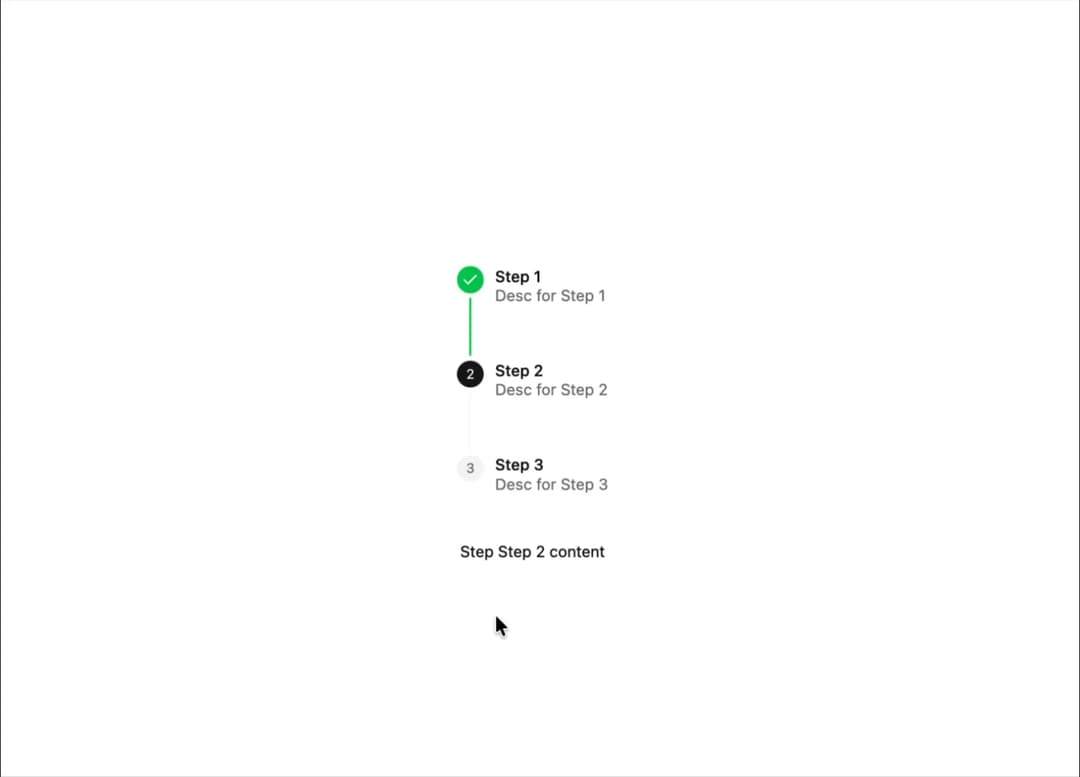
A step-by-step process for users to navigate through a series of steps.
Built with React and Tailwind. Copy the prompt and paste it into Claude Code, Cursor or Lovable: your agent adds Stepper to your project and fits it to your theme.
Code
How Stepper is used: the demo's code. The component's own source comes with a free account.
Usage.tsx
import {
  Stepper,
  StepperContent,
  StepperDescription,
  StepperIndicator,
  StepperItem,
  StepperNav,
  StepperPanel,
  StepperSeparator,
  StepperTitle,
  StepperTrigger,
} from '@/components/ui/stepper';
import { Check, LoaderCircleIcon } from 'lucide-react';

const steps = [
  {
    title: 'Step 1',
    description: 'Desc for Step 1',
  },
  {
    title: 'Step 2',
    description: 'Desc for Step 2',
  },
  {
    title: 'Step 3',
    description: 'Desc for Step 3',
  },
];

export default function Component() {
  return (
    <div className="flex items-center justify-center">
      <Stepper
        className="flex flex-col items-center justify-center gap-10"
        defaultValue={2}
        orientation="vertical"
        indicators={{
          completed: <Check className="size-4" />,
          loading: <LoaderCircleIcon className="size-4 animate-spin" />,
        }}
      >
        <StepperNav>
          {steps.map((step, index) => (
            <StepperItem
              key={index}
              step={index + 1}
              loading={index === 2}
              className="relative items-start not-last:flex-1"
            >
              <StepperTrigger className="items-start pb-12 last:pb-0 gap-2.5">
                <StepperIndicator className="data-[state=completed]:bg-green-500 data-[state=completed]:text-white data-[state=active]:bg-primary data-[state=active]:text-primary-foreground data-[state=inactive]:text-gray-500">
                  {index + 1}
                </StepperIndicator>
                <div className="mt-0.5 text-left">
                  <StepperTitle>{step.title}</StepperTitle>
                  <StepperDescription>{step.description}</StepperDescription>
                </div>
              </StepperTrigger>
              {index < steps.length - 1 && (
                <StepperSeparator className="absolute inset-y-0 top-7 left-3 -order-1 m-0 -translate-x-1/2 group-data-[orientation=vertical]/stepper-nav:h-[calc(100%-2rem)] group-data-[state=completed]/step:bg-green-500" />
              )}
            </StepperItem>
          ))}
        </StepperNav>

        <StepperPanel className="text-sm w-56 text-center">
          {steps.map((step, index) => (
            <StepperContent key={index} value={index + 1}>
              Step {step.title} content
            </StepperContent>
          ))}
        </StepperPanel>
      </Stepper>
    </div>
  );
}
More by Sean Hello
View all

3D Testimonails
3.3K
Line Charts 9
637
Alert
492
Area Charts 1
385
Line Charts 6
384
Scroll Area
376
Area Charts 2
317
Navigation Menu
305