
About
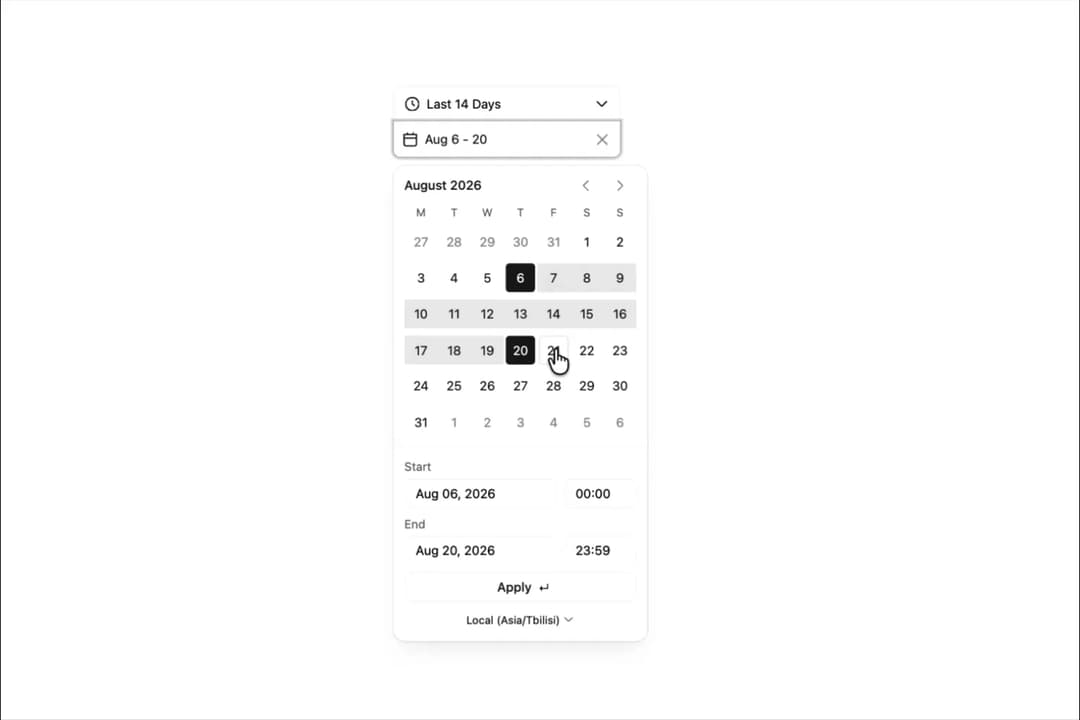
Displays a calendar from which users can select a date or range of dates.
Built with React and Tailwind. Copy the prompt and paste it into Claude Code, Cursor or Lovable: your agent adds Calendar to your project and fits it to your theme.
Code
How Calendar is used: the demo's code. The component's own source comes with a free account.
Usage.tsx
import { useState } from "react";
import { Calendar, RangeValue } from "@/components/ui/calendar";
import { endOfDay, startOfDay, subDays, subMonths, subWeeks } from "date-fns";

const presets = {
  "last-3-days": {
    text: "Last 3 Days",
    start: startOfDay(subDays(new Date(), 3)),
    end: endOfDay(new Date())
  },
  "last-7-days": {
    text: "Last 7 Days",
    start: startOfDay(subWeeks(new Date(), 1)),
    end: endOfDay(new Date())
  },
  "last-14-days": {
    text: "Last 14 Days",
    start: startOfDay(subWeeks(new Date(), 2)),
    end: endOfDay(new Date())
  },
  "last-month": {
    text: "Last Month",
    start: startOfDay(subMonths(new Date(), 1)),
    end: endOfDay(new Date())
  }
};

export default function PresetsWithDefaultValueDemo() {
  const [date6, setDate6] = useState<RangeValue | null>(null);
  return (
    <div className="self-start pt-30">
      <Calendar
          isDocsPage
          onChange={setDate6}
          presetIndex={2}
          presets={presets}
          stacked
          value={date6}
        />
    </div>
  );
}
Dependencies
More by tigran tumasov
View all
Product Hunt Badge
1.8K
Book
162
Theme Switcher
135
Snippet
124
Table
123
Toggle
89
Feedback
88
Toast
84