
About
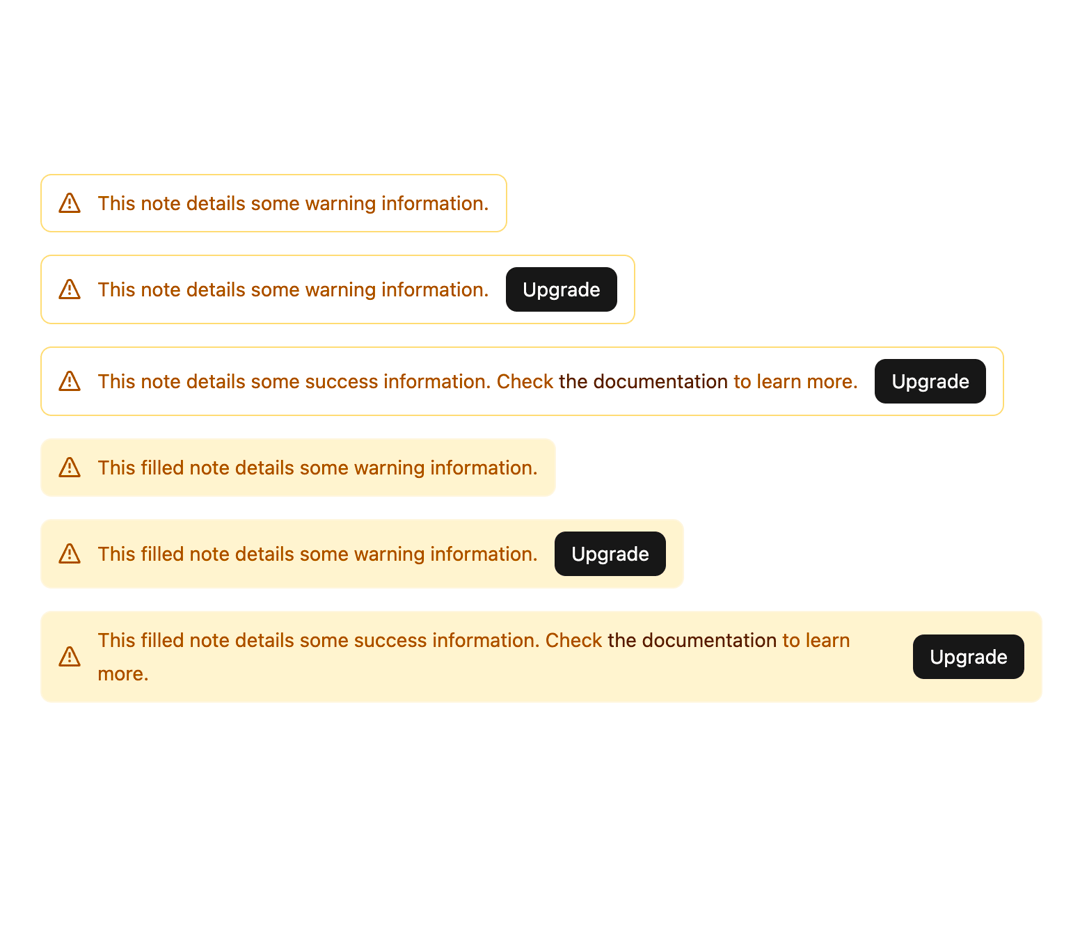
Display text that requires attention or provides additional information.
Built with React and Tailwind. Copy the prompt and paste it into Claude Code, Cursor or Lovable: your agent adds Note to your project and fits it to your theme.
Code
How Note is used: the demo's code. The component's own source comes with a free account.
Usage.tsx
import { Button } from "@/components/ui/button-1";
import { Note } from "@/components/ui/note";
import Link from "next/link";

export default function WarningDemo() {
  return (
      <div className="flex flex-col items-start gap-4 w-3/4">
        <Note type="warning">This note details some warning information.</Note>
        <Note action={<Button size="small">Upgrade</Button>} type="warning">
          This note details some warning information.
        </Note>
        <Note action={<Button size="small">Upgrade</Button>} type="warning">
          This note details some success information. Check{" "}
          <Link href="/geist#">the documentation</Link> to learn more.
        </Note>
        <Note fill type="warning">
          This filled note details some warning information.
        </Note>
        <Note action={<Button size="small">Upgrade</Button>} fill type="warning">
          This filled note details some warning information.
        </Note>
        <Note action={<Button size="small">Upgrade</Button>} fill type="warning">
          This filled note details some success information. Check{" "}
          <Link data-zone="same" href="/geist#">
            the documentation
          </Link>{" "}
          to learn more.
        </Note>
      </div>
  );
}
Dependencies
More by tigran tumasov
View all
Product Hunt Badge
1.8K
Book
162
Calendar
152
Theme Switcher
135
Snippet
124
Table
123
Toggle
89
Feedback
88