
About
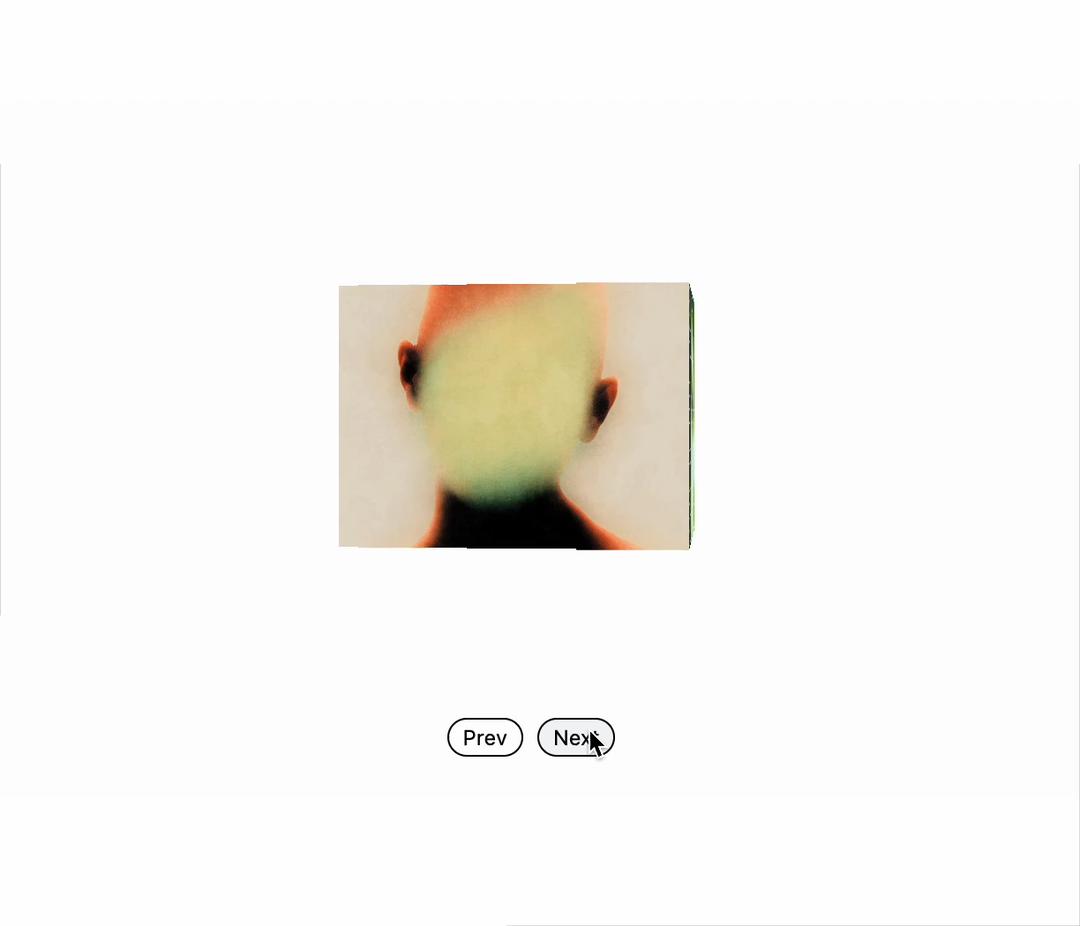
Box Carousel
Built with React and Tailwind. Copy the prompt and paste it into Claude Code, Cursor or Lovable: your agent adds Box Carousel to your project and fits it to your theme.
Code
How Box Carousel is used: the demo's code. The component's own source comes with a free account.
Usage.tsx
"use client"

import { useRef, useState  } from "react"
import { Bug, BugOff } from "lucide-react"
import BoxCarousel, {
  type BoxCarouselRef,
  type CarouselItem,
} from "@/components/ui/box-carousel"


// Sample carousel items with mix of images and videos
const carouselItems: CarouselItem[] = [
  {
    id: "1",
    type: "image",
    src: "https://cdn.cosmos.so/778d0640-d4b8-45b4-8bbe-862e759c231d?format=jpeg",
    alt: "Blurry poster"
  },
  {
    id: "2",
    type: "image",
    src: "https://cdn.cosmos.so/27ac2696-1f2b-498e-8d3d-11f2dd358ab9?format=jpeg",
    alt: "Abstract blurry figure"
  },
  {
    id: "3",
    type: "image",
    src: "https://cdn.cosmos.so/c48b739d-202d-4340-ab6b-afa34f0d7142?format=jpeg",
    alt: "Long exposure photo of a person"
  },
  {
    id: "4",
    type: "image",
    src: "https://cdn.cosmos.so/5332f9ac-7823-4635-871d-d4b3032e1c62?format=jpeg",
    alt: "Blurry portrait photo of a person"
  },
  {
    id: "5",
    type: "image",
    src: "https://cdn.cosmos.so/d9ed937e-7c3b-4f64-a4f3-708d639f13a1?format=jpeg",
    alt: "Long exposure shots with multiple people"
  },
  {
    id: "6",
    type: "image",
    src: "https://cdn.cosmos.so/33b43e2a-da66-42d9-a0b1-08165d80b0aa?format=jpeg",
    alt: "Close up blurry photo of a person poster"
  },
  {
    id: "7",
    type: "image",
    src: "https://cdn.cosmos.so/40342df7-2ea2-4297-add2-fe17cdc62551?format=jpeg",
    alt: "Long exposure shot of a motorcyclist"
  },
]

export default function BoxCarouselDemo() {
  const carouselRef = useRef<BoxCarouselRef>(null)
  const [debug, setDebug] = useState(false)
  const getCarouselDimensions = () => {


      return { width: 200, height: 150 }


  }


  const { width, height } = getCarouselDimensions()

  const handleNext = () => {
    carouselRef.current?.next()
  }

  const handlePrev = () => {
    carouselRef.current?.prev()
  }

  const handleIndexChange = (index: number) => {
    console.log('Index changed:', index)
  }

  const toggleDebug = () => {
    setDebug(!debug)
  }

  return (
    <div className="w-full max-w-4xl h-full p-6 flex justify-items-center justify-center items-center text-muted-foreground bg-[#fefefe]">
      <button
        onClick={toggleDebug}
        className="absolute top-4 left-4 p-1.5 border border-black text-black rounded-full cursor-pointer transition-all duration-300 ease-out hover:bg-gray-100 active:scale-95"
        title={debug ? "Debug Mode: ON" : "Debug Mode: OFF"}
      >
        {debug ? (
          <Bug size={10} />
        ) : (
          <BugOff size={10} />
        )}
      </button>

      <div className="space-y-24">

        <div className="flex justify-center pt-20">
          <BoxCarousel
            ref={carouselRef}
            items={carouselItems}
            width={width}
            height={height}
            direction="right"
            onIndexChange={handleIndexChange}
            debug={debug}
            enableDrag
            perspective={1000}
          />
        </div>


        <div className="flex gap-2 justify-center">
          <button
            onClick={handlePrev}
            className="px-2 py-0.5 text-xs border border-black text-black rounded-full cursor-pointer transition-all duration-300 ease-out hover:bg-gray-100 active:scale-95"
          >
            Prev
          </button>
          <button
            onClick={handleNext}
            className="px-2 py-0.5 text-xs border border-black text-black rounded-full cursor-pointer transition-all duration-300 ease-out hover:bg-gray-100 active:scale-95"
          >
            Next
          </button>
        </div>
      </div>
    </div>
  )
}
Dependencies
More by SO called
View all

Developer Sign-In Flow
3.2K
Interactive 3D Robot
2.1K
Animated Characters Login Page
1.6K
Interactive Galaxy Hero
1.4K
Product Mockup Section
1.4K
3D Boxes Hero
995
Expandable Content Card
990
AI Prompt Input
617
More in Buttons
View all

Button
14
Button
34
Texture Button
92
Button Save
46

Button
64

Button Group
3

App Store Button
454

Notification Button
103

