
About
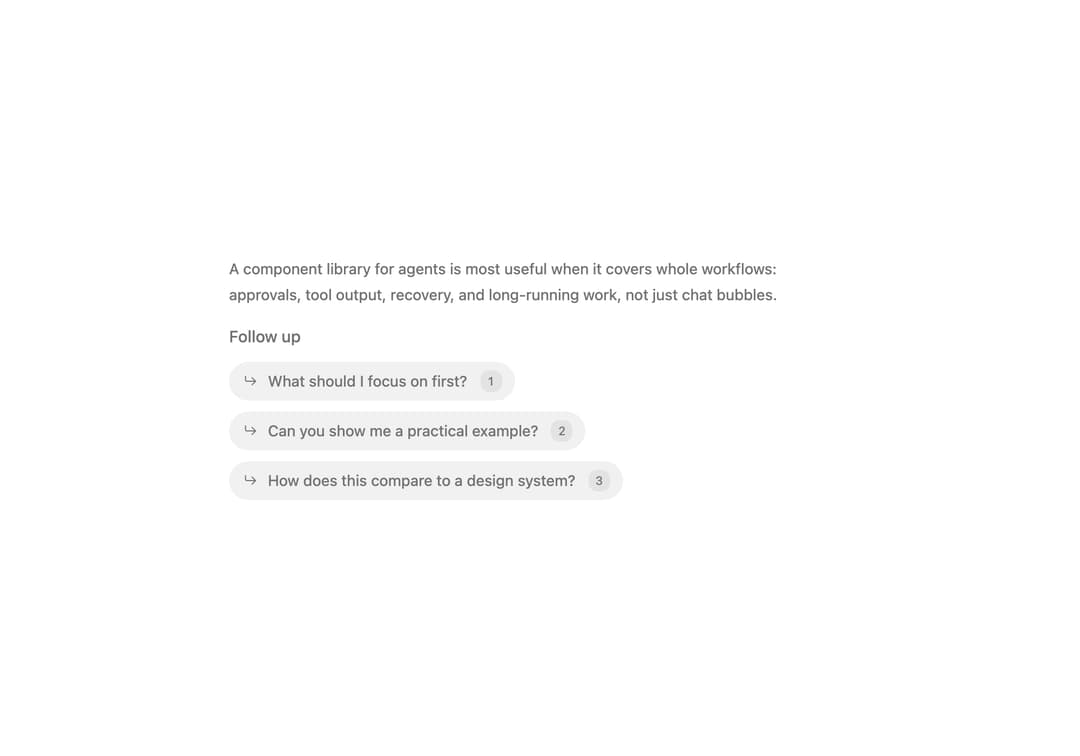
Follow-up prompts that stagger in after an answer, with number key shortcuts and a selected state.
Built with React and Tailwind. Copy the prompt and paste it into Claude Code, Cursor or Lovable: your agent adds Follow Up to your project and fits it to your theme.
Code
How Follow Up is used: the demo's code. The component's own source comes with a free account.
Usage.tsx
import * as React from 'react'
import FollowUp, { type FollowUpItem } from '@/components/ui/follow-up'

const items: FollowUpItem[] = [
  { id: 'focus', label: 'What should I focus on first?' },
  { id: 'example', label: 'Can you show me a practical example?' },
  { id: 'compare', label: 'How does this compare to a design system?' },
]

export default function Demo() {
  const [phase, setPhase] = React.useState<'loading' | 'ready' | 'selected'>('ready')
  const [selected, setSelected] = React.useState<string>()
  const [auto, setAuto] = React.useState(true)

  React.useEffect(() => {
    if (!auto && phase !== 'loading') return
    const timer = setTimeout(
      () => {
        if (phase === 'loading') setPhase('ready')
        else if (phase === 'ready') {
          setSelected('example')
          setPhase('selected')
        } else {
          setSelected(undefined)
          setPhase('loading')
        }
      },
      phase === 'loading' ? 1200 : phase === 'ready' ? 3200 : 2200,
    )
    return () => clearTimeout(timer)
  }, [auto, phase])

  return (
    <div className="w-full max-w-xl space-y-4" onPointerDown={() => setAuto(false)}>
      <p className="text-sm leading-6 font-[450] tracking-[-0.05px] text-muted-foreground">
        A component library for agents is most useful when it covers whole workflows: approvals,
        tool output, recovery, and long-running work, not just chat bubbles.
      </p>
      <FollowUp
        items={items}
        loading={phase === 'loading'}
        onSelect={(item) => {
          setAuto(false)
          setSelected(item.id)
          setPhase('selected')
        }}
        selectedId={selected}
      />
    </div>
  )
}
Dependencies
More by Syed Hasnain
View all
Color Picker
78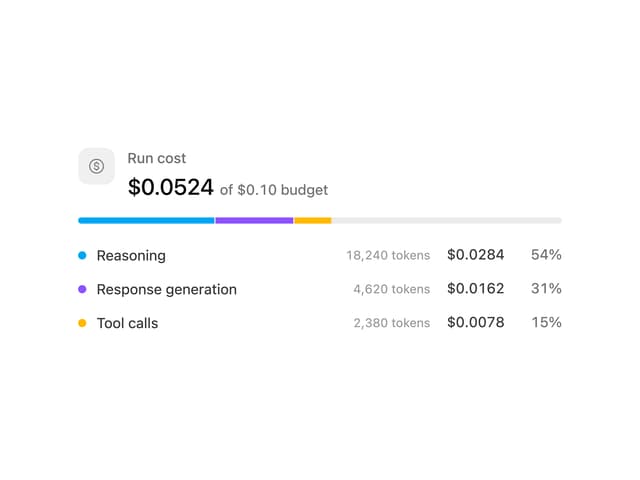
Cost Meter
29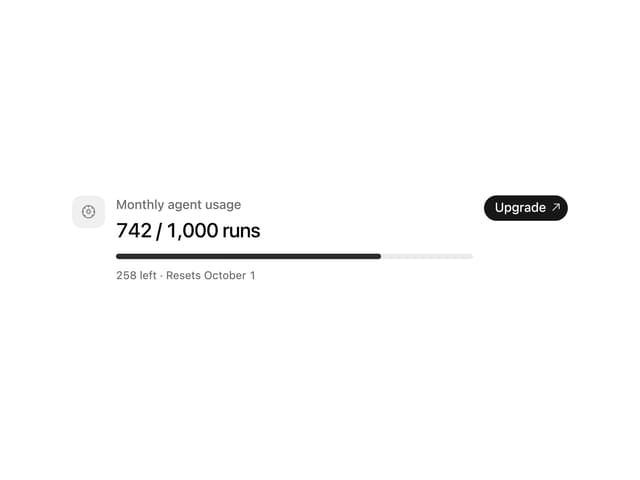
Quota Banner
21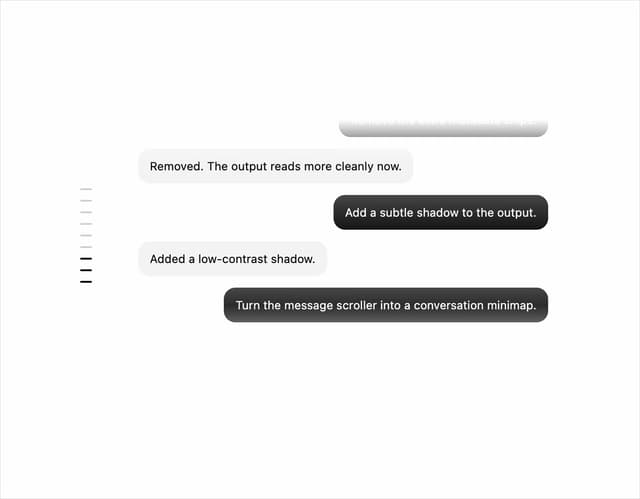
Message Scroller
21
Commit
17
Image Generation Loader
15
Attachments
15
Citations
14