
About
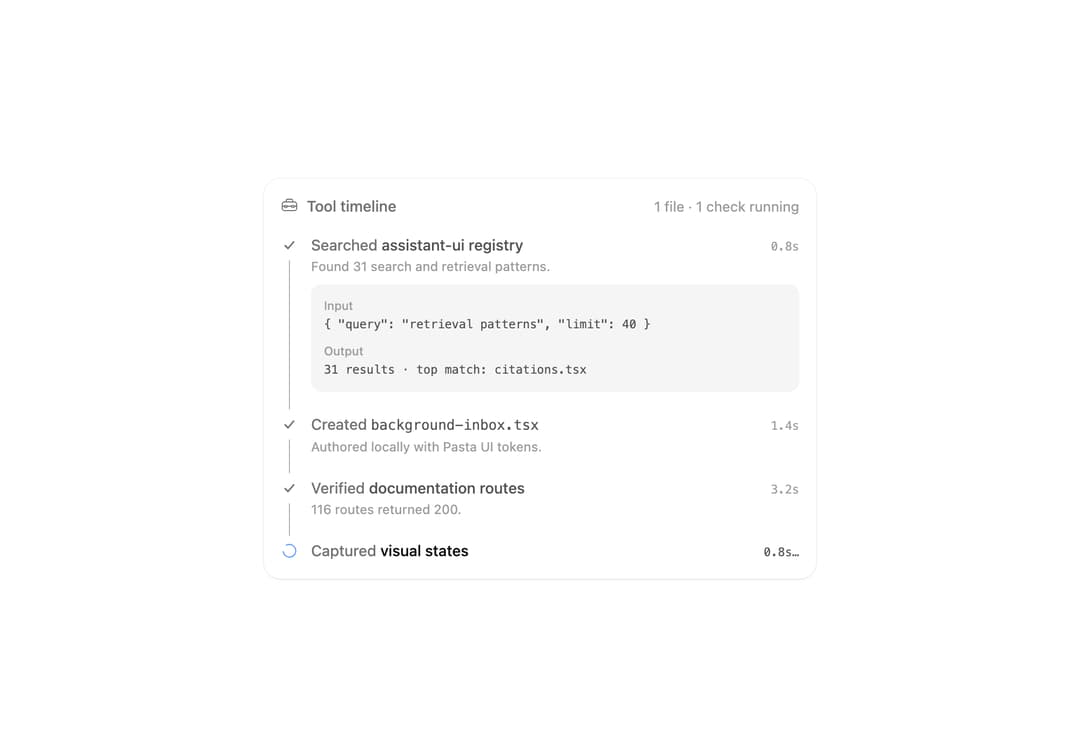
A live timeline of agent tool calls with timings and expandable input and output for each call.
Built with React and Tailwind. Copy the prompt and paste it into Claude Code, Cursor or Lovable: your agent adds Tool Timeline to your project and fits it to your theme.
Code
How Tool Timeline is used: the demo's code. The component's own source comes with a free account.
Usage.tsx
import * as React from 'react'
import ToolTimeline, { type ToolTimelineItem } from '@/components/ui/tool-timeline'

const steps: (Omit<ToolTimelineItem, 'status' | 'time'> & { time: string })[] = [
  {
    id: 'search',
    verb: 'Searched',
    target: 'assistant-ui registry',
    detail: 'Found 31 search and retrieval patterns.',
    time: '0.8s',
    input: '{ "query": "retrieval patterns", "limit": 40 }',
    output: '31 results · top match: citations.tsx',
  },
  {
    id: 'create',
    verb: 'Created',
    target: 'background-inbox.tsx',
    detail: 'Authored locally with Pasta UI tokens.',
    time: '1.4s',
    input: '{ "path": "src/components/ai/background-inbox.tsx" }',
    output: 'Wrote 213 lines',
  },
  {
    id: 'verify',
    verb: 'Verified',
    target: 'documentation routes',
    detail: '116 routes returned 200.',
    time: '3.2s',
    input: 'pnpm test:routes',
    output: '116 passed, 0 failed',
  },
  {
    id: 'preview',
    verb: 'Captured',
    target: 'visual states',
    detail: 'Light and dark screenshots saved.',
    time: '2.1s',
  },
]

export default function Demo() {
  const [done, setDone] = React.useState(2)
  const [tick, setTick] = React.useState(0)

  React.useEffect(() => {
    const timer = setTimeout(
      () => {
        setDone((value) => (value > steps.length ? 0 : value + 1))
        setTick(0)
      },
      done > steps.length ? 3000 : 1800,
    )
    return () => clearTimeout(timer)
  }, [done])

  React.useEffect(() => {
    const timer = setInterval(() => setTick((value) => value + 0.1), 100)
    return () => clearInterval(timer)
  }, [])

  const items: ToolTimelineItem[] = steps.map((step, index) => {
    const status = index < done ? 'complete' : index === done ? 'running' : 'pending'
    return {
      ...step,
      detail: status === 'complete' ? step.detail : undefined,
      output: status === 'complete' ? step.output : undefined,
      status,
      time:
        status === 'complete'
          ? step.time
          : status === 'running'
            ? `${tick.toFixed(1)}s`
            : undefined,
    }
  })
  const files = items.filter((item) => item.status === 'complete' && item.verb === 'Created').length
  const running = items.some((item) => item.status === 'running')

  return (
    <ToolTimeline
      className="w-full max-w-lg"
      defaultOpenId="search"
      items={items}
      summary={running ? `${files} file · 1 check running` : `${steps.length} calls finished`}
    />
  )
}
Dependencies
More by Syed Hasnain
View all
Color Picker
78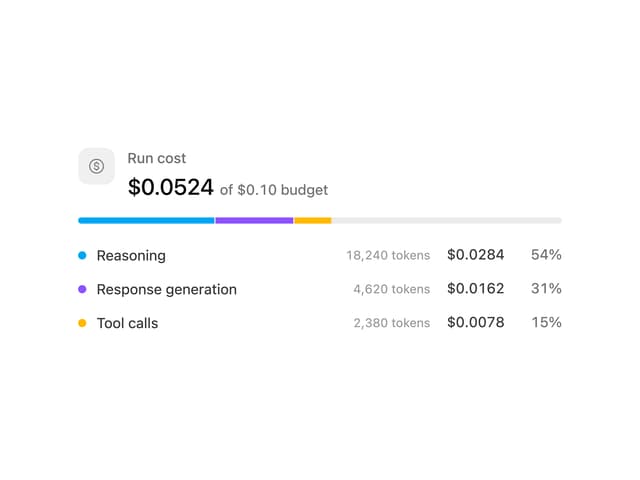
Cost Meter
29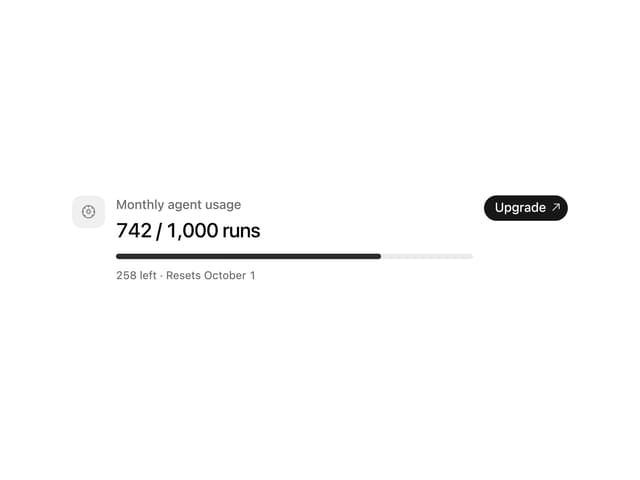
Quota Banner
21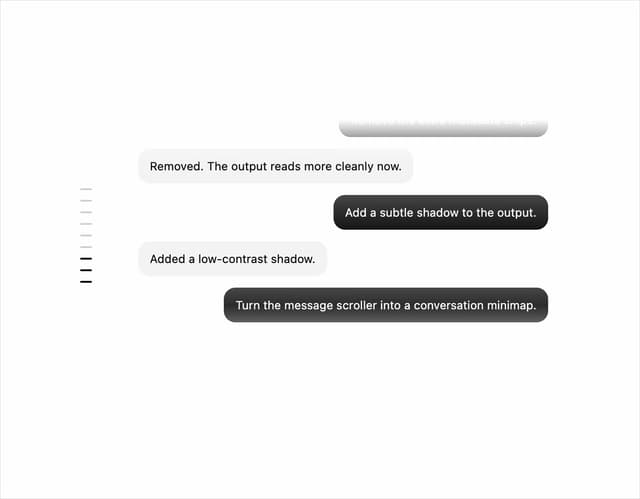
Message Scroller
21
Commit
17
Image Generation Loader
15
Attachments
15
Citations
14