
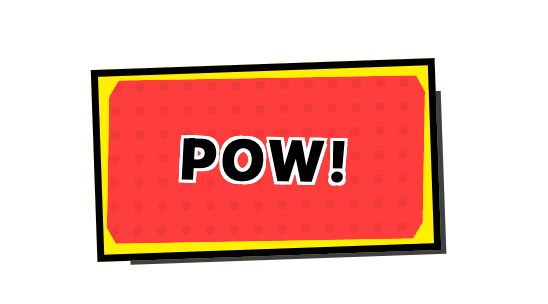
You said: when this button ishoveredthe button animates tells to check iton github in pink shade ChatGPT said: Got it — you want that GitHub-styled button, but with a hover animation where it changes to a pink shade and shows “Check it on GitHub.” Here’s an HTML + CSS example that mimics that effect: <!DOCTYPE html> <html lang="en"> <head> <meta charset="UTF-8"> <meta name="viewport" content="width=device-width, initial-scale=1.0"> <title>GitHub Button Hover Effect</title> <style> body { background-color: #121212; font-family: sans-serif; display: flex; justify-content: center; align-items: center; height: 100vh; } .github-btn { display: inline-flex; align-items: center; background-color: #24292e; color: white; border-radius: 6px; overflow: hidden; text-decoration: none; font-weight: bold; transition: background-color 0.3s ease; } .github-btn img { background-color: white; padding: 6px; height: 32px; width: 32px; } . You said: i want a small desc about it ChatGPT said: This is a custom GitHub-style call-to-action button that mimics the look of GitHub's brand components. It: Uses GitHub’s logo on the left and bold text on the right. Has a dark background to match GitHub’s style. Changes to a pink shade on hover for a modern, eye-catching effect. Animates the text from "Want to know more?" to "Check it on GitHub" when hovered, making it more interactive and encouraging clicks. It’s ideal for linking directly to a GitHub repo or project page while keeping the design playful yet professional. You said: one or two liner desc of what it does ChatGPT said: A GitHub-style button that changes to a pink shade and swaps its text to “Check it on GitHub” when hovered, creating an interactive call-to-action. You said: these curve buttons become square on lcick write a 1-2 line desc ChatGPT said: Rounded gradient buttons with arrow icons that transform into square shapes when clicked, adding a dynamic, interactive feel. You said: this button wiggles like jelly on hover ChatGPT said: A pill-shaped gradient button that playfully wiggles like jelly when hovered, adding a fun and engaging touch. You said: this has a animation to have a shadow like sometihing giving a 3d feel ChatGPT said: A Microsoft-style badge button with a subtle animated shadow that creates a 3D pop-out effect, making it feel more tactile and clickable. You said: on hover it pops up 3d and turns blue ChatGPT said: A comic-style “POW!” button that pops up in 3D and changes to blue when hovered, giving it a playful, animated punch effect.
Built with React and Tailwind. Copy the prompt and paste it into Claude Code, Cursor or Lovable: your agent adds pow button to your project and fits it to your theme.
Code
How pow button is used: the demo's code. The component's own source comes with a free account.
Usage.tsx
import { Component } from "@/components/ui/pow-button";

export default function DemoOne() {
  return <Component />;
}
More by utkarsh pandey
View all

beach click
winner badge
welcome sahara button
mystery button
credits button
delete button
buynow button

hover blocks
More in Buttons
View all

Button
14
Texture Button
92
Button
34
Button Save
46

Button
64

Button


Notification Button
103

App Store Button
453

