
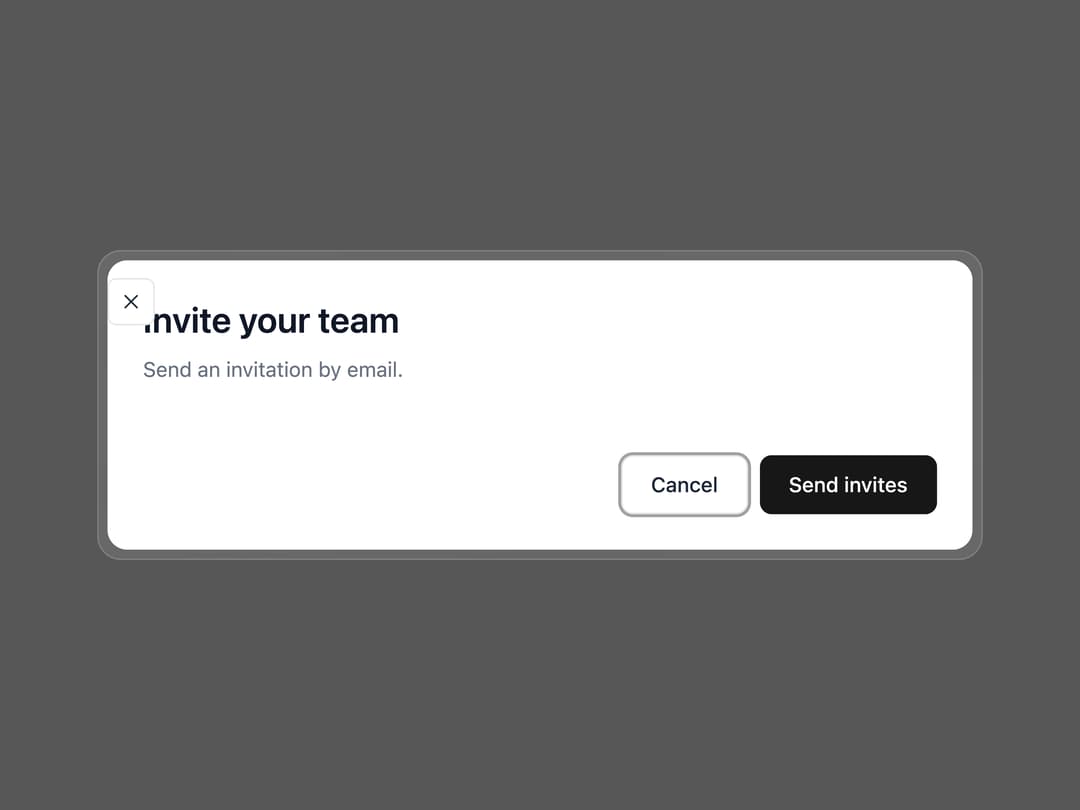
About
A modal window that overlays the page for a focused task or piece of content, with a translucent glass frame, backdrop, focus trap, and a built-in corner close button.
Built with React and Tailwind. Copy the prompt and paste it into Claude Code, Cursor or Lovable: your agent adds Dialog to your project and fits it to your theme.
Code
How Dialog is used: the demo's code. The component's own source comes with a free account.
Usage.tsx
import {
  Dialog,
  DialogTrigger,
  DialogContent,
  DialogHeader,
  DialogTitle,
  DialogDescription,
  DialogBody,
  DialogFooter,
  DialogClose,
} from "@/components/ui/dialog";
import { Button } from "@/components/ui/dialog-utils/button";

export default function DialogDemo() {
  return (
    <Dialog>
      <DialogTrigger
        render={<Button variant="outline">Invite people</Button>}
      />
      <DialogContent>
        <DialogHeader>
          <DialogTitle>Invite your team</DialogTitle>
          <DialogDescription>Send an invitation by email.</DialogDescription>
        </DialogHeader>
        <DialogBody>{/* form, content, … */}</DialogBody>
        <DialogFooter>
          <DialogClose render={<Button variant="outline">Cancel</Button>} />
          <DialogClose render={<Button>Send invites</Button>} />
        </DialogFooter>
      </DialogContent>
    </Dialog>
  );
}
Dependencies
More by appica-dev
View all
Border Beam
43
Text Animate
19
Carousel
14
Sparkline
7
Table of Contents
6
Color Area
6
Avatar
6
Background Pattern
3