About
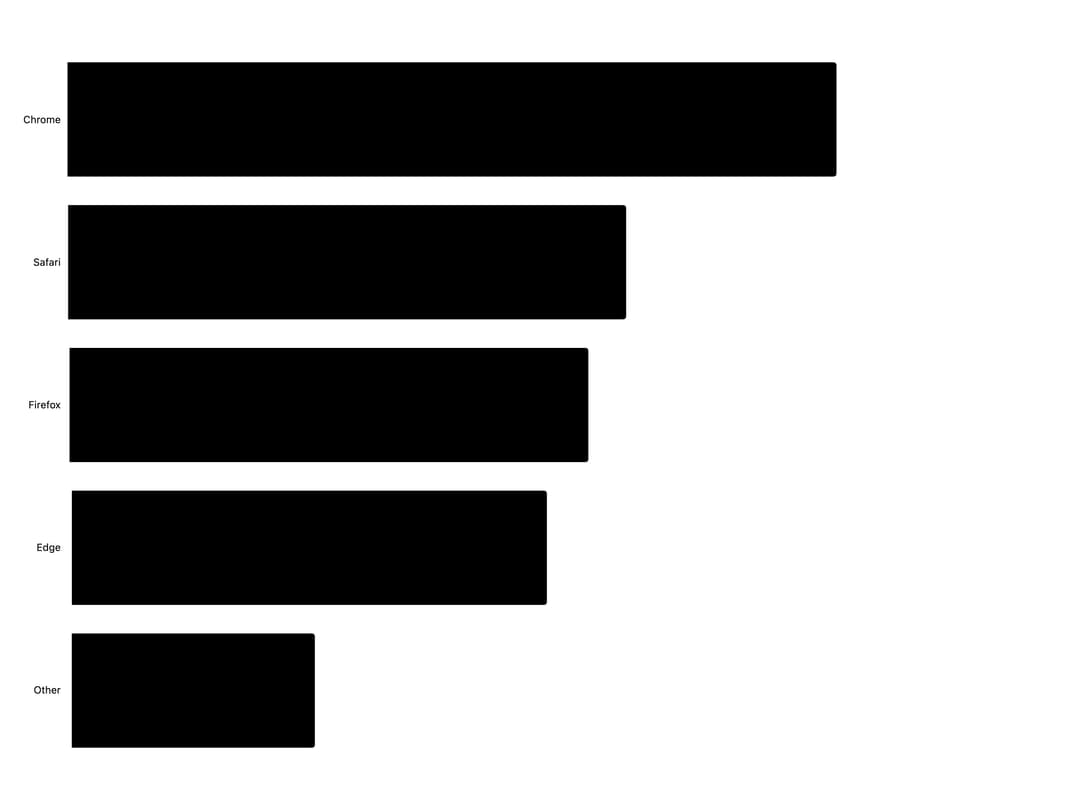
Here is Bar Chart component
Built with React and Tailwind. Copy the prompt and paste it into Claude Code, Cursor or Lovable: your agent adds Bar Chart to your project and fits it to your theme.
Code
How Bar Chart is used: the demo's code. The component's own source comes with a free account.
Usage.tsx
"use client";

import {
  BarChart,
  Bar,
  BarYAxis,
  Grid,
  ChartTooltip,
} from "@/components/ui/bar-chart";

const chartData = [
  { browser: "Chrome", users: 275 },
  { browser: "Safari", users: 200 },
  { browser: "Firefox", users: 187 },
  { browser: "Edge", users: 173 },
  { browser: "Other", users: 90 },
];

export default function BarChartDemo5() {
  return (
    <div className="w-full">
      <BarChart
        data={chartData}
        xDataKey="browser"
        orientation="horizontal"
        margin={{ left: 80 }}
        aspectRatio="4 / 3"
      >
        <Grid horizontal={false} vertical fadeVertical />
        <Bar dataKey="users" lineCap={4} />
        <BarYAxis />
        <ChartTooltip showCrosshair={false} />
      </BarChart>
    </div>
  );
}
Dependencies
More by bklitai
View all

Funnel Chart
398
Area Chart
357
Sankey Diagram
29
Candlestick Chart
10