
About
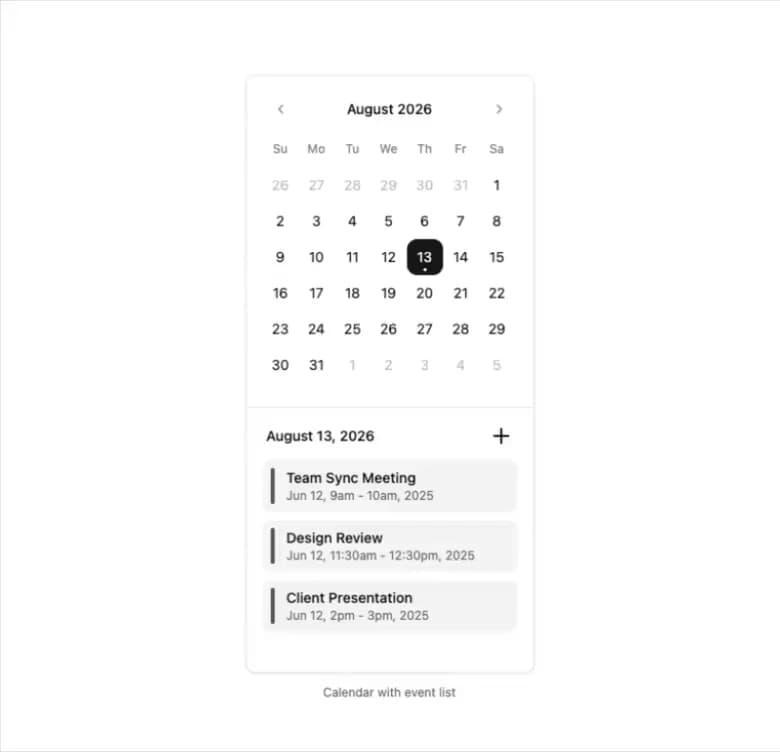
Here is Calendar component
Built with React and Tailwind. Copy the prompt and paste it into Claude Code, Cursor or Lovable: your agent adds Calendar to your project and fits it to your theme.
Code
How Calendar is used: the demo's code. The component's own source comes with a free account.
Usage.tsx
'use client'

import { useState } from 'react'

import { formatDateRange } from 'little-date'
import { PlusIcon } from 'lucide-react'

import { Button } from '@/components/ui/button'
import { Calendar } from '@/components/ui/calendar'
import { Card, CardContent, CardFooter } from '@/components/ui/card'

const events = [
  {
    title: 'Team Sync Meeting',
    from: '2025-06-12T09:00:00',
    to: '2025-06-12T10:00:00'
  },
  {
    title: 'Design Review',
    from: '2025-06-12T11:30:00',
    to: '2025-06-12T12:30:00'
  },
  {
    title: 'Client Presentation',
    from: '2025-06-12T14:00:00',
    to: '2025-06-12T15:00:00'
  }
]

const CalendarEventListDemo = () => {
  const [date, setDate] = useState<Date | undefined>(new Date())

  return (
    <div>
      <Card className='w-2xs py-4'>
        <CardContent className='px-4'>
          <Calendar mode='single' selected={date} onSelect={setDate} className='w-full bg-transparent p-0' required />
        </CardContent>
        <CardFooter className='flex flex-col items-start gap-3 border-t px-4 !pt-4'>
          <div className='flex w-full items-center justify-between px-1'>
            <div className='text-sm font-medium'>
              {date?.toLocaleDateString('en-US', {
                day: 'numeric',
                month: 'long',
                year: 'numeric'
              })}
            </div>
            <Button variant='ghost' size='icon' className='size-6' title='Add Event'>
              <PlusIcon />
              <span className='sr-only'>Add Event</span>
            </Button>
          </div>
          <div className='flex w-full flex-col gap-2'>
            {events.map(event => (
              <div
                key={event.title}
                className='bg-muted after:bg-primary/70 relative rounded-md p-2 pl-6 text-sm after:absolute after:inset-y-2 after:left-2 after:w-1 after:rounded-full'
              >
                <div className='font-medium'>{event.title}</div>
                <div className='text-muted-foreground text-xs'>
                  {formatDateRange(new Date(event.from), new Date(event.to))}
                </div>
              </div>
            ))}
          </div>
        </CardFooter>
      </Card>
      <p className='text-muted-foreground mt-3 text-center text-xs' role='region'>
        Calendar with event list
      </p>
    </div>
  )
}

export default CalendarEventListDemo
More by Clevision
View all

Card Studio
99
Collapsible
43
Button Group
37
Buttons
33
Radio Group 1
30
Combobox
27
Basic Avatar
24
Switch
23
More in Cards
View all

Statistics Card 2
264

Course Design Cards
1.1K
Card
70
Stats cards with links
39
The Item one
3
Statistics Card 7
292

Item
10
Dashboard with Collapsible Sidebar
2.4K

