
About
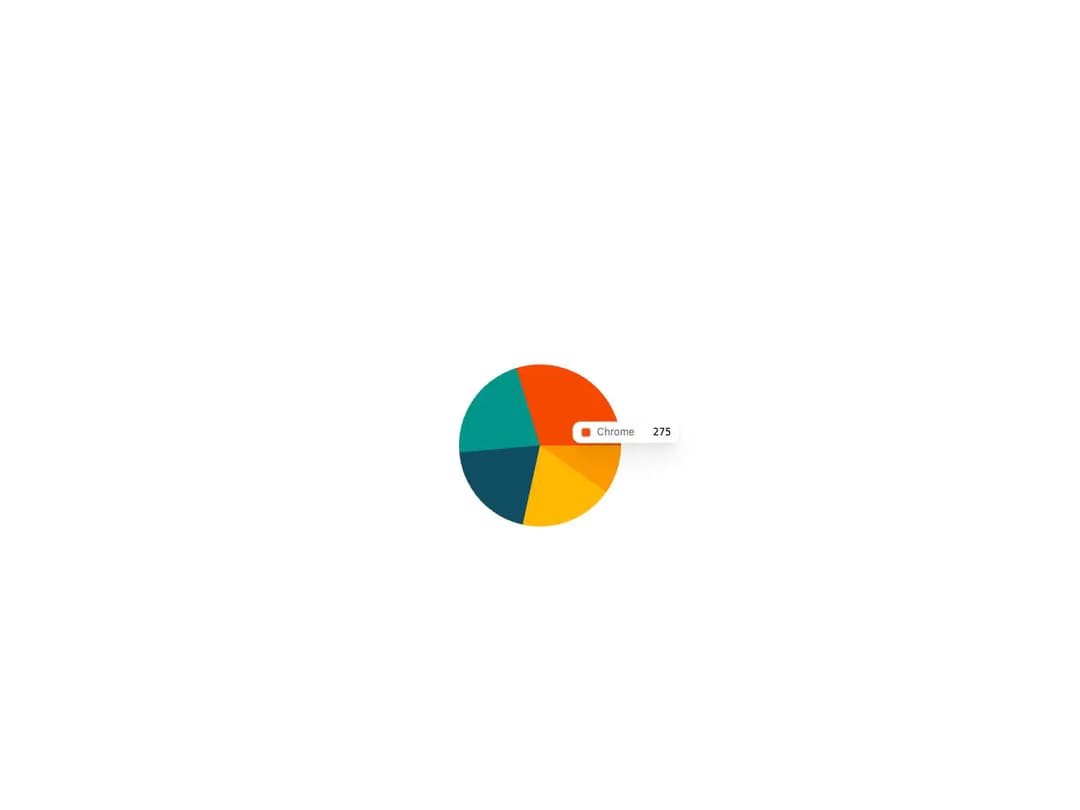
A set of composable chart primitives built on Recharts, providing a themeable ChartContainer plus ChartTooltip, ChartTooltipContent, ChartLegend and ChartLegendContent. Colors are driven by a typed ChartConfig and exposed as CSS variables, so the same wrappers render bar, line, area, pie, radar, radial and composed charts with consistent styling in light and dark mode.
Built with React and Tailwind. Copy the prompt and paste it into Claude Code, Cursor or Lovable: your agent adds Chart to your project and fits it to your theme.
Code
How Chart is used: the demo's code. The component's own source comes with a free account.
Usage.tsx
"use client";

import { Pie, PieChart } from "recharts";
import {
  type ChartConfig,
  ChartContainer,
  ChartTooltip,
  ChartTooltipContent,
} from "@/components/ui/cnippet-chart";

export const description = "A simple pie chart";

const chartData = [
  { browser: "chrome", fill: "var(--color-chrome)", visitors: 275 },
  { browser: "safari", fill: "var(--color-safari)", visitors: 200 },
  { browser: "firefox", fill: "var(--color-firefox)", visitors: 187 },
  { browser: "edge", fill: "var(--color-edge)", visitors: 173 },
  { browser: "other", fill: "var(--color-other)", visitors: 90 },
];

const chartConfig = {
  chrome: {
    color: "var(--chart-1)",
    label: "Chrome",
  },
  edge: {
    color: "var(--chart-4)",
    label: "Edge",
  },
  firefox: {
    color: "var(--chart-3)",
    label: "Firefox",
  },
  other: {
    color: "var(--chart-5)",
    label: "Other",
  },
  safari: {
    color: "var(--chart-2)",
    label: "Safari",
  },
  visitors: {
    label: "Visitors",
  },
} satisfies ChartConfig;

export default function ChartPieSimple() {
  return (
    <ChartContainer
      className="mx-auto aspect-square max-h-62.5 w-full"
      config={chartConfig}
    >
      <PieChart>
        <ChartTooltip
          content={<ChartTooltipContent hideLabel />}
          cursor={false}
        />
        <Pie data={chartData} dataKey="visitors" nameKey="browser" />
      </PieChart>
    </ChartContainer>
  );
}
Dependencies
More by Cnippet
View all

Team
1.3K
Davincho Hero-1
683
Aero Hero-3
558
Features
510
Random Letter Swap Navigation
487
Services with Animated Hover Modal
465
Blogs
396
Aero Hero-1
356
More in Dashboards
View all
Dashboard with Collapsible Sidebar
2.4K

Sidebar
234

SaaS Template
2.4K

Chat template
598
Stats Bento
1.1K

Financial Bento Grid
71

Statistics Card 2
264

Course Design Cards
1.1K

