
About
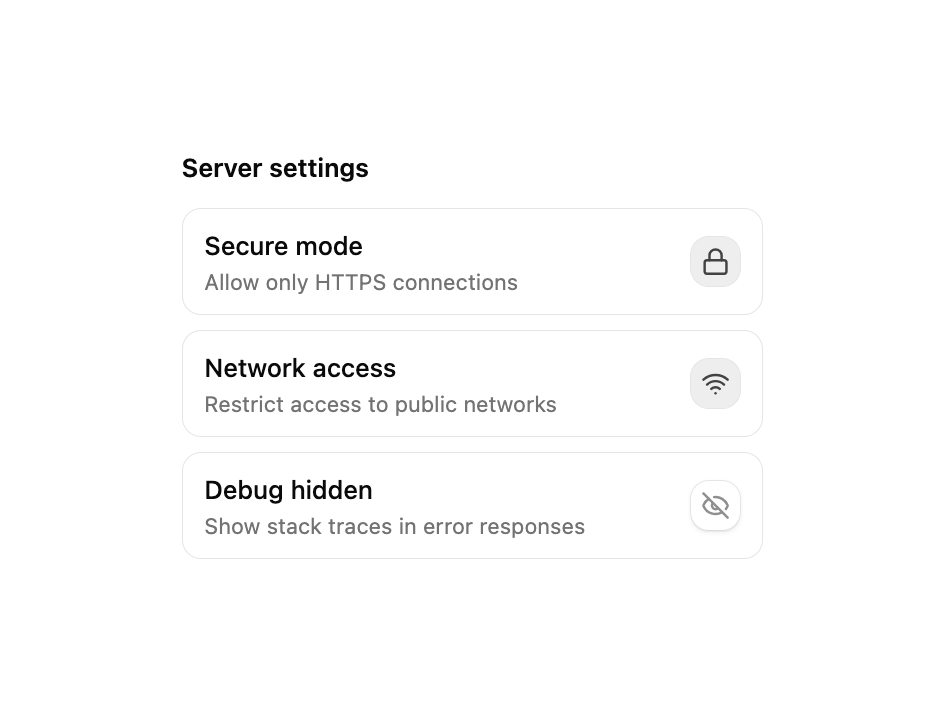
A two-state toggle button built on Base UI's Toggle primitive. Ships default and outline variants, three sizes (sm, default, lg), controlled or uncontrolled pressed state via pressed / defaultPressed, disabled styling, and springy pressed feedback. Works as a single button or grouped into a formatting toolbar. Re-exports TogglePrimitive for advanced composition.
Built with React and Tailwind. Copy the prompt and paste it into Claude Code, Cursor or Lovable: your agent adds Toggle to your project and fits it to your theme.
Code
How Toggle is used: the demo's code. The component's own source comes with a free account.
Usage.tsx
"use client";

import {
  EyeIcon,
  EyeOffIcon,
  LockIcon,
  UnlockIcon,
  WifiIcon,
  WifiOffIcon,
} from "lucide-react";
import { useState } from "react";
import { Toggle } from "@/components/ui/cnippet-toggle";

const settings = [
  {
    description: "Allow only HTTPS connections",
    id: "secure",
    initial: true,
    offIcon: UnlockIcon,
    offLabel: "Insecure",
    onIcon: LockIcon,
    onLabel: "Secure mode",
  },
  {
    description: "Restrict access to public networks",
    id: "network",
    initial: true,
    offIcon: WifiOffIcon,
    offLabel: "Offline",
    onIcon: WifiIcon,
    onLabel: "Network access",
  },
  {
    description: "Show stack traces in error responses",
    id: "debug",
    initial: false,
    offIcon: EyeOffIcon,
    offLabel: "Debug hidden",
    onIcon: EyeIcon,
    onLabel: "Debug visible",
  },
];

export default function ToggleServerSettings() {
  const [states, setStates] = useState<Record<string, boolean>>(
    Object.fromEntries(settings.map((s) => [s.id, s.initial])),
  );

  const toggle = (id: string) =>
    setStates((prev) => ({ ...prev, [id]: !prev[id] }));

  return (
    <div className="w-full max-w-xs space-y-2">
      <p className="mb-3 font-semibold text-sm">Server settings</p>
      {settings.map((s) => {
        const on = states[s.id];
        const Icon = on ? s.onIcon : s.offIcon;
        return (
          <div
            className="flex items-center justify-between gap-3 rounded-lg border border-border px-3 py-2.5"
            key={s.id}
          >
            <div className="flex flex-col gap-0.5">
              <span className="font-medium text-sm">
                {on ? s.onLabel : s.offLabel}
              </span>
              <span className="text-muted-foreground text-xs">
                {s.description}
              </span>
            </div>
            <Toggle
              aria-label={on ? s.offLabel : s.onLabel}
              className={on ? "text-emerald-500" : "text-muted-foreground"}
              onPressedChange={() => toggle(s.id)}
              pressed={on}
              size="sm"
              variant="outline"
            >
              <Icon className="size-4" />
            </Toggle>
          </div>
        );
      })}
    </div>
  );
}
Dependencies
More by Cnippet
View all

Team
1.3K
Davincho Hero-1
683
Aero Hero-3
558
Features
510
Random Letter Swap Navigation
487
Services with Animated Hover Modal
465
Blogs
396
Aero Hero-1
356
More in Buttons
View all

Button
14
Button
34
Texture Button
92
Button Save
46

Button
64

Button Group
3

App Store Button
454

Notification Button
103

