
About
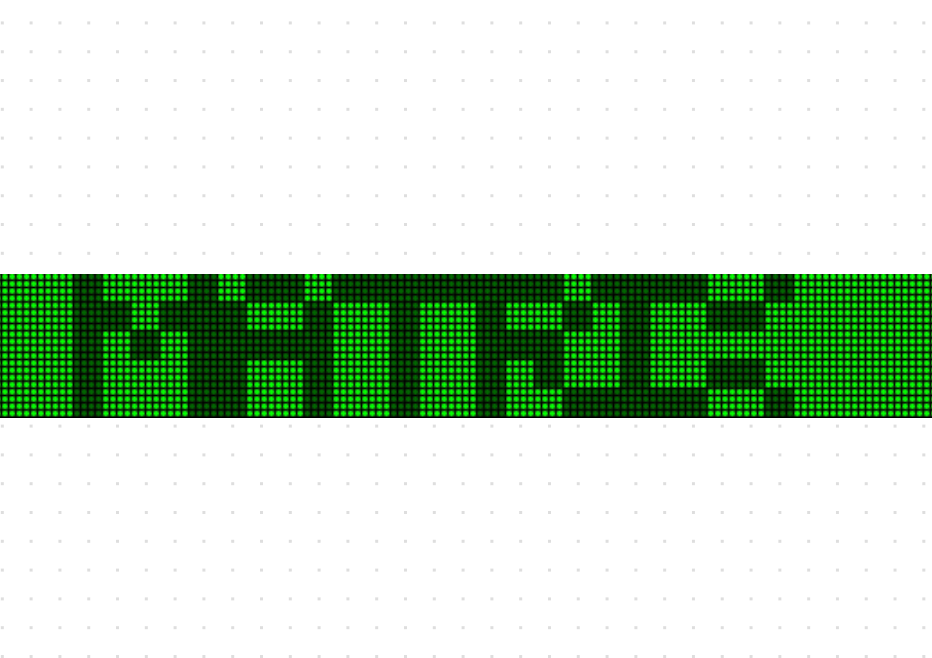
A fun lightboard component used to display moving text and draw in a visually appealing way.
Built with React and Tailwind. Copy the prompt and paste it into Claude Code, Cursor or Lovable: your agent adds Light Board to your project and fits it to your theme.
Code
How Light Board is used: the demo's code. The component's own source comes with a free account.
Usage.tsx
"use client"

import { useState } from "react"
import { LightBoard, PatternCell } from "@/components/ui/lightboard"

function MatrixBoard() {
  return (
    <div className="w-full bg-black">
      <LightBoard
        rows={20}
        lightSize={3}
        gap={1}
        text="THE MATRIX HAS YOU"
        font="default"
        updateInterval={50}
        colors={{
          background: "#001a00",
          textDim: "#006600",
          drawLine: "#00b300",
          textBright: "#00ff00",
        }}
      />
    </div>
  )
}

function ControlledBoard() {
  const [controlledDrawState, setControlledDrawState] = useState<PatternCell>("2")
  const [controlledHoverState, setControlledHoverState] = useState(false)

  const cycleDrawState = () => {
    setControlledDrawState((prev) => {
      switch (prev) {
        case "0": return "1"
        case "1": return "2"
        case "2": return "3"
        case "3": return "0"
        default: return "0"
      }
    })
  }

  return (
    <div className="max-w-2xl w-full">
      <h2 className="text-xl font-semibold mb-3">
        Controlled LightBoard with draw support
      </h2>
      <div className="flex space-x-4 mb-3">
        <button
          className="bg-blue-500 hover:bg-blue-700 text-white font-bold py-2 px-4 rounded text-sm"
          onClick={cycleDrawState}
        >
          Draw Color: {controlledDrawState}
        </button>
        <button
          className="bg-green-500 hover:bg-green-700 text-white font-bold py-2 px-4 rounded text-sm"
          onClick={() => setControlledHoverState((prev) => !prev)}
        >
          Toggle Scroll: {controlledHoverState ? "On" : "Off"}
        </button>
      </div>
      <div className="bg-neutral-900 dark:bg-background">
        <LightBoard
          rows={12}
          lightSize={6}
          gap={2}
          text="CONTROLLED BOARD"
          font="default"
          disableDrawing={false}
          updateInterval={150}
          colors={{
            background: "#0a0a0a",
            textDim: "#555555",
            drawLine: "#E78AEA",
            textBright: "#FFFFFF",
          }}
          controlledDrawState={controlledDrawState}
          onDrawStateChange={setControlledDrawState}
          controlledHoverState={controlledHoverState}
          onHoverStateChange={setControlledHoverState}
        />
      </div>
    </div>
  )
}

function BasicBoard() {
  return (
    <div className="max-w-md w-full bg-black">
      <LightBoard
        text="Hello World"
        rows={7}
        gap={1}
        lightSize={4}
        font="default"
        updateInterval={150}
        colors={{
          background: "#1a1a1a",
          textDim: "#3a3a3a",
          drawLine: "#7a7a7a",
          textBright: "#ffffff",
        }}
      />
    </div>
  )
}

function SketchPadBoard() {
  const [controlledDrawState, setControlledDrawState] = useState<PatternCell>("2")
  const [controlledHoverState, setControlledHoverState] = useState(true)

  return (
    <div className="bg-neutral-900 dark:bg-background mb-2">
      <LightBoard
        rows={22}
        lightSize={6}
        gap={2}
        text=""
        font="default"
        disableDrawing={false}
        updateInterval={150}
        colors={{
          drawLine: "#6CF2E8",
        }}
        controlledDrawState={controlledDrawState}
        onDrawStateChange={setControlledDrawState}
        controlledHoverState={controlledHoverState}
        onHoverStateChange={setControlledHoverState}
      />
    </div>
  )
}

function LightBoardDemo() {
  return (
    <div className="space-y-2 lg:space-y-4 p-2 lg:p-8">
      <h1 className="text-3xl font-bold text-white">LightBoard Demo</h1>
      <MatrixBoard />
      <ControlledBoard />
      <BasicBoard />
      <h2 className="text-xl font-semibold mb-3">sketchpad</h2>
      <p className="mb-3">Try drawing on this board by clicking and dragging.</p>
      <SketchPadBoard />
    </div>
  )
}

export { MatrixBoard, ControlledBoard, BasicBoard, SketchPadBoard, LightBoardDemo } More by cult/ui
View all
3D Carousel
2.5K
Logo Carousel
1.1K
Feature Carousel
504
Popover Form
419
Floating Panel
245
Expandable
126
Dock
119
Hero Liquid Metal
101
More in Text
View all

Vertical Cut Reveal Characters
103

Rainbow Text Effect
47
Motion Blur Text
36
Text Loop
310
Text Reveal
27
Apple Hello Effect
610
Typography
4

Animated Text
8

