About
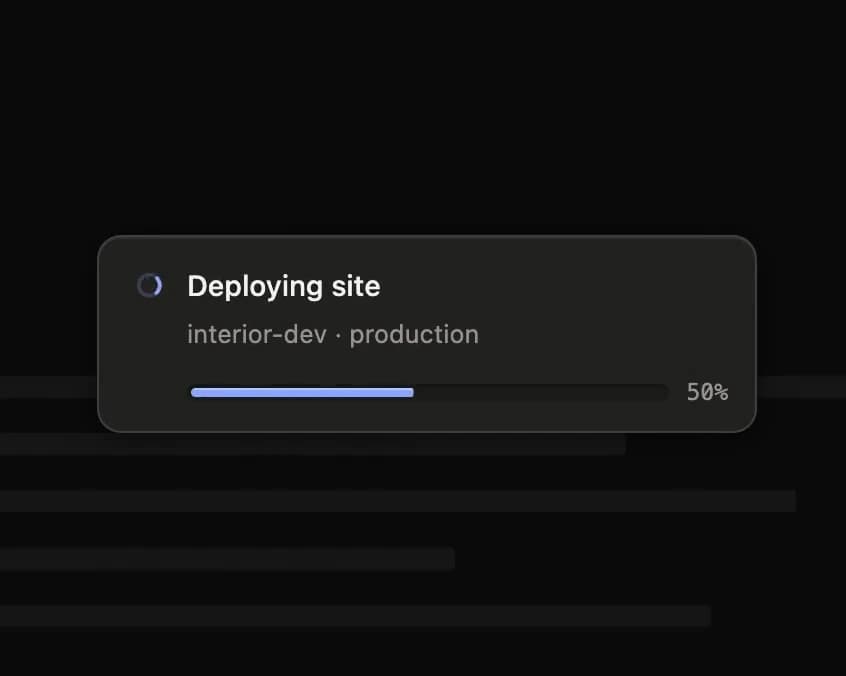
An iOS-style live activity pod that shows a single ongoing task with running, success and error states, morphing between a compact glyph and an expanded card with progress and a retry action.
Built with React and Tailwind. Copy the prompt and paste it into Claude Code, Cursor or Lovable: your agent adds Live Activity to your project and fits it to your theme.
Code
How Live Activity is used: the demo's code. The component's own source comes with a free account.
Usage.tsx
"use client";

import { LiveActivity, useLiveActivity } from "@/components/ui/live-activity";
import { useEffect, useRef } from "react";

const STEPS = 24;
const TICK = 140;

const LINES = ["w-[88%]", "w-[64%]", "w-[76%]", "w-[52%]", "w-[70%]"];

export default function LiveActivityDemo() {
  const pod = useLiveActivity();
  const runs = useRef(0);
  const ticker = useRef<ReturnType<typeof setInterval> | null>(null);

  const stop = () => {
    if (ticker.current) clearInterval(ticker.current);
    ticker.current = null;
  };

  const deploy = () => {
    stop();
    runs.current += 1;
    const failing = runs.current % 3 === 0;
    pod.start({
      title: "Deploying site",
      detail: "interior-dev · production",
      progress: 0,
    });
    let step = 0;
    ticker.current = setInterval(() => {
      step += 1;
      if (failing && step >= Math.round(STEPS * 0.6)) {
        stop();
        pod.fail(
          { detail: "Build failed at step 14 of 24" },
          { label: "Retry", onClick: deploy },
        );
        return;
      }
      if (step >= STEPS) {
        stop();
        pod.succeed({ detail: "Live at interior-dev.vercel.app" });
        return;
      }
      pod.update({ progress: step / STEPS });
    }, TICK);
  };

  useEffect(() => stop, []);

  return (
    <div className="relative h-full min-h-[280px] w-full">
      <div className="pointer-events-none absolute inset-x-0 top-4 z-10">
        <LiveActivity activity={pod.activity} onDismiss={pod.dismiss} />
      </div>

      <div aria-hidden className="space-y-4 px-6 pt-20">
        {LINES.map((width) => (
          <div
            key={width}
            className={`h-2.5 rounded-[2px] bg-stone-800/[0.06] dark:bg-white/[0.05] ${width}`}
          />
        ))}
      </div>

      <div className="absolute bottom-4 right-4">
        <button
          type="button"
          onClick={deploy}
          className="inline-flex h-8 select-none items-center rounded-[9px] border border-stone-200 bg-white px-3 text-[12.5px] font-medium text-stone-700 shadow-[inset_0_1.5px_0_rgba(255,255,255,0.95),inset_0_-1px_0_rgba(28,25,23,0.06),0_1px_2px_rgba(28,25,23,0.08)] outline-none transition-[background-color,border-color,box-shadow] duration-150 hover:bg-stone-50 focus-visible:border-[#4568FF] focus-visible:shadow-[0_1px_2px_rgba(28,25,23,0.08),0_10px_20px_-14px_rgba(69,104,255,0.6)] active:translate-y-px dark:border-white/[0.16] dark:bg-[#252522] dark:text-stone-200 dark:shadow-[inset_0_1px_0_rgba(255,255,255,0.07),0_1px_2px_rgba(0,0,0,0.4)] dark:hover:bg-[#2A2A27] dark:focus-visible:border-[#93B0FF] dark:focus-visible:shadow-[0_10px_20px_-14px_rgba(147,176,255,0.5)]"
        >
          Deploy
        </button>
      </div>
    </div>
  );
}
Dependencies
More by Özer
View all

Password Strength
1.3K
OTP Input
804
Loading Button
603
Progress Bar
588
Reorder List
310
Task Steps
276
Hold to Confirm
250
Reading Progress
169