About
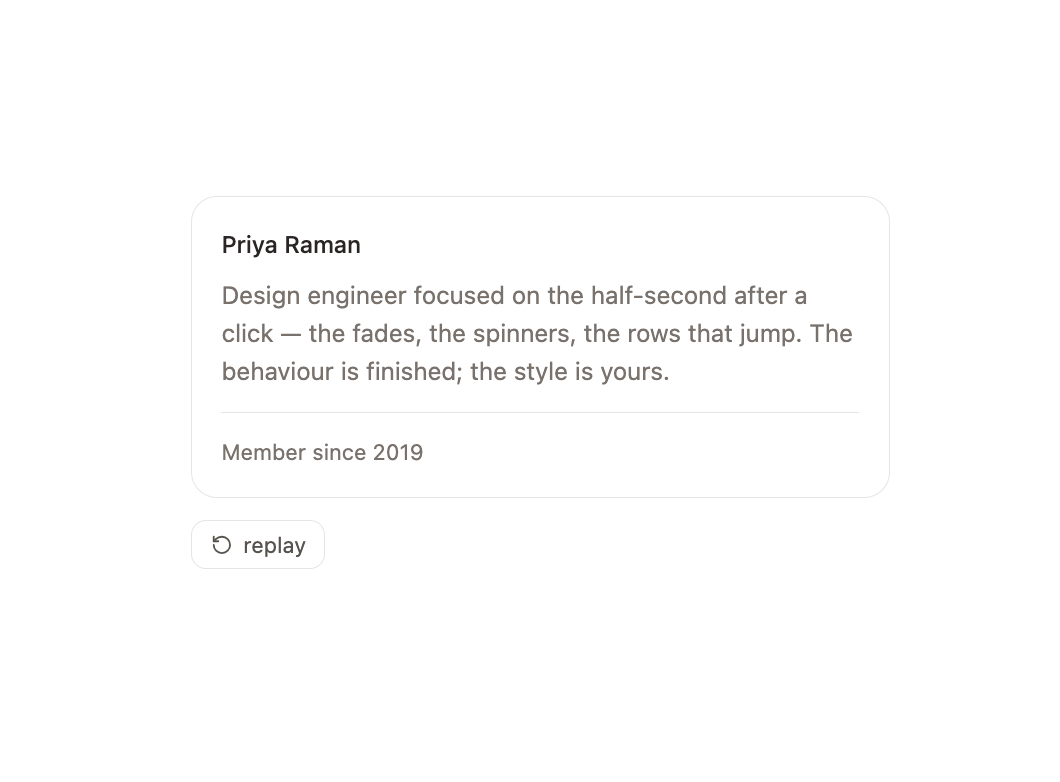
A loading placeholder that crossfades skeleton bars into real content with zero layout shift, holding a reserved box until data is ready.
Built with React and Tailwind. Copy the prompt and paste it into Claude Code, Cursor or Lovable: your agent adds Skeleton Swap to your project and fits it to your theme.
Code
How Skeleton Swap is used: the demo's code. The component's own source comes with a free account.
Usage.tsx
"use client";

import { SkeletonSwap } from "@/components/ui/skeleton-swap";
import * as React from "react";

export default function Default() {
  const [bio, setBio] = React.useState<string | null>(null);

  const load = React.useCallback(() => {
    setBio(null);
    const t = setTimeout(
      () =>
        setBio(
          "Design engineer focused on the half-second after a click — the fades, the spinners, the rows that jump. The behaviour is finished; the style is yours.",
        ),
      1400,
    );
    return () => clearTimeout(t);
  }, []);

  React.useEffect(() => load(), [load]);

  return (
    <div className="flex w-full items-center justify-center bg-white p-10 dark:bg-neutral-950">
      <div className="w-full max-w-sm">
        <article className="rounded-[14px] border border-stone-200 p-4 dark:border-white/[0.16]">
          <h3 className="text-[13px] font-medium text-stone-800 dark:text-stone-100">
            Priya Raman
          </h3>

          <SkeletonSwap
            ready={bio !== null}
            lines={3}
            lineHeight={21}
            label="Profile"
            className="mt-2"
          >
            {bio ? (
              <p className="text-[13.5px] leading-[21px] text-stone-500 dark:text-stone-400">
                {bio}
              </p>
            ) : null}
          </SkeletonSwap>

          <footer className="mt-3 border-t border-stone-200 pt-3 text-[12px] text-stone-500 dark:border-white/[0.16] dark:text-stone-400">
            Member since 2019
          </footer>
        </article>

        <button
          onClick={load}
          className="mt-3 flex items-center gap-1.5 rounded-md border border-stone-200 px-2.5 py-1 text-[12px] text-stone-600 transition-colors hover:bg-stone-50 dark:border-white/[0.16] dark:text-stone-300 dark:hover:bg-white/5"
        >
          <svg
            className="h-3 w-3"
            viewBox="0 0 24 24"
            fill="none"
            stroke="currentColor"
            strokeWidth="2"
            strokeLinecap="round"
            strokeLinejoin="round"
          >
            <path d="M3 12a9 9 0 1 0 9-9 9.75 9.75 0 0 0-6.74 2.74L3 8" />
            <path d="M3 3v5h5" />
          </svg>
          replay
        </button>
      </div>
    </div>
  );
}
Dependencies
More by Özer
View all

Password Strength
1.3K
OTP Input
802
Loading Button
601
Progress Bar
588
Reorder List
310
Task Steps
276
Hold to Confirm
250
Reading Progress
169