About
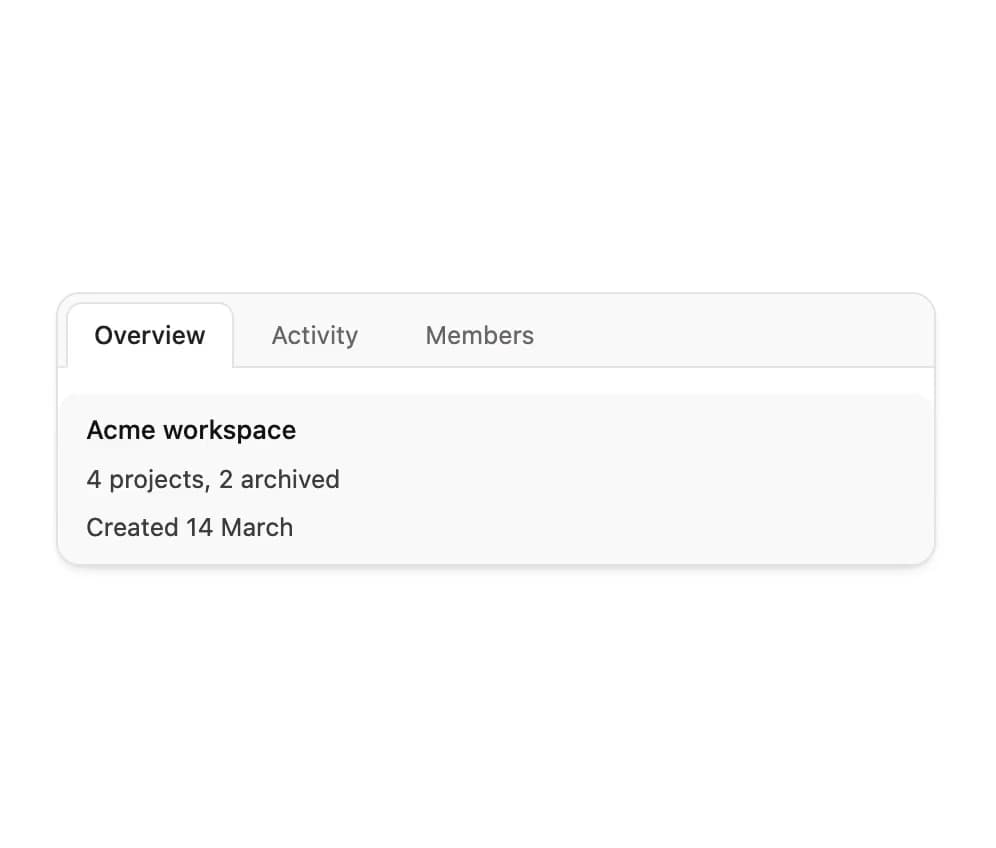
An accessible tabs component with an animated sliding indicator, keyboard navigation, and directional panel transitions.
Built with React and Tailwind. Copy the prompt and paste it into Claude Code, Cursor or Lovable: your agent adds Tabs to your project and fits it to your theme.
Code
How Tabs is used: the demo's code. The component's own source comes with a free account.
Usage.tsx
"use client";

import Tabs from "@/components/ui/tabs";
import { useState } from "react";

const items = [
  { value: "overview", label: "Overview" },
  { value: "activity", label: "Activity" },
  { value: "members", label: "Members" },
];

const panels: Record<string, { title: string; lines: string[] }> = {
  overview: {
    title: "Acme workspace",
    lines: ["4 projects, 2 archived", "Created 14 March"],
  },
  activity: {
    title: "Last 24 hours",
    lines: ["Dana deployed api-gateway", "Rui closed 3 issues"],
  },
  members: {
    title: "6 people",
    lines: ["2 admins, 4 editors", "1 invite pending"],
  },
};

export default function TabsDemo() {
  const [tab, setTab] = useState("overview");

  return (
    <div className="mx-auto w-full max-w-[440px]">
      <Tabs
        items={items}
        value={tab}
        onValueChange={setTab}
        label="Workspace sections"
        panelClassName="mt-3"
        renderPanel={(value) => (
          <div className="flex h-[86px] flex-col justify-center rounded-[11px] bg-sub px-3.5">
            <p className="text-[13px] font-medium text-ink">
              {panels[value].title}
            </p>
            {panels[value].lines.map((line) => (
              <p key={line} className="mt-1 text-[12.5px] text-ink-2">
                {line}
              </p>
            ))}
          </div>
        )}
      />
    </div>
  );
}
Dependencies
More by Özer
View all

Password Strength
1.3K
OTP Input
802
Loading Button
601
Progress Bar
588
Reorder List
310
Task Steps
276
Hold to Confirm
250
Reading Progress
169
More in Navigation
View all

Sidebar
234

Tabs
60
Newsletter Signup Footer
16
Progress Bar Stepper
36

Footer 2
201
Navbar with Theme Toggle
43

Navbar
71

Pagination
86
